
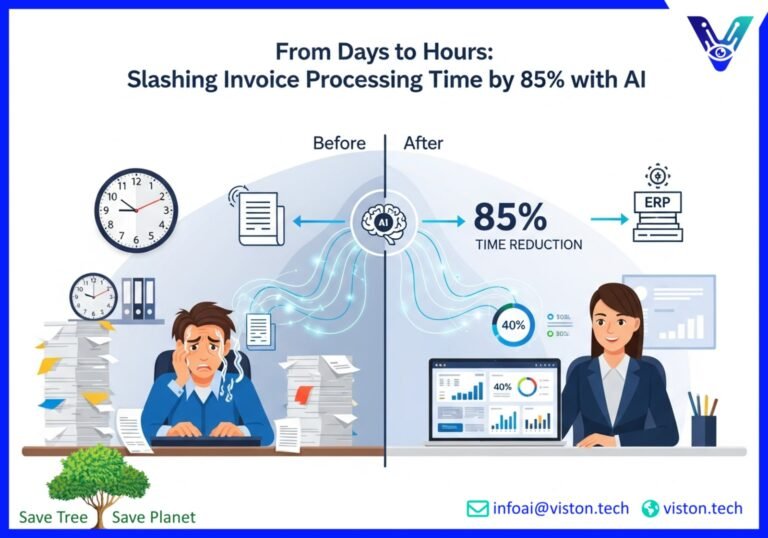
AI-Powered Workflow Automation: Reducing Invoice Processing Time by 85%
Manual processes are the silent growth inhibitors in today’s fast-paced digital economy. For finance departments, the tedious, error-prone task of manual invoice processing is a major bottleneck. It drains resources, delays payments, and offers zero strategic value. Now, imagine slashing that processing time by up to 85%. It’s not a future dream; it’s the current reality for businesses embracing AI-powered workflow automation. Companies are already seeing productivity gains of up to 40% in real-world deployments.
As we move through 2025, the conversation is shifting from “if” to “how” to implement intelligent automation. This isn’t just about replacing manual data entry. It’s about fundamentally redesigning your financial operations to be faster, more accurate, and incredibly efficient. This transformation frees your team to focus on what truly matters: strategic financial planning and growth.
The Old Way: A Look at the Current Manual Baseline
Let’s consider the typical journey of an invoice in a traditional, manual system. It’s a story filled with friction, potential for error, and wasted time.
The process usually begins when an invoice arrives, either as a paper document or a PDF email attachment. An accounts payable (AP) clerk must first manually retrieve and sort these documents. Then, the painstaking work of data entry begins. The clerk keys information like the vendor name, invoice number, date, line items, and total amount into an accounting system. This step alone is a major source of human error, where a single misplaced decimal can have significant consequences.
Once entered, the invoice doesn’t just get paid. It must be validated. The clerk cross-references the invoice against purchase orders and delivery receipts. Discrepancies require back-and-forth communication with vendors and internal departments, causing further delays. Finally, the invoice is routed for approval, often through a chain of emails or inter-office mail, where it can sit on a manager’s desk for days. Only after this long and winding road is the payment finally processed.
This manual workflow is not just slow; it’s expensive. It leads to late payment fees, missed early payment discounts, and strained vendor relationships. Your skilled finance professionals are trapped in a cycle of repetitive tasks, unable to contribute to more strategic initiatives.
The New Way: Process Mining and AI Orchestration
The future of invoice processing is intelligent. It starts with understanding your current state perfectly and then deploying AI to create a seamless, automated workflow. This is achieved through a powerful combination of process mining and AI orchestration.
Finding the Bottlenecks with Process Mining
Think of process mining as an MRI for your business operations. It uses data from your existing IT systems (like your ERP and accounting software) to create a detailed, visual map of your actual invoice processing workflow. It doesn’t show you the ideal process you designed; it shows you what’s really happening, complete with all the deviations, bottlenecks, and inefficiencies. This data-driven clarity is the essential first step toward meaningful automation.
Automating and Optimizing with AI Orchestration
Once process mining identifies the “what” and “where,” AI orchestration steps in to handle the “how.” AI orchestration is the brain of the automated workflow. It coordinates various AI technologies, systems, and human actions to execute a process seamlessly from end to end. It’s more than simple automation; it’s about intelligently managing the entire journey of an invoice.
A Conceptual Look at the AI-Powered Workflow
Imagine a central AI platform orchestrating the entire invoice process:
- Invoice Arrival: An AI agent constantly monitors designated inboxes. When an invoice arrives, it’s instantly ingested.
- Intelligent Data Extraction: Using Optical Character Recognition (OCR) and Natural Language Processing (NLP), the AI reads the invoice—regardless of its format—and extracts all relevant data with over 99% accuracy.
- Automated Validation: The AI instantly cross-references the extracted data with purchase orders and other records in your ERP system. This is a three-way match performed in seconds.
- Smart Routing & Approval: If everything matches, the invoice is routed for automated approval based on predefined rules. If there’s an exception, the AI flags it and routes it to the correct person for review, providing all necessary context to resolve the issue quickly.
- Seamless Payment & Recording: Once approved, the payment is scheduled, and the entire transaction is recorded in the general ledger without any human intervention.
This orchestrated workflow transforms a multi-day, multi-step manual process into a highly efficient, mostly autonomous operation.
The Proof Is in the Numbers: Before and After AI Automation
The impact of shifting from a manual baseline to an AI-powered one is dramatic and measurable. The metrics speak for themselves, showcasing a clear return on investment and a profound operational transformation.
Before AI-Powered Workflow Automation:
- Average Invoice Processing Time: 15-20 days
- Cost Per Invoice: $15 – $25
- Error Rate: 3-5% (leading to rework and payment issues)
- Early Payment Discount Capture: Less than 20%
- Staff Focus: 80% on transactional tasks, 20% on strategic work
After AI-Powered Workflow Automation:
- Average Invoice Processing Time: 1-3 days (an 85% reduction)
- Cost Per Invoice: $2 – $5 (a reduction of over 75%)
- Error Rate: Less than 0.5%
- Early Payment Discount Capture: Over 90%
- Staff Focus: 20% on exception handling, 80% on strategic financial analysis
These improvements ripple across the organization. Cash flow becomes more predictable. Vendor relationships improve due to reliable, on-time payments. And perhaps most importantly, your finance team is empowered to become a strategic partner to the business.
Your Roadmap: 5 Steps to Implement Invoice Automation
Transitioning to an AI-powered system is a strategic project that, when planned correctly, delivers transformative results. Here is a clear, five-step implementation plan to guide your journey.
- Assess and Map Your Current Process: Before you can automate, you must understand. Use process mining tools or conduct detailed workflow analysis to map your existing invoice management process. Identify every touchpoint, system, and bottleneck. This foundational step is crucial for designing an effective automation solution.
- Choose the Right AI Solution: Not all automation platforms are created equal. Look for a solution that offers robust AI capabilities, including intelligent data capture and machine learning for continuous improvement. Crucially, ensure it can integrate seamlessly with your existing ERP and accounting systems. Scalability is also key; the solution should grow with your business.
- Prepare and Train the AI: An AI system learns from data. You will need to prepare historical invoice data to train the AI model. This helps the system learn the unique formats and layouts of your vendors’ invoices. The more data it processes, the smarter and more accurate it becomes at categorizing information and handling exceptions.
- Implement, Test, and Integrate: This is the technical phase where the AI solution is implemented and connected to your existing software stack. Start with a pilot program, testing the system with a specific subset of invoices. This allows you to fine-tune the workflows and rules before a full-scale rollout, ensuring a smooth transition.
- Monitor, Optimize, and Scale: Automation is not a “set it and forget it” solution. Continuously monitor the performance of your new workflow using clear KPIs, such as processing time and error rates. Use these insights to further optimize the system. As your confidence grows, you can scale the automation to other areas of your finance department and beyond.
Calculating the Value: Your Budget and ROI Calculator
Investing in new technology requires a clear business case. An ROI calculation demonstrates the tangible financial benefits of invoice automation. While every business is unique, you can use this simple framework to estimate your potential returns.
Key Inputs for Your Calculation:
- Number of Invoices Processed Per Month: The total volume of invoices your team handles.
- Average Time to Process One Invoice (in hours): Be honest about the end-to-end time, including data entry, validation, and approvals.
- Average Hourly Cost of an AP Clerk (fully loaded): Include salary, benefits, and overhead.
- Current Annual Cost of Late Fees: The total amount paid in penalties for late payments.
- Potential Early Payment Discounts Missed Annually: The total value of discounts you could have captured.
ROI Calculation Example:
Let’s consider a company processing 2,000 invoices per month.
Cost of Manual Processing (Annual):
- Assume it takes 30 minutes (0.5 hours) per invoice.
- Assume a loaded hourly cost of $30 for an AP clerk.
- Calculation: 2,000 invoices/month * 0.5 hours/invoice * $30/hour * 12 months = $360,000 per year.
Cost with AI Automation (Annual):
- AI reduces processing time by 85%, so manual effort is now 4.5 minutes (0.075 hours) per invoice (mostly for exception handling).
- Calculation: 2,000 invoices/month * 0.075 hours/invoice * $30/hour * 12 months = $54,000 per year.
- Add an estimated annual software cost of $60,000.
- Total Annual Cost: $54,000 + $60,000 = $114,000.
Annual Savings and ROI:
- Direct Savings: $360,000 – $114,000 = $246,000.
- Let’s add an estimated $20,000 saved from eliminating late fees and another $40,000 gained from capturing early payment discounts.
- Total Annual Benefit: $246,000 + $20,000 + $40,000 = $306,000.
- First-Year ROI: ($306,000 / $60,000 software cost) * 100 = over 500% ROI.
This powerful ROI doesn’t even account for the strategic value of freeing up your team. The same AI principles can be applied elsewhere, such as in predictive maintenance, where AI can lead to 25% less downtime and deliver similarly strong returns. For more insights on the broader impact of AI, consider this analysis from McKinsey on how AI is transforming industries.
Take the Next Step Towards Intelligent Automation
The evidence is clear. AI-powered workflow automation is no longer a futuristic concept but a necessary tool for competitive advantage in 2025. By eliminating manual bottlenecks in invoice processing, you can unlock significant cost savings, dramatically increase efficiency, and empower your finance team to drive strategic value. The question isn’t whether to automate, but how quickly you can begin your transformation.
Ready to see how AI can revolutionize your financial workflows? The experts at Viston AI are here to help you design and implement a tailored solution that meets your unique business needs.
Contact Viston AI today to schedule a demo and start your journey towards a smarter, more efficient future.
Frequently Asked Questions (FAQs)
- 1. What is AI-powered workflow automation?
- It is the use of artificial intelligence technologies like machine learning (ML) and natural language processing (NLP) to streamline and automate multi-step business processes. In invoice processing, it handles everything from data extraction and validation to approvals and payment scheduling with minimal human intervention.
- 2. Is this technology difficult for a non-technical team to use?
- Not at all. Modern AI automation platforms are designed with user-friendly interfaces. The goal is to empower business users, not just IT experts. Your finance team will manage workflows through intuitive dashboards, focusing on handling exceptions rather than tedious manual tasks.
- 3. How does AI handle different invoice formats from various suppliers?
- This is a key strength of AI. Unlike older template-based systems, AI uses machine learning to understand the context and layout of any invoice, regardless of its format. It learns to identify key pieces of information (like invoice numbers and amounts) no matter where they are on the page.
- 4. What kind of security measures are in place to protect sensitive financial data?
- Leading AI solution providers prioritize security. This includes end-to-end data encryption, secure cloud infrastructure, role-based access controls, and regular compliance audits (such as SOC 2) to ensure your financial data is always protected.
- 5. How long does it take to implement an AI invoice automation solution?
- Implementation times can vary depending on the complexity of your existing systems, but a typical project can move from discovery to go-live in a matter of weeks, not months. A phased approach, starting with a pilot, is often recommended to ensure a smooth rollout.
- 6. Can the AI integrate with our current accounting software or ERP?
- Yes. Seamless integration is a core feature of modern AI workflow automation platforms. They are built to connect with hundreds of popular ERP and accounting systems (like Oracle, SAP, QuickBooks, and NetSuite) through APIs, ensuring data flows smoothly across your entire financial ecosystem.
- 7. What happens if the AI makes an error in extracting data?
- AI systems are designed with a “human-in-the-loop” approach for quality control. If the AI has low confidence in a piece of data it has extracted, it flags the invoice for human review. This allows a team member to quickly verify the information, and that correction helps the AI learn and improve its accuracy for the future.
- 8. Will AI automation replace the jobs of our accounts payable team?
- The goal of AI automation is not to replace people, but to augment their capabilities. It automates the repetitive, low-value tasks, freeing your AP team to focus on more strategic activities like financial analysis, vendor relationship management, fraud prevention, and process optimization—work that requires critical human judgment.
#WorkflowAutomation #ProcessMining #InvoiceAutomation #AIinFinance #DigitalTransformation #FutureOfWork #VistonAI
