
AI Agents for Service Desks: From Ticket Triage to Full Case Resolution
The relentless pace of digital transformation is placing unprecedented strain on IT service desks. Ticket volumes are exploding. User expectations for instant support are soaring. And skilled IT professionals are spending far too much time on repetitive, low-value tasks. This is the reality for many organizations in 2025, a persistent pain point that hampers productivity and frustrates employees and IT teams alike. But a powerful new wave of technology is not just alleviating these pressures—it’s poised to eliminate them entirely. Enter the era of AI agents for service desks.
Workflow automation tools and IT Service Management (ITSM) platforms, including industry leaders like ServiceNow, now ship with sophisticated agentic capabilities. These are not your old-school, rule-based chatbots. Today’s ITSM agents are intelligent, autonomous entities capable of understanding context, making decisions, and executing complex support workflows from end to end. They are fundamentally reshaping the service desk, transforming it from a reactive cost center into a proactive, efficient, and value-driven business function. This evolution is happening in stages, moving methodically from initial ticket triage to comprehensive case resolution, and the impact is profound.
The Service Desk Status Quo: A Landscape of Inefficiency
For years, the core challenge for IT service desks has been managing a high volume of diverse requests with limited resources. This often leads to a host of problems that directly impact business operations and employee satisfaction:
- Manual Triage and Routing Errors: The initial sorting and assignment of tickets is a critical first step. When done manually, it’s slow and prone to human error. A misrouted ticket can add hours, or even days, to the resolution time, leading to frustrating delays for users.
- Overwhelmed Level 1 Support: The front lines of IT support are often inundated with a flood of repetitive and basic requests, such as password resets, software access requests, and simple “how-to” questions. This constant barrage prevents skilled technicians from focusing on more complex and strategic issues.
- Inconsistent Support Quality: The quality of support can vary significantly depending on the individual agent’s experience, knowledge, and current workload. This inconsistency can lead to a disjointed and unpredictable user experience.
- Slow Resolution Times: The combination of high ticket volumes, manual processes, and resource constraints inevitably leads to longer wait times for issue resolution. In a fast-paced business environment, these delays can have significant productivity consequences.
- Reactive vs. Proactive Support: Traditional service desks are inherently reactive. They respond to issues as they arise. This model misses the opportunity to identify and address underlying problems before they impact a larger number of users.
These pain points are not just operational headaches; they have a real and measurable impact on the bottom line. Wasted man-hours, decreased employee productivity, and a negative perception of the IT department are all direct consequences of an inefficient service desk. The need for a smarter, more automated approach has never been more apparent.
The Stepwise Revolution: Automating the Service Desk Journey
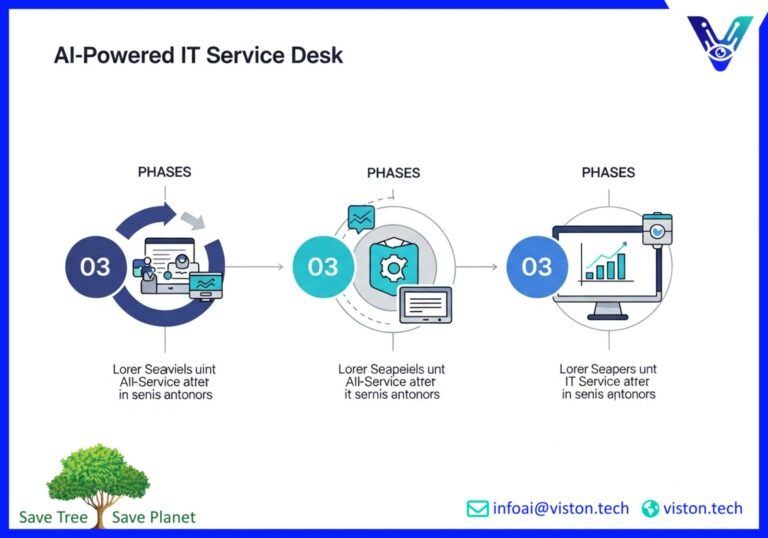
The integration of AI into service desks is not a single, monolithic event but a phased evolution. This stepwise approach allows organizations to build confidence in the technology, demonstrate value at each stage, and gradually transform their support workflows. The journey typically unfolds across three key phases: Triage, Diagnosis, and Resolution.
Phase 1: Intelligent Ticket Triage and Routing
The first and most immediate application of AI in the service desk is in the initial handling of incoming tickets. This is where AI-powered triage and routing systems bring a new level of speed and precision to the process. By leveraging Natural Language Processing (NLP) and machine learning, these systems can instantly analyze the content of a support request—be it an email, a chat message, or a formal ticket submission.
Here’s how it works:
- Automated Categorization: The AI agent reads the ticket description to understand the user’s issue. It can identify keywords, context, and even the user’s sentiment to accurately categorize the ticket (e.g., “Hardware,” “Software,” “Network”).
- Priority Assignment: Based on the nature of the issue and predefined business rules, the AI assigns a priority level. For instance, a system-wide outage would be flagged as critical, while a request for a new mouse would be assigned a lower priority.
- Intelligent Routing: Once categorized and prioritized, the ticket is automatically routed to the most appropriate support agent or team. The AI can make this decision based on factors like agent skill set, current workload, and team specialization.
The impact of this initial phase of automation is immediate. Response times are drastically reduced, and the risk of human error in the routing process is virtually eliminated. This ensures that every ticket gets to the right person quickly, setting the stage for a more efficient resolution process.
Phase 2: AI-Powered Diagnosis and Knowledge Provisioning
Once a ticket has been correctly triaged and routed, the next step is to diagnose the problem and provide the agent with the information they need to solve it. This is where AI’s ability to analyze vast amounts of data comes into play. AI agents can act as a powerful assistant to human support staff, accelerating the diagnostic process and ensuring consistent, high-quality responses.
Key capabilities in this phase include:
- Contextual Information Gathering: The AI agent can automatically pull relevant information from various systems. This could include the user’s device information, software versions, past support tickets, and any recent system changes that might be related to the issue.
- Knowledge Base Integration: The AI can search the organization’s knowledge base for relevant articles, troubleshooting guides, and previously documented solutions to similar problems. This information is then presented to the human agent directly within the ticket interface.
- Generative AI for Summaries and Responses: For complex issues with a long history, generative AI can provide a concise summary of the ticket’s journey so far. It can also draft potential responses to the user, which the agent can then review, edit, and send.
By arming human agents with all the necessary information and tools at the very beginning of the diagnostic process, AI dramatically reduces the time it takes to understand and start working on a problem. This human-AI collaboration is a key trend for 2025, blending the speed and data-processing power of AI with the critical thinking and empathy of human experts.
Phase 3: Autonomous Resolution and Self-Healing
The final and most transformative phase in the evolution of AI-powered service desks is full, autonomous resolution. In this stage, AI agents are empowered to not only diagnose problems but also to take the necessary actions to resolve them without any human intervention. This is where the concept of a “digital workforce” truly comes to life.
Examples of autonomous resolution workflows include:
- Automated Password Resets and Account Unlocks: One of the most common and time-consuming requests for any service desk. An AI agent can securely verify the user’s identity and perform the reset automatically.
- Software Provisioning and Access Management: When a new employee joins the company, an AI agent can orchestrate the entire process of setting up their accounts and granting them access to the necessary software and systems.
- Proactive Issue Remediation: In its most advanced form, AI can monitor IT systems for signs of trouble and take corrective action before users are even aware of a problem. This “self-healing” capability represents a major shift from reactive to proactive IT support.
By fully automating the resolution of common and repetitive issues, organizations can free up their skilled IT professionals to focus on high-value, strategic initiatives. This not only improves operational efficiency but also makes the role of an IT support professional more engaging and rewarding.
Example Workflows in Action: A Glimpse into the Future
To truly understand the power of AI agents in the service desk, let’s consider a couple of practical, real-world examples:
Example 1: New Employee Onboarding
Traditionally, onboarding a new employee involves a series of manual tasks for the IT department. With an AI-powered workflow, the process becomes seamless and automated:
- The HR system triggers the onboarding workflow when a new employee is hired.
- An AI agent receives the request and, based on the new employee’s role and department, initiates a series of actions.
- The agent automatically creates user accounts in Active Directory, email, and other core systems.
- It then submits requests to provision the necessary hardware (laptop, monitor, etc.) and software licenses.
- Finally, it schedules introductory training sessions and sends a welcome email to the new employee with all their login credentials and initial instructions.
What once took days of manual coordination can now be completed in a matter of minutes, ensuring that new employees are productive from day one.
Example 2: Resolving a “Slow Laptop” Complaint
A common and often vague user complaint is a “slow laptop.” An AI agent can handle this issue with a level of efficiency that would be difficult for a human agent to match:
- A user submits a ticket saying their laptop is running slow.
- The AI agent immediately triages the ticket and begins its diagnostic process.
- It checks the laptop’s performance metrics in real-time, looking at CPU usage, memory, and disk space.
- The agent also scans for recently installed software and checks for any known issues or conflicts.
- If a common issue is detected (e.g., a process is consuming too much memory), the AI can automatically take corrective action, such as restarting the process or clearing temporary files.
- The agent then informs the user of the action taken and asks if the issue is resolved.
If the problem is more complex, the AI can gather all of its diagnostic findings and escalate the ticket to a human agent, providing them with a complete picture of the situation. This seamless blend of automation and human expertise ensures that issues are resolved as quickly and efficiently as possible.
Measuring Success: The KPIs of an AI-Powered Service Desk
The transition to an AI-powered service desk is a significant investment, and it’s crucial to measure its impact. The good news is that the benefits are highly quantifiable. Key performance indicators (KPIs) to track include:
- Mean Time to Resolution (MTTR): This is one of the most direct measures of efficiency. A successful AI implementation will lead to a significant reduction in the average time it takes to resolve a ticket.
- First Contact Resolution (FCR) Rate: The percentage of tickets that are resolved on the first interaction. AI-powered knowledge provisioning and autonomous resolution can dramatically improve this metric.
- Ticket Volume Reduction: By deflecting common requests through self-service and proactively resolving issues, AI can lead to a noticeable decrease in the number of new tickets being created.
- Customer Satisfaction (CSAT) Scores: Faster resolutions and more consistent service quality will inevitably lead to higher user satisfaction. Regularly surveying users is a great way to measure this.
- Cost Per Ticket: By automating many of the tasks traditionally handled by human agents, AI can significantly lower the operational cost of the service desk.
For more insights into modernizing your IT support, check out this comprehensive guide on AI-powered ticket triage or this detailed overview of the evolution of the service desk. To understand the capabilities of a leading ITSM platform, explore the latest advancements from ServiceNow’s AI-powered solutions.
The Future is Now: Embracing the AI Revolution in IT Support
The evolution of AI agents for service desks is not a distant, futuristic concept. It is happening right now, and the organizations that embrace this transformation will gain a significant competitive advantage. By moving from a model of manual, reactive support to one that is automated, proactive, and intelligent, businesses can not only improve their operational efficiency but also create a better experience for their employees. The journey from ticket triage to full case resolution is a clear roadmap for this transformation, and the benefits at each stage are undeniable.
The question for IT leaders in 2025 is no longer “if” they should adopt AI in their service desks, but “how” and “how quickly.” The tools are available, the use cases are proven, and the potential for a positive impact is immense. The age of the autonomous service desk is here.
Ready to Transform Your Service Desk?
If you’re ready to explore how AI-powered solutions can revolutionize your IT support workflows, the team at Viston AI is here to help. We specialize in developing and implementing intelligent automation solutions that are tailored to the unique needs of your business. Contact Viston AI today to schedule a consultation and take the first step towards a smarter, more efficient service desk.
#AIAgents #ITSM #ServiceNow #SupportWorkflows #Automation #ServiceDesk #AIinIT #DigitalTransformation #FutureOfWork
Frequently Asked Questions (FAQs)
- What is an AI agent for a service desk?An AI agent for a service desk is an intelligent software program designed to automate and enhance IT support processes. Unlike simple chatbots, these agents can understand user requests, diagnose problems, and in many cases, resolve issues without human intervention. They leverage technologies like natural language processing, machine learning, and workflow automation to handle tasks ranging from ticket triage to full case resolution.
- How is an AI agent different from a traditional chatbot?Traditional chatbots are typically rule-based and can only respond to a limited set of pre-programmed commands. AI agents, on the other hand, are far more advanced. They can understand context, learn from past interactions, and integrate with various IT systems to perform complex actions. They are designed to be autonomous workers, capable of managing multi-step processes and making intelligent decisions.
- What are the main benefits of using AI agents in IT support?The key benefits include faster response and resolution times, increased efficiency, reduced operational costs, and improved user satisfaction. By automating repetitive tasks, AI agents free up human IT staff to focus on more strategic and complex issues. They also provide consistent, 24/7 support, which is a major advantage in today’s global and always-on business environment.
- Will AI agents replace human IT support staff?The goal of AI agents is not to replace human staff but to augment their capabilities. While AI can handle a large volume of routine and repetitive tasks, human expertise is still essential for complex problem-solving, strategic thinking, and managing sensitive user interactions. The future of the service desk is a hybrid model where humans and AI work together, each focusing on what they do best.
- What is “ticket triage,” and how does AI help with it?Ticket triage is the process of sorting, categorizing, and prioritizing incoming support tickets. AI automates this process by using natural language processing to understand the content of each ticket. It can then automatically assign a category (e.g., hardware, software), set a priority level based on urgency, and route the ticket to the appropriate support team or agent, all within seconds of its creation.
- Can AI agents integrate with existing ITSM platforms like ServiceNow?Yes, absolutely. Modern AI agent solutions are designed to integrate seamlessly with leading ITSM platforms. In fact, platforms like ServiceNow are now offering their own advanced AI agent capabilities as part of their core product. This integration allows the AI to access and update ticket information, interact with the knowledge base, and trigger automated workflows within the ITSM environment.
- How can a business measure the success of an AI agent implementation?Success can be measured through a variety of key performance indicators (KPIs). These include a reduction in Mean Time to Resolution (MTTR), an increase in the First Contact Resolution (FCR) rate, a decrease in overall ticket volume, and an improvement in Customer Satisfaction (CSAT) scores. Tracking these metrics will provide a clear picture of the AI’s impact on service desk efficiency and effectiveness.
- What is the first step to implementing AI in our service desk?A great first step is to identify the most common and repetitive tasks that are currently consuming a significant amount of your IT team’s time. This could be password resets, software access requests, or basic troubleshooting. Starting with a small, well-defined use case allows you to demonstrate the value of AI quickly and build a strong foundation for future, more complex automation projects.
