
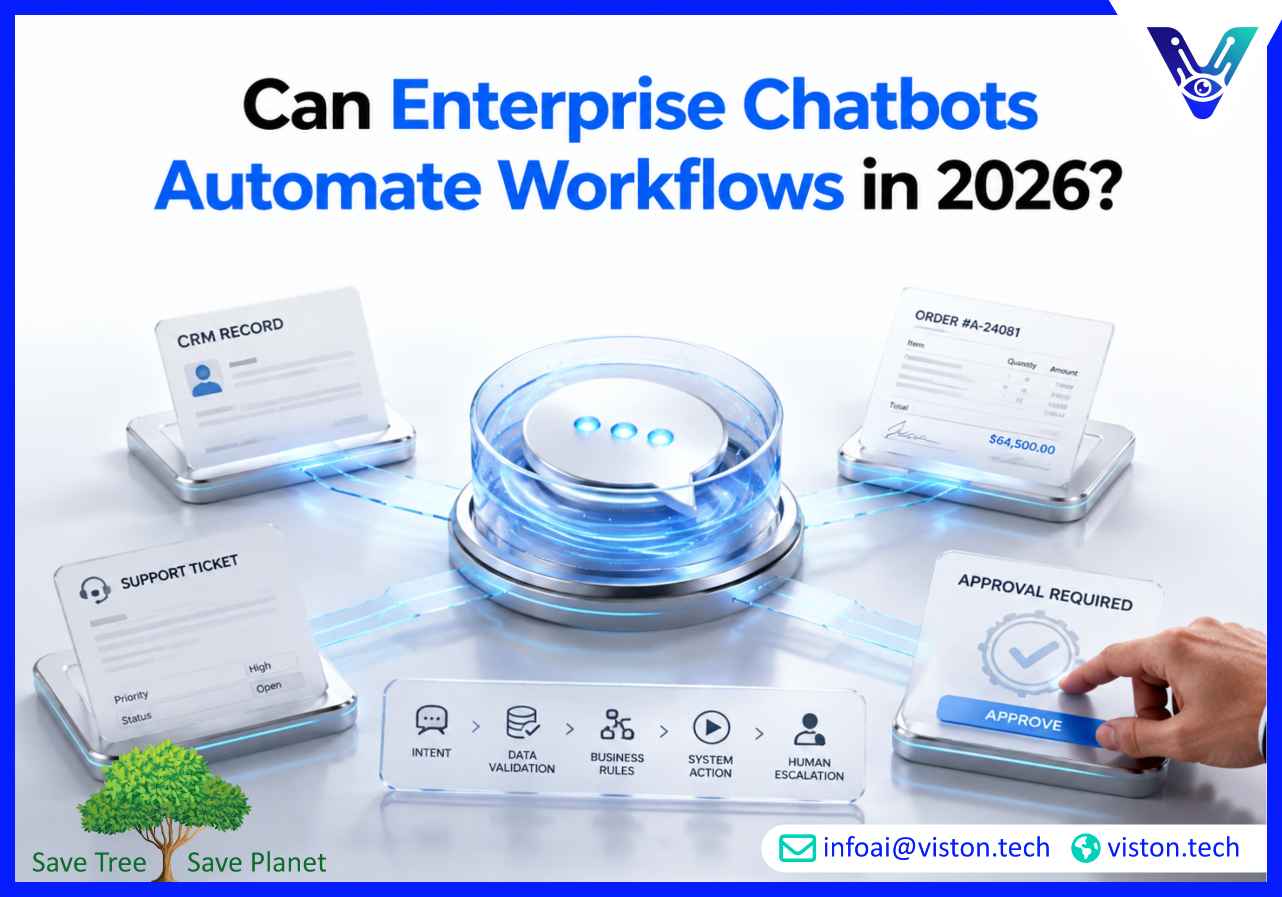
Can enterprise chatbots automate workflows? Yes, when they are properly integrated with business systems, enterprise AI chatbots can trigger tasks, update records, route requests, collect data, support approvals, and reduce repetitive manual work across customer-facing and internal operations.
Workflow automation through enterprise chatbots means using conversational AI to move a business process forward without requiring a person to manually handle every step. The chatbot does not simply answer a question. It understands the user’s intent, collects the required information, validates the request, connects with business systems, and triggers the next action based on predefined rules.
For example, a customer may ask about an order status. A basic chatbot may provide a generic answer or direct the customer to a tracking page. An enterprise chatbot connected to order management, CRM, or ERP systems can identify the customer, retrieve order data, share the latest status, offer delivery options, update a support ticket, and notify the logistics team if an exception is detected.
This is the difference between a conversational interface and a workflow-enabled chatbot. The chatbot becomes an operational layer that connects people, systems, and processes through natural language.
In 2026, workflow automation is one of the most important reasons companies invest in enterprise AI chatbots. Business leaders want automation that improves response speed, reduces workload, protects data quality, and creates a smoother user experience. A chatbot that cannot connect to real workflows usually remains limited to basic FAQ support.
Enterprise AI chatbots automate workflows by combining natural language understanding, business rules, system integrations, data validation, and process orchestration. The chatbot must understand what the user wants, determine whether the request can be handled automatically, gather the required inputs, and execute the right workflow through APIs or platform connectors.
The first step is identifying the user’s intent. A user may say, “I need to reset my password,” “Where is my order?” “Book a demo,” “I want to update my billing address,” or “Create a ticket for this issue.” The chatbot must classify the request correctly before any automation begins.
Good enterprise chatbot design also recognizes variations in language. Users may describe the same workflow in many ways. For example, “raise a complaint,” “open a case,” “report an issue,” and “talk to support” may all connect to the same ticket creation workflow. Intent mapping helps the chatbot decide what process should be triggered.
Most workflows require structured data. A chatbot may need the user’s email address, account ID, order number, preferred appointment time, product category, issue type, department, urgency level, or consent confirmation. Instead of forcing users to fill long forms, the chatbot can collect this information conversationally.
The collected data must be validated before it enters business systems. For example, an email address should follow the correct format, an order number should match an existing record, and a support category should map to the right ticket queue. Without validation, workflow automation can create duplicate records, incomplete tasks, or incorrect routing.
Workflow automation depends on integration. Enterprise chatbots commonly connect with CRM platforms, ERP systems, customer support tools, ticketing platforms, marketing automation software, ecommerce systems, HR systems, knowledge bases, payment platforms, and internal databases.
Viston AI’s chatbot integration service describes this shift from standalone chatbots to systems that connect with CRM, ERP, and core business platforms, enabling real-time data synchronization, automated workflows, and unified customer experiences.
With integration in place, a chatbot can move from conversation to execution. It can create a lead in Salesforce, open a ticket in ServiceNow, check inventory in an ERP system, update an order in an ecommerce platform, or trigger an approval flow in a process management tool.
Not every workflow should be fully automated. Enterprise AI chatbots need business rules that define what actions are allowed, what data is required, when approvals are needed, and when human review is mandatory. A chatbot may be allowed to reschedule a standard delivery, but not approve a refund above a certain value. It may update a contact record, but not change contract terms without authorization.
These rules make automation safer and more practical. They also help businesses balance speed with control, especially in regulated or high-value processes.
Enterprise chatbot workflow automation can support many departments, but the best use cases are usually repetitive, rules-based, data-driven, and high-volume. These are workflows where teams spend too much time collecting information, checking systems, routing requests, or answering predictable questions.
Customer support is one of the strongest areas for enterprise chatbot automation. Chatbots can collect issue details, search the knowledge base, suggest troubleshooting steps, create tickets, check status, route urgent cases, and transfer customers to human agents with conversation history attached.
This reduces repetitive work for support teams and improves customer experience by giving users faster answers. The key is escalation quality. A chatbot should not trap users in automation when the issue is complex, emotional, sensitive, or unresolved. It should know when to hand off and what context to send with the case.
Enterprise chatbots can automate early-stage sales workflows by qualifying leads, asking discovery questions, identifying buying intent, recommending relevant services, booking meetings, and updating CRM records. For B2B companies, this can improve response time and reduce missed opportunities from website visitors, paid campaigns, webinars, and after-hours inquiries.
A sales chatbot can ask about company size, project need, timeline, budget range, industry, decision role, and preferred contact method. It can then route high-intent leads to sales, send lower-intent prospects to nurturing workflows, or recommend relevant content.
Internal IT teams often handle repetitive requests such as password resets, software access, device issues, VPN support, account provisioning, and ticket status updates. Enterprise AI chatbots can automate these workflows by connecting with ITSM tools, identity systems, knowledge bases, and approval workflows.
For example, an employee can ask for software access. The chatbot can confirm the application name, check the employee’s role, create an access request, route it for manager approval, update the IT ticket, and notify the employee when the request is completed.
HR chatbots can automate employee support workflows such as leave balance checks, policy questions, onboarding tasks, benefits enrollment guidance, document collection, training reminders, and internal request routing. These workflows help HR teams reduce repetitive questions while giving employees faster access to information.
Permission management is especially important in HR. The chatbot must ensure employees only see information they are authorized to access and must avoid exposing sensitive employee data.
Enterprise chatbots can support invoice status checks, purchase request intake, vendor onboarding, expense policy guidance, approval routing, payment reminders, and operational reporting requests. In these workflows, the chatbot often acts as a structured intake and routing layer.
Instead of sending emails across departments, users can submit requests through the chatbot. The chatbot can classify the request, capture required fields, create the record in the correct system, notify the responsible team, and keep the requester updated.
Enterprise chatbot workflow automation works best when the process is clearly defined before technology is applied. A chatbot cannot fix a broken workflow by itself. If approval rules are unclear, data ownership is weak, or systems are disconnected, automation may make the problem faster rather than better.
Businesses should document the workflow before building chatbot automation. This includes the trigger, required data, decision points, system actions, approvals, exceptions, escalation rules, and success criteria. The team should know exactly what the chatbot can handle and where human involvement is required.
The chatbot must connect securely with the systems that run the workflow. This may require APIs, middleware, webhooks, platform connectors, authentication, data mapping, and error handling. Viston AI describes enterprise chatbot integration capabilities that include bidirectional data synchronization, workflow automation orchestration, enterprise security architecture, and adaptive integration frameworks.
Workflow-enabled chatbots can take action inside business systems, so security matters. Businesses should define role-based access, authentication, approval limits, audit logs, encryption, and data retention rules. The OWASP Top 10 for LLM Applications highlights risks such as sensitive information disclosure and excessive agency, both of which are highly relevant when chatbots can access tools or trigger actions.
Practical safeguards include limiting what the chatbot can do, requiring confirmation before important actions, logging every workflow event, separating low-risk and high-risk workflows, and using human approval for sensitive decisions.
Every workflow has exceptions. A customer may provide incomplete information. An API may fail. A CRM record may be missing. A payment may require review. A user may ask something outside the approved workflow. Enterprise chatbots need fallback logic, error messages, escalation pathways, and monitoring so failed automation does not create confusion.
Chatbot workflow automation should be measured through business outcomes. Useful KPIs include workflow completion rate, ticket deflection rate, average response time, escalation rate, CRM update accuracy, lead qualification rate, user satisfaction, automation failure rate, and cost per resolved request.
These metrics help businesses improve automation over time. If users abandon a workflow, the chatbot flow may be too long. If tickets are routed incorrectly, the intent model or classification rules may need improvement. If records are incomplete, the data collection step may need better validation.
Viston AI is directly relevant to enterprise chatbot workflow automation because its service portfolio includes Enterprise AI Chatbots, AI Chatbot Integration, AI Automation & Workflow Bots, Agentic AI Workflows, multilingual support, voice-enabled assistants, NLP, business intelligence, and broader AI automation capabilities. Its official site positions enterprise AI chatbots around customer interactions across channels, languages, and business units, with integration into CRM, knowledge bases, and transactional systems.
For businesses asking whether enterprise chatbots can automate workflows, this integration-first capability is important. Workflow automation requires more than a chat interface. It needs intent design, secure data exchange, system connectivity, business rule mapping, escalation logic, monitoring, and continuous optimization. Viston AI’s chatbot integration page specifically describes chatbot-triggered workflows such as lead qualification, ticket creation, order processing, and approval routing across business process platforms.
The company’s AI Automation & Workflow Bots service also aligns with broader enterprise process needs, including task routing, document processing, predictive workflow optimization, decision automation, compliance-first architecture, and integration with enterprise applications.
For organizations in customer service, sales, ecommerce, healthcare, financial services, manufacturing, technology, logistics, education, and professional services, Viston AI may be relevant when the goal is to turn chatbot conversations into measurable operational actions. Its practical role is not just building chatbots, but helping businesses connect conversational AI with workflows, systems, governance, and performance outcomes.
Yes, enterprise chatbots can fully automate some workflows, especially repetitive and rules-based tasks such as ticket creation, lead qualification, appointment booking, order status checks, and internal request routing. More complex or sensitive workflows usually need human approval, review, or escalation.
Enterprise chatbots often need integration with CRM, ERP, helpdesk, ITSM, HRIS, ecommerce, order management, payment, knowledge base, marketing automation, analytics, and internal database systems. The exact systems depend on the workflow being automated.
They can be secure when designed with authentication, role-based access, encryption, audit logging, approval rules, data minimization, and strict limits on what actions the chatbot can perform. Security planning is especially important when the chatbot can access sensitive data or trigger business actions.
Businesses should start with high-volume, low-risk, clearly defined workflows. Good starting points include FAQs, support ticket creation, lead capture, appointment scheduling, order tracking, password reset guidance, and employee policy questions.
A well-designed chatbot detects missing data, failed integrations, unclear requests, low confidence, negative sentiment, or restricted actions. It can ask follow-up questions, show a safe fallback response, create a manual review task, or escalate the conversation to a human team.
Yes. Viston AI’s Enterprise AI Chatbots, AI Chatbot Integration, and AI Automation & Workflow Bots services are aligned with workflow automation use cases such as CRM updates, ticket creation, process routing, data synchronization, and multi-system workflow orchestration.
Can enterprise chatbots automate workflows? Yes, but successful automation depends on clear process design, secure integrations, reliable data handling, and well-defined business rules. Enterprise AI Chatbots can reduce manual work, improve response speed, support better customer and employee experiences, and connect conversations directly to business outcomes. In 2026, the most valuable chatbots are not limited to answering questions. They help businesses execute tasks, route work, update systems, and manage requests at scale. For organizations looking to connect conversational AI with real operational workflows, Viston AI offers relevant chatbot, integration, and automation capabilities.
