
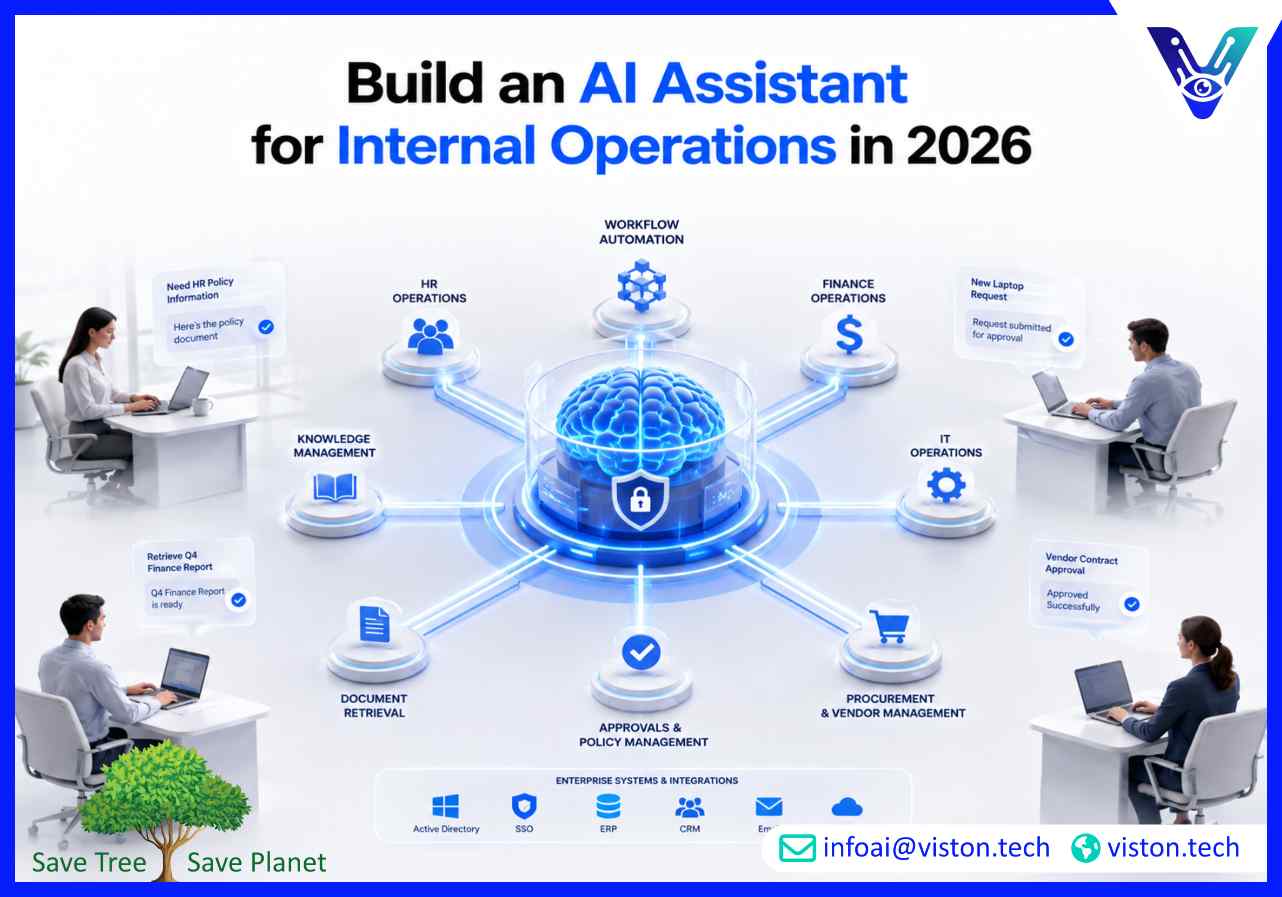
Building an AI assistant for internal operations helps businesses reduce repetitive work, improve knowledge access, support faster decisions, and connect employees with the systems they use every day.
Internal teams often lose valuable time searching for information, updating records, chasing approvals, checking policies, preparing reports, and moving data between systems. These tasks may look small individually, but across finance, HR, IT, procurement, sales operations, admin, and customer support teams, they create delays that affect productivity and decision-making.
An AI assistant for internal operations is designed to reduce that friction. Unlike a simple chatbot that only answers basic questions, an operational AI assistant can understand employee requests, retrieve relevant information, trigger workflows, summarize documents, guide users through processes, and connect with internal systems where business data lives.
In 2026, businesses expect internal AI tools to be more than experimental productivity aids. They need secure, reliable, role-aware assistants that can support real workflows while respecting governance, permissions, compliance, and data accuracy. This is especially important for organizations that operate across multiple departments, tools, locations, or approval layers.
A well-designed assistant can help employees complete everyday operational work faster and with less manual effort. Common use cases include:
The value comes from making internal work easier to complete. When employees can ask a question, get a reliable answer, and take action from one interface, operations become faster, more consistent, and easier to scale.
Building an AI assistant for internal operations should begin with business workflow analysis, not technology selection. The goal is not to add another tool to the workplace. The goal is to remove friction from high-volume, repetitive, knowledge-heavy, or process-driven work.
Businesses should first identify where teams spend unnecessary time. Good starting points include repetitive employee questions, manual reporting, ticket routing, internal search, document lookup, approval follow-ups, onboarding support, and process clarification. These are strong candidates because they involve structured knowledge, repeatable workflows, and clear business value.
For example, an HR assistant may answer leave policy questions, guide employees through benefits documents, and generate onboarding checklists. An IT assistant may help employees troubleshoot software access, create support tickets, and escalate urgent issues. A finance assistant may answer invoice status questions, explain expense rules, and help teams prepare approval requests.
An internal operations assistant should have a defined scope. Trying to make one assistant handle every business process from day one usually creates confusion and risk. A better approach is to start with a specific department, workflow, or operational need, then expand once the assistant proves useful.
Clear responsibilities may include answering internal knowledge questions, helping employees submit requests, retrieving records from business systems, summarizing operational data, or routing tasks to the correct team. Each responsibility should have rules for what the assistant can do independently, what requires human approval, and what must be escalated.
The quality of an AI assistant depends heavily on the quality of the information it can access. Internal operations assistants often need access to policy documents, SOPs, knowledge bases, CRM records, ERP data, helpdesk systems, project management tools, HR platforms, file storage, and communication channels.
Retrieval-based architecture is commonly used so the assistant can search approved internal knowledge instead of relying only on model memory. This helps improve accuracy, reduce unsupported answers, and keep responses aligned with company policies. Content should also be reviewed, structured, and updated regularly so the assistant does not deliver outdated guidance.
The assistant should do more than chat. It should help users complete actions. This may include creating a support ticket, checking a vendor record, drafting an internal memo, updating a CRM field, preparing a report, assigning a task, sending an approval request, or notifying a manager.
Strong workflow design includes validation steps, permission checks, confirmation messages, escalation paths, and audit trails. For sensitive tasks such as payments, employee records, legal documents, or compliance reviews, the assistant should support human approval rather than making final decisions independently.
A reliable internal operations assistant must be designed around usability, security, integration, and measurable business outcomes. Employees will only adopt the assistant if it saves time, gives trustworthy answers, and fits naturally into the systems they already use.
Employees should be able to ask questions in everyday language. The assistant must understand intent, context, department-specific terminology, acronyms, and follow-up questions. This is especially important in internal operations, where users may not know the exact name of a form, policy, dashboard, or process.
Not every employee should see the same information. A finance manager, HR executive, sales representative, and IT administrator may all use the same assistant, but their access rights should differ. Role-based permissions help ensure users only receive information and actions they are authorized to access.
An internal AI assistant becomes significantly more valuable when connected to business systems. Integration with CRM, ERP, HRMS, helpdesk, project management tools, document repositories, databases, and messaging platforms allows the assistant to provide contextual answers and perform operational actions.
Human oversight is essential for sensitive or high-impact workflows. The assistant can prepare recommendations, summarize data, draft responses, or validate information, but humans should review decisions involving finance, compliance, legal risk, employee matters, customer commitments, or strategic approvals.
Businesses need visibility into how the assistant is being used. Monitoring should include question types, fallback rates, workflow completion, escalation frequency, user satisfaction, response accuracy, and system errors. Audit logs are also important for tracking actions, approvals, and data access.
An AI assistant should improve over time. Teams should regularly review failed queries, outdated knowledge, repeated escalations, user feedback, and workflow bottlenecks. Continuous improvement helps the assistant stay aligned with changing policies, systems, and business priorities.
Before launching an AI assistant for internal operations, businesses should plan carefully around data readiness, governance, employee adoption, and operational risk. A rushed deployment can create inaccurate answers, poor user trust, security concerns, and low adoption.
Many organizations have fragmented knowledge across shared drives, PDFs, intranets, spreadsheets, tickets, emails, and outdated process documents. Before implementation, teams should clean, categorize, and prioritize the information the assistant will use. Important documents should have clear ownership so updates are managed properly.
Integration planning should identify which systems the assistant needs to read from, write to, or trigger. Some workflows may only require document retrieval, while others may need API access, authentication, system permissions, or approval routing. Mapping these needs early prevents technical gaps during deployment.
Governance should define what the assistant can answer, what it must not answer, which actions require approval, how sensitive data is handled, and how errors are reviewed. For internal operations, governance is not optional. It protects the business from inaccurate advice, unauthorized access, and uncontrolled automation.
Employees are more likely to adopt an AI assistant when they understand exactly how it helps them. Training should focus on real tasks, such as finding policies, creating tickets, preparing reports, summarizing updates, checking process steps, or submitting requests. Simple examples often drive better adoption than technical explanations.
A phased rollout reduces risk. Businesses can begin with one department or a limited set of workflows, measure performance, collect feedback, and then expand. This approach helps teams improve accuracy, refine prompts, strengthen integrations, and build internal confidence before broader deployment.
Viston AI is relevant to businesses looking to build an AI assistant for internal operations because its service focus includes AI Chatbot & Virtual Assistant Development, enterprise AI chatbots, voice-enabled assistants, multilingual support, AI chatbot integration, custom AI agent solutions, agent integration services, agentic AI workflows, and AI automation.
For internal operations, this combination matters because a useful assistant must do more than answer questions. It needs to understand business processes, connect with internal systems, support employee workflows, and operate within practical governance boundaries. Viston AI’s capabilities align with the requirements of building assistants that can support knowledge retrieval, workflow automation, internal service requests, operational reporting, and employee self-service.
Organizations can use this type of development support to design assistants around department-specific needs such as HR support, IT helpdesk automation, finance operations, procurement requests, sales operations, onboarding, and internal knowledge management. The focus should be on building assistants that are secure, integrated, measurable, and scalable rather than disconnected chatbot experiments.
For businesses operating across multiple teams or markets, Viston AI’s broader AI service capabilities can also support multilingual experiences, business system integration, AI strategy, NLP, automation workflows, and custom agent development. This makes the company a relevant specialist for organizations that want internal AI assistants to improve operational efficiency while remaining aligned with business systems and real employee workflows.
An AI assistant for internal operations is a conversational or task-focused AI system that helps employees access information, complete workflows, create requests, summarize data, and interact with business systems more efficiently.
A basic chatbot usually answers predefined questions. An internal AI assistant can retrieve business knowledge, understand context, connect with internal systems, trigger workflows, support approvals, and help employees complete operational tasks.
HR, IT, finance, procurement, sales operations, customer support, administration, compliance, and project management teams can benefit when the assistant is designed around their specific workflows and knowledge needs.
Common integrations include CRM, ERP, HRMS, helpdesk platforms, document management systems, project management tools, communication apps, databases, reporting dashboards, and internal knowledge bases.
Businesses can reduce risk by using approved knowledge sources, role-based permissions, human approval for sensitive actions, audit logs, clear escalation rules, regular testing, and continuous monitoring.
Viston AI’s AI Chatbot & Virtual Assistant Development service aligns with internal operations assistant needs, including chatbot development, virtual assistants, system integration, NLP, workflow automation, and custom AI agent solutions.
Building an AI assistant for internal operations is a practical way to improve productivity, reduce repetitive work, and make internal knowledge easier to access. The strongest results come from treating the assistant as part of the business workflow, not just as a conversational tool. Companies should begin with clear use cases, reliable knowledge sources, secure integrations, governance controls, and measurable outcomes. With the right design and implementation approach, AI Chatbot & Virtual Assistant Development can help organizations create internal assistants that support employees, streamline processes, and scale operational efficiency in 2026.
