
Businesses now need customer conversations to move faster, stay organized, and create measurable sales or support outcomes. Learning how to integrate chatbot with CRM and WhatsApp helps teams capture leads, respond instantly, sync customer data, and manage conversations without losing context across channels.
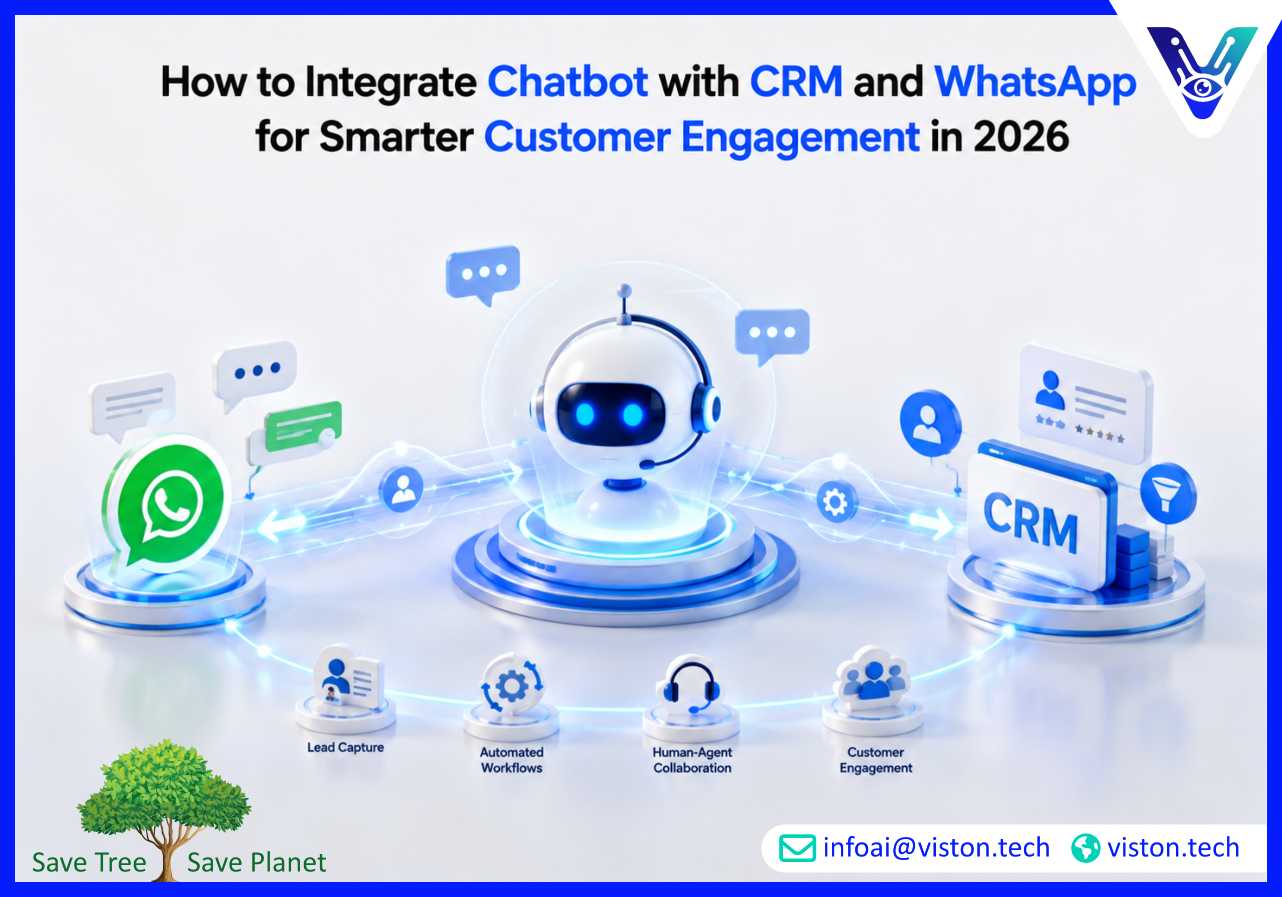
Integrating a chatbot with CRM and WhatsApp means connecting three important parts of the customer journey: the messaging channel customers prefer, the intelligent assistant that handles conversations, and the CRM system where customer data, leads, opportunities, tickets, and follow-ups are managed.
WhatsApp has become a high-value communication channel for customer support, sales inquiries, appointment booking, order updates, onboarding, and service communication. A chatbot adds automation to that channel by answering common questions, qualifying prospects, collecting information, routing requests, and triggering workflows. The CRM becomes the central system where those interactions are recorded and acted upon.
Without integration, chatbot conversations often remain isolated. Sales teams may need to manually copy lead details, support agents may lack conversation history, and managers may struggle to measure performance. With proper AI chatbot integration, every qualified WhatsApp conversation can create or update a CRM record, assign the right team member, trigger a task, and preserve the full customer context.
For businesses in 2026, this is no longer just a convenience. Customers expect quick replies, personalized communication, and smooth handoffs between automation and human teams. A disconnected chatbot may answer questions, but an integrated chatbot can support real business processes.
Customer communication has become more immediate, conversational, and data-driven. Businesses cannot rely only on website forms, delayed email replies, or disconnected live chat tools. Buyers often expect to ask questions, receive guidance, share documents, confirm pricing, book appointments, and continue the conversation later without repeating themselves.
WhatsApp supports this behavior because it is familiar, mobile-first, and easy for customers to use. CRM systems support business control because they help teams manage pipelines, service requests, customer records, segmentation, and follow-up actions. AI chatbots connect both sides by making the first response faster and the workflow more consistent.
A well-integrated chatbot can help businesses reduce missed inquiries, improve lead qualification, support after-hours engagement, and make customer-facing teams more productive. Instead of treating every WhatsApp message as a manual task, the chatbot can identify intent, ask relevant questions, collect required details, and decide whether the conversation should be resolved automatically or passed to a human.
Many businesses struggle with slow response times, scattered customer data, repeated manual entry, inconsistent follow-ups, and poor visibility into conversation outcomes. These issues directly affect conversion, support quality, and operational efficiency.
For example, a potential customer may message on WhatsApp asking about pricing. If no one replies quickly, the lead may go cold. If a staff member replies but forgets to add the lead to the CRM, the follow-up may be missed. If the customer returns two days later, another team member may not know the previous conversation. Integration helps avoid these gaps.
When the chatbot is connected to CRM, it can automatically create a lead, attach the WhatsApp conversation, assign ownership, trigger a reminder, and update the lead stage based on customer responses. This creates a cleaner workflow for sales, support, operations, and management teams.
Successful integration starts with business process design, not technology selection. The chatbot should not simply reply to messages. It should support a clear customer journey and connect to the right systems at the right moments.
The first step is deciding what the chatbot should achieve. Common use cases include lead generation, customer support, appointment scheduling, product recommendations, order status updates, onboarding, feedback collection, and renewal reminders.
A sales-focused chatbot may need to qualify leads, ask about budget, understand requirements, and push qualified prospects into the CRM pipeline. A support-focused chatbot may need to identify issues, check order details, answer FAQs, and create tickets when escalation is required. A service business may need appointment booking, reminders, and post-service follow-up.
Clear use-case planning helps avoid building a generic chatbot that answers basic questions but does not improve business outcomes.
To operate at scale, businesses typically need access to the WhatsApp Business Platform rather than relying only on the standard WhatsApp Business app. This allows structured messaging, automation, webhooks, approved templates, and integration with external systems.
At this stage, businesses should confirm their business verification requirements, phone number setup, message templates, opt-in process, privacy approach, and customer communication rules. WhatsApp communication should be permission-based, relevant, and respectful of customer expectations.
A chatbot flow should reflect real customer needs. It should greet users, identify intent, ask only necessary questions, provide helpful responses, and know when to escalate. The flow should avoid long menus, repetitive questions, and unclear options.
For AI-powered chatbots, conversation design also includes knowledge base preparation, intent classification, fallback handling, response boundaries, and escalation triggers. The chatbot should know what it can answer, what data it can collect, and when a human should take over.
The CRM connection is where the integration becomes commercially valuable. Depending on the CRM platform, the chatbot can use APIs, native connectors, middleware, webhooks, or automation platforms to create and update records.
Typical CRM actions include creating contacts, updating lead source, adding conversation notes, changing lifecycle stages, assigning sales owners, creating tasks, opening support tickets, and syncing customer preferences. The integration should also prevent duplicate records by matching users through phone numbers, email addresses, or existing CRM identifiers.
Chatbot and CRM integration involves customer data, so security and access control matter. Businesses should define what data the chatbot can collect, where it is stored, how long it is retained, and which team members can access it.
Role-based access, encrypted transmission, audit logs, consent management, and clear escalation rules help protect customer information. For regulated industries, the chatbot should avoid collecting sensitive data unless the workflow, security controls, and compliance requirements are properly designed.
Testing should cover more than whether the chatbot replies. Businesses should test CRM field mapping, lead creation, duplicate handling, template delivery, fallback responses, handoff rules, ticket creation, analytics tracking, and failure scenarios.
A practical test should answer questions such as: Does the right sales rep receive the lead? Is the WhatsApp conversation saved correctly? Does the chatbot stop when a human takes over? Are incomplete leads handled properly? Are customers receiving relevant responses?
After launch, the chatbot should be reviewed regularly. Businesses should monitor missed intents, escalation rates, response accuracy, customer satisfaction, conversion rates, and CRM data quality. Integration is not a one-time technical setup; it is an operational system that improves through measurement and refinement.
The best chatbot integrations are designed around customer experience and internal usability. A technically connected system can still fail if the chatbot asks poor questions, creates messy CRM records, or frustrates users with weak escalation paths.
Before integration, businesses should review CRM fields, lead stages, required data, ownership rules, and duplicate management. If the CRM is disorganized, automation may increase confusion. Clean data structures help the chatbot create useful records that sales and support teams can trust.
Not every conversation should be automated. High-value sales inquiries, complaints, complex technical issues, billing disputes, and sensitive requests often need human involvement. The chatbot should detect these situations and transfer the conversation with full context.
A strong handoff includes the customer’s name, phone number, inquiry type, previous answers, CRM status, priority level, and recommended next action. This prevents the customer from repeating information and helps the team respond faster.
AI chatbot integration should be measured against business results. Useful metrics include first response time, lead capture rate, qualified lead rate, appointment bookings, ticket deflection, escalation volume, average resolution time, CRM task completion, and conversion from WhatsApp inquiries.
These metrics help businesses understand whether the chatbot is simply active or genuinely improving performance.
Many businesses serve customers across regions, languages, or customer segments. A chatbot may need multilingual responses, region-specific routing, product-specific flows, or different CRM pipelines. WhatsApp may also be only one part of a broader customer engagement strategy that includes websites, mobile apps, email, social messaging, and internal support tools.
Planning for scalability early makes it easier to expand the chatbot without rebuilding the entire architecture later.
Automation should support customers, not trap them. A chatbot that refuses to escalate, gives generic answers, or repeats irrelevant responses can damage trust. Businesses should use AI responsibly, provide clear options, and ensure customers can reach a person when needed.
Viston AI is relevant to businesses exploring AI chatbot integration because its service focus includes custom AI agents, AI-powered chatbots and virtual assistants, workflow automation, natural language processing, and enterprise system integration. For organizations that want a chatbot connected to WhatsApp and CRM workflows, this type of capability is important because the project requires more than a basic conversation widget.
A practical integration needs chatbot design, API connectivity, CRM record handling, knowledge base structuring, automation logic, testing, monitoring, and secure deployment. Viston AI’s positioning around custom AI agent solutions aligns with these requirements, especially where businesses need tool-aware assistants that can interact with systems such as CRM platforms, enterprise databases, internal APIs, and customer communication channels.
For sales, support, operations, and service teams, Viston AI can be considered for use cases such as lead qualification, WhatsApp customer support, appointment assistance, workflow automation, multilingual customer engagement, and CRM-connected follow-up processes. The value is strongest where the chatbot must perform business actions, not just answer FAQs.
Businesses evaluating Viston AI should still define their CRM platform, WhatsApp requirements, data governance needs, escalation process, and reporting goals before implementation. This helps ensure the chatbot is built around real workflows and measurable outcomes rather than a standalone automation tool.
The best way is to define the business workflow first, then connect WhatsApp Business Platform, the chatbot engine, and CRM APIs through a secure integration layer. The chatbot should capture customer details, qualify intent, sync records, and trigger follow-up actions inside the CRM.
Yes. A properly integrated WhatsApp chatbot can collect customer information and automatically create or update CRM leads. It can also assign sales owners, add notes, change lead stages, and create follow-up tasks based on conversation outcomes.
It depends on the CRM, chatbot platform, and business workflow. Simple use cases may use native connectors or automation platforms. More advanced workflows, custom CRM fields, complex routing, AI agent actions, or enterprise security requirements often need custom integration.
Human handoff allows the chatbot to transfer a conversation to a sales or support team member when automation is not enough. The best handoffs include full conversation history, customer details, CRM status, and the reason for escalation.
CRM data quality affects automation reliability. If fields, lead stages, ownership rules, or duplicate records are poorly managed, the chatbot may create messy or incomplete records. A clean CRM structure helps the chatbot support accurate reporting and follow-up.
Viston AI’s AI chatbot, virtual assistant, custom AI agent, and enterprise integration capabilities make it relevant for businesses that need CRM-connected WhatsApp automation. The exact scope should be planned around the company’s CRM, customer journey, data requirements, and operational goals.
Knowing how to integrate chatbot with CRM and WhatsApp is essential for businesses that want faster responses, cleaner customer data, better lead management, and more consistent service workflows. The strongest results come from connecting conversation design, CRM processes, WhatsApp messaging rules, secure data handling, and practical automation goals. AI chatbot integration should not be treated as a simple plug-in. It should be designed as a business system that supports sales, support, operations, and customer experience. For organizations seeking a tailored implementation, Viston AI offers relevant capabilities in AI chatbots, custom AI agents, and enterprise workflow integration.
