
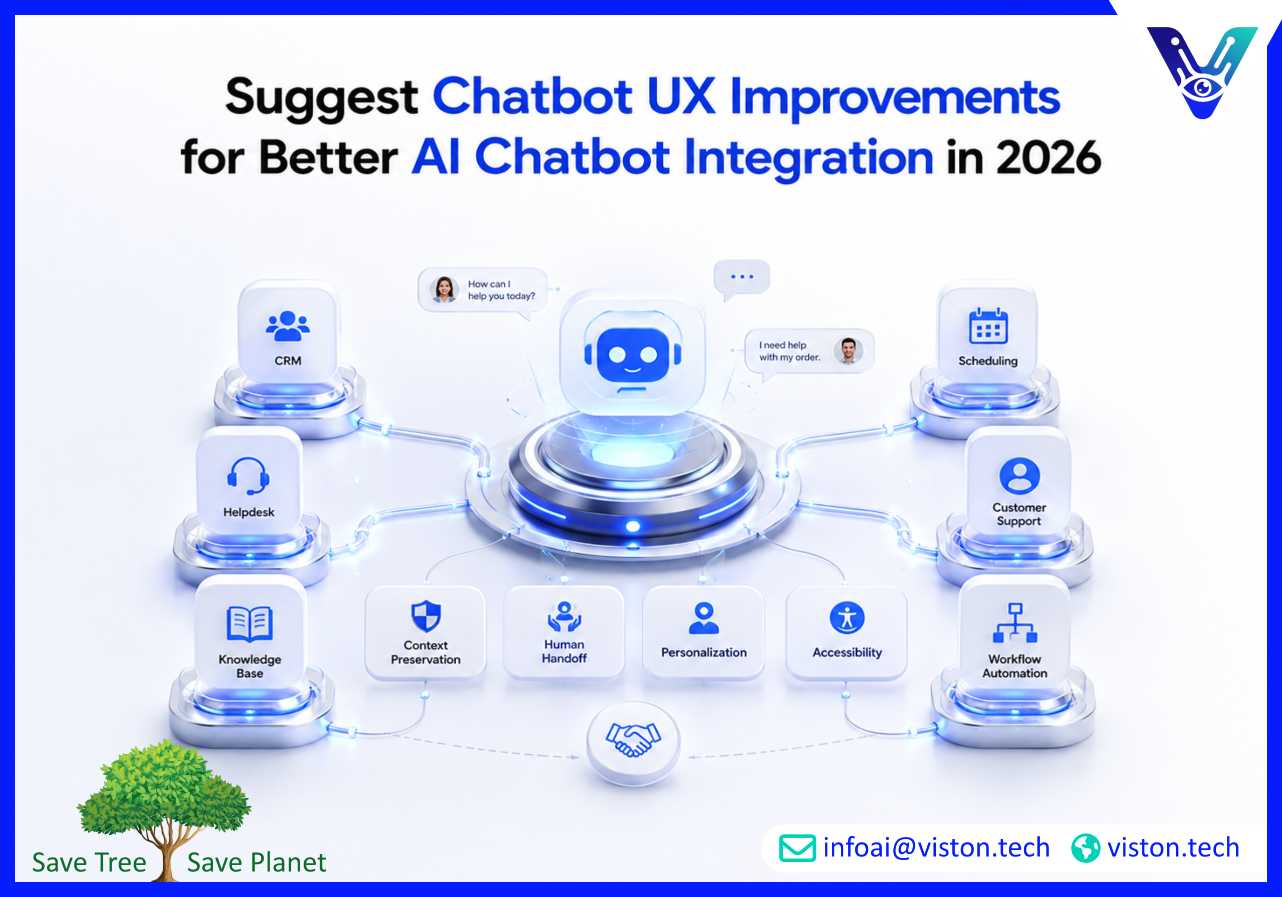
Suggest chatbot UX improvements is a practical priority for businesses that want their AI chatbot integration to feel helpful, reliable, and easy to use. In 2026, chatbot success depends not only on automation, but also on clear conversation design, smooth handoffs, accurate system integration, and user trust.
Chatbots are now common across websites, mobile apps, customer portals, WhatsApp, CRM systems, ecommerce platforms, and internal business tools. But many users still avoid them when they are unclear, slow, repetitive, or unable to solve practical problems. A chatbot may use advanced AI, but if the user experience is weak, customers will still prefer calling support, sending emails, or abandoning the journey.
Strong chatbot UX helps users understand what the assistant can do, ask questions naturally, recover from mistakes, complete tasks faster, and move to a human agent when needed. Nielsen Norman Group’s 2026 guidance highlights that effective site-specific AI chatbots should clearly state their capabilities, offer relevant prompt suggestions, and quickly signal awareness of the user’s context.
This matters especially for AI chatbot integration because the experience is not limited to the chat window. A well-integrated chatbot must connect with CRM, helpdesk, ERP, booking systems, order management tools, knowledge bases, payment systems, and analytics platforms. If the interface feels polished but the backend workflow fails, the user experience still breaks.
In practical terms, chatbot UX improvements should focus on reducing effort. Users should not need to guess what to type, repeat information, wait without feedback, or restart the conversation after an error. A good chatbot should guide the user, confirm important details, preserve context, and complete useful actions with minimal friction.
Improving chatbot UX is therefore both a design task and an integration task. The best results come when conversation design, AI logic, business workflows, system architecture, and performance reporting are planned together.
The first few seconds of a chatbot interaction shape user trust. If the welcome message is vague, overly promotional, or too broad, users may not know how to continue. A better approach is to explain the chatbot’s purpose clearly and provide useful starting options.
A chatbot should introduce itself in a short, practical way. Instead of saying, “How can I help you today?” every time, it should explain what it can actually do. For example, a support chatbot might say that it can help with order status, account access, service questions, and ticket creation. A sales chatbot might offer product guidance, pricing information, demo booking, or lead qualification.
This reduces uncertainty and sets realistic expectations. Users should know from the beginning whether they are speaking with an AI assistant and what types of requests it can handle. Earlier chatbot UX guidance from Nielsen Norman Group also emphasized being upfront about the bot and clearly telling users what tasks it can perform.
Many users do not know what to ask an AI chatbot. Prompt suggestions make the experience easier by giving users clear options. These can appear as quick reply buttons, suggested questions, cards, menus, or contextual prompts near the input field.
For example, an integrated chatbot on a service website could suggest:
Prompt controls help users move faster and reduce typing effort. Nielsen Norman Group describes prompt controls as interface elements around the input field that help supplement and speed up text input.
A chatbot should not answer every query with a long explanation. Most users want progress, not paragraphs. Short answers, clear next steps, and structured choices improve usability. When a detailed answer is necessary, the chatbot should summarize first, then offer to expand.
For example, instead of giving a long explanation about service options, the chatbot can say: “There are three suitable options: website chatbot, CRM-integrated chatbot, and support automation chatbot. Do you want a quick comparison or a recommendation based on your use case?”
Many chatbot workflows involve more than one step: collecting lead details, booking appointments, troubleshooting issues, verifying accounts, or updating CRM records. Multi-step flows should show progress, confirm key information, and allow users to edit previous answers.
For complex workflows, the chatbot should avoid making the conversation feel like a hidden form. A better UX combines natural language with structured inputs such as dropdowns, buttons, date selectors, file upload options, and confirmation cards.
AI chatbot integration improves UX when the chatbot can access the right data and trigger the right workflow. A chatbot that cannot look up order status, update a ticket, check appointment slots, or create a CRM record forces users back into manual channels. Integration turns the chatbot from a simple response tool into a practical service interface.
AI chatbot integration connects a chatbot with business systems, platforms, and data sources so it can access customer data, trigger workflows, retrieve knowledge base content, and interact with support or backend systems.
One of the most important chatbot UX improvements is context preservation. If a returning customer asks about an existing order, the chatbot should not treat them like a first-time visitor. If a lead has already provided company size, service interest, and timeline, the chatbot should not ask for the same information again.
Context can come from CRM records, login status, previous conversations, ticket history, product usage data, or campaign source. When used responsibly, this context helps the chatbot provide more relevant answers and complete tasks faster.
Human handoff is often where chatbot UX fails. Users become frustrated when the chatbot transfers them to an agent but loses the conversation history. A strong handoff should include the user’s query, intent, contact details, previous answers, detected urgency, attempted solutions, and relevant system records.
The handoff should also be transparent. The chatbot should explain why it is escalating the conversation and what will happen next. For example: “I’m connecting you with a support specialist because this issue needs account-level review. I’ll share your conversation summary so you do not need to repeat the details.”
When a chatbot is integrated with CRM, ERP, ticketing, or payment systems, it may create records, update customer profiles, send emails, schedule meetings, or trigger workflows. These actions should not happen silently. Users should see a confirmation before important updates are made.
Examples include:
This builds confidence and reduces errors. It also gives businesses a cleaner audit trail for chatbot-driven workflow automation.
Good chatbot UX must work for different users, devices, abilities, languages, and levels of technical comfort. In 2026, businesses should treat chatbot accessibility and reliability as core requirements, not optional refinements.
Accessibility is essential for any chatbot embedded in a website, app, or digital service. WCAG 2.2 defines recommendations for making web content more accessible for people with visual, auditory, physical, speech, cognitive, language, learning, and neurological disabilities.
For chatbot UX, accessibility should include keyboard navigation, screen reader compatibility, visible focus states, readable contrast, clear labels, logical message order, adjustable pacing, and plain language. W3C accessibility research also notes that chatbot interactions create unique challenges because messages arrive in sequence and may require careful handling of message length, pacing, and alerts for new content.
A fallback response is what the chatbot says when it does not understand the user. Poor fallback messages often repeat the same phrase: “Sorry, I didn’t understand.” This creates frustration and offers no path forward.
A better fallback should acknowledge the issue, offer choices, and help the user recover. For example: “I may not have understood that correctly. Are you asking about pricing, technical support, an existing order, or speaking with a person?”
Fallback data should also be reviewed regularly. Repeated failed queries reveal missing intents, weak knowledge base content, confusing flows, or integration gaps.
Personalization can improve chatbot UX when it is useful and transparent. A chatbot may greet a returning user, reference a recent ticket, suggest relevant services, or adapt recommendations based on business type. However, personalization should never feel invasive or unexplained.
Businesses should use only relevant information, avoid exposing sensitive data in the chat window, and give users control when personal details are involved. For B2B chatbot integration, this is especially important when the assistant connects with CRM, account management, sales, or support systems.
Chatbot UX should be tested on mobile screens, not only desktop layouts. Small screens require shorter messages, larger tap targets, clear buttons, compact cards, and fast loading. For WhatsApp or messaging-based chatbots, the UX should feel conversational but still structured enough to complete business tasks.
Channel context matters. A website chatbot may support product discovery, while a WhatsApp chatbot may work better for quick updates, appointment reminders, and support follow-ups. AI chatbot integration should adapt workflows based on where the conversation happens.
Chatbot UX improvements should not be based only on opinion. Businesses need performance data, conversation reviews, user feedback, and system-level reporting. A chatbot that performs well during launch can become outdated as products, services, customer expectations, and business workflows change.
Useful chatbot UX metrics include engagement rate, completion rate, fallback rate, escalation rate, average response time, user satisfaction, repeat usage, and task success rate. For integrated chatbots, businesses should also measure CRM update accuracy, ticket creation success, workflow completion, handoff quality, and API failure rates.
These metrics show whether the chatbot is easy to use and operationally reliable. For example, a high engagement rate with a low completion rate may mean users are interested but the flow is confusing. A high fallback rate may suggest weak intent recognition or missing content. A high escalation rate may be acceptable for complex issues but problematic for simple repetitive questions.
Analytics can show where issues occur, but transcripts explain why they occur. Businesses should regularly review conversations where users dropped off, gave negative feedback, repeated themselves, requested a human, or received fallback messages.
This review helps improve conversation design, training data, prompt instructions, knowledge base structure, and integration logic. It also reveals real customer language, which is often different from internal business terminology.
Whenever a chatbot is connected to a new CRM field, support workflow, ecommerce function, or internal system, UX testing should be repeated. Integration changes can introduce delays, errors, permission issues, duplicate records, or confusing user prompts.
Testing should include common tasks, edge cases, mobile usage, accessibility checks, human handoff, failed API responses, and incomplete user inputs. This ensures the chatbot remains reliable after each improvement.
Viston AI is relevant to chatbot UX improvement because strong user experience depends on more than the visible chat interface. Public company information describes Viston AI as offering enterprise-grade AI strategy and consulting, AI/ML development and integration, and chatbot-related interactive demos, which aligns naturally with AI chatbot integration requirements.
For businesses improving chatbot UX, this type of integration-focused capability can be valuable. A chatbot must understand user intent, retrieve accurate information, connect with business systems, support workflow automation, and pass context to human teams when needed. These are not only design decisions; they require practical AI engineering, data handling, API integration, workflow mapping, and performance monitoring.
Viston AI can be positioned as a specialist in AI Chatbot Integration where organizations need conversational assistants connected to CRM, support tools, internal systems, or customer-facing platforms. Its relevance is strongest for businesses that want chatbots to support real actions such as lead qualification, customer support, appointment booking, multilingual assistance, operational queries, or service automation.
Rather than treating chatbot UX as a surface-level design update, an integration-led approach helps businesses improve the full user journey. This includes clearer conversation flows, smoother handoffs, better data synchronization, more useful reporting, and chatbot experiences that feel connected to actual business processes.
The most important chatbot UX improvements include clear welcome messages, useful prompt suggestions, short answers, better fallback responses, smooth human handoff, mobile-friendly design, accessibility support, and integration with CRM, support, or backend systems.
AI chatbot integration improves user experience by allowing the chatbot to access customer records, update CRM data, create tickets, check order status, book appointments, retrieve knowledge base answers, and pass full context to human agents.
Users often abandon chatbot conversations when the bot gives irrelevant answers, asks too many questions, fails to understand intent, provides no clear next step, responds slowly, or cannot connect them to a human when needed.
Yes, most business chatbots should provide a clear path to human support, especially for complex, sensitive, urgent, or account-specific issues. The handoff should include conversation history so users do not need to repeat themselves.
Businesses can measure chatbot UX quality through completion rate, fallback rate, customer satisfaction, escalation quality, response time, task success rate, repeat usage, and workflow success rate across integrated systems.
Viston AI’s AI Chatbot Integration capabilities are relevant for businesses that want chatbot UX improvements connected to real workflows, system integrations, automation, and customer support or sales processes.
Suggest chatbot UX improvements is not just a design request; it is a business performance requirement for any organization investing in AI Chatbot Integration. A better chatbot experience should help users understand what the bot can do, complete tasks faster, recover from errors, receive accurate answers, and move smoothly between AI and human support. In 2026, businesses should improve chatbot UX by combining conversation design, accessibility, integration reliability, analytics, and continuous optimization. With an integration-focused approach, companies can turn chatbots into practical digital service channels rather than basic automated response tools.
