
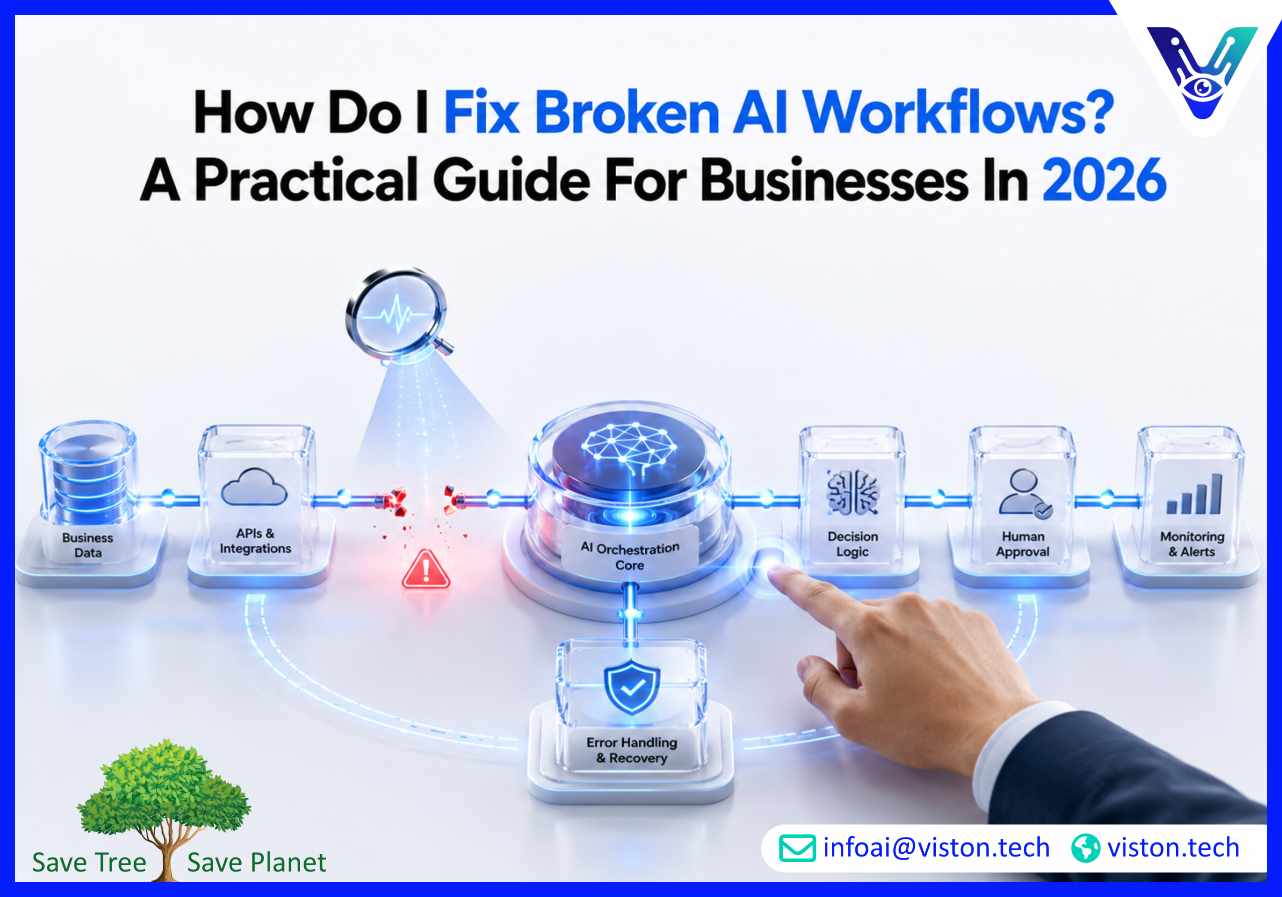
AI workflows can streamline operations, improve decision-making, and reduce manual effort, but even well-designed systems can break down over time. As businesses increasingly rely on agentic AI workflows in 2026, understanding how to identify, diagnose, and fix workflow failures has become essential for maintaining productivity, reliability, and business value.
Many organizations assume that once an AI workflow is deployed, it will continue operating effectively with minimal intervention. In reality, AI workflows depend on multiple moving parts, including data sources, integrations, prompts, APIs, business rules, and human approvals.
When one component changes or fails, the entire workflow can become unreliable. Unlike traditional software, AI-driven workflows often rely on dynamic inputs and contextual decision-making, making troubleshooting more complex.
Common causes of broken AI workflows include:
Understanding the root cause is the first step toward restoring workflow performance.
Before implementing fixes, businesses need visibility into how the workflow operates. Many organizations attempt to solve symptoms rather than identifying the underlying issue.
Workflow logs provide valuable insight into task execution, handoffs, API calls, and system responses. Reviewing these logs helps identify where the workflow stopped, delayed, or produced incorrect outputs.
Document every stage of the workflow, including triggers, agent actions, integrations, decision points, approvals, and outputs. This makes it easier to isolate failures and understand how issues propagate through the process.
Not every failure is random. Repeated workflow breakdowns often indicate recurring issues such as missing data fields, integration instability, permission conflicts, or poorly designed prompts.
Identifying patterns can significantly reduce troubleshooting time.
Once the source of the problem has been identified, businesses can begin implementing targeted fixes.
AI systems depend heavily on data quality. Incomplete, outdated, inconsistent, or inaccurate data can cause workflows to fail or generate unreliable outputs.
Organizations should verify:
Improving data quality often resolves a significant percentage of workflow issues.
In agentic AI workflows, each agent should have a clearly defined role. When agents have overlapping responsibilities or unclear instructions, workflow execution becomes unpredictable.
Businesses should ensure that:
Business processes evolve. Workflow logic that worked six months ago may no longer reflect current operational requirements.
Review decision rules, approval chains, routing conditions, and exception handling procedures to ensure they align with current business operations.
Many AI workflow failures occur because systems are not designed to manage unexpected situations.
Robust workflows should include:
These safeguards help maintain workflow continuity even when individual components fail.
Most AI workflows connect multiple systems, such as CRM platforms, ERP software, databases, communication tools, and knowledge repositories.
Integration failures often result from:
Regular integration audits help prevent these disruptions from affecting workflow performance.
Fixing a broken workflow is important, but preventing future failures is even more valuable. Organizations that treat AI workflows as living systems generally achieve better long-term results.
Real-time monitoring allows teams to detect issues before they impact business operations. Key metrics may include workflow completion rates, error frequencies, response times, escalation volumes, and task accuracy.
Not every decision should be fully automated. Human review remains important for high-risk activities involving finance, legal matters, compliance, customer communications, or strategic decisions.
Human oversight helps catch errors before they create operational problems.
Routine testing helps identify weaknesses introduced by system updates, changing business requirements, or evolving AI capabilities.
Testing should include:
Clear documentation improves troubleshooting, onboarding, governance, and future optimization efforts. Teams should maintain updated records of workflow logic, integrations, agent roles, approval processes, and escalation procedures.
While workflow failures can be frustrating, agentic AI workflows offer significant advantages when properly designed and managed. Unlike traditional automation, agentic systems can adapt to changing conditions, collaborate across tasks, and support more complex business operations.
When organizations implement structured orchestration, monitoring, governance, and validation processes, agentic workflows can become more resilient and scalable than many conventional automation approaches.
The goal is not to eliminate every failure but to create systems that can detect problems, recover gracefully, and continue delivering business value.
Organizations implementing agentic AI workflows often encounter challenges related to workflow design, orchestration, integrations, governance, and ongoing optimization. Viston AI specializes in Agentic AI Workflows, helping businesses build, refine, and scale AI-driven processes that support real operational outcomes.
Effective workflow automation requires more than deploying AI models. It involves designing agent responsibilities, managing workflow orchestration, integrating business systems, establishing monitoring frameworks, and ensuring workflows remain aligned with business objectives as requirements evolve.
Viston AI helps organizations identify workflow bottlenecks, improve reliability, strengthen automation governance, and implement practical solutions that reduce operational friction. Whether businesses are troubleshooting existing workflows or planning new agentic systems, a structured approach to workflow management helps maximize the value of AI investments while minimizing operational risk.
The most common causes include poor data quality, integration failures, outdated workflow logic, API issues, inadequate monitoring, and unclear agent responsibilities.
Signs include incomplete tasks, delayed processing, inaccurate outputs, repeated errors, failed integrations, increased manual intervention, and declining workflow performance metrics.
Not necessarily, but human-in-the-loop controls are recommended for high-risk decisions involving compliance, finance, legal matters, customer communications, or sensitive business processes.
Organizations should monitor workflows continuously and conduct formal reviews regularly, especially after system updates, process changes, or significant business growth.
Well-designed workflows can include retry mechanisms, fallback actions, escalation rules, and automated recovery procedures that reduce the impact of failures.
Yes. Viston AI supports businesses with Agentic AI Workflows by helping optimize workflow architecture, improve orchestration, strengthen integrations, and enhance long-term workflow reliability.
Understanding how to fix broken AI workflows is becoming increasingly important as businesses rely more heavily on agentic AI workflows in 2026. Successful troubleshooting requires identifying root causes, improving workflow design, strengthening integrations, validating data quality, and implementing effective monitoring practices. Organizations that continuously optimize their workflows are better positioned to achieve reliable automation, operational efficiency, and scalable business outcomes. For companies seeking expert support with Agentic AI Workflows, Viston AI provides practical expertise focused on building resilient, business-ready AI systems.
