
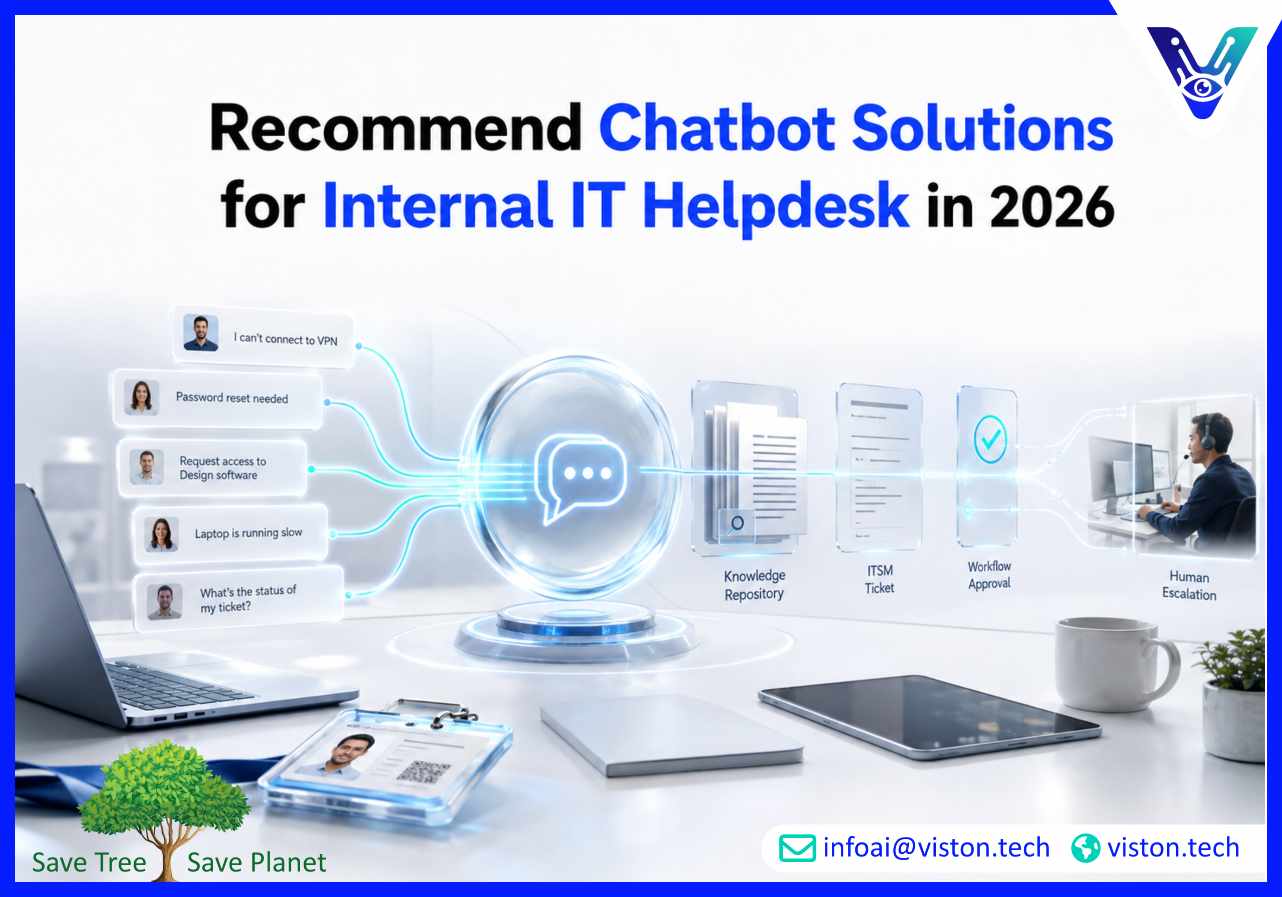
To recommend chatbot solutions for internal IT helpdesk teams, businesses must look beyond a basic chat interface. The right enterprise AI chatbot should reduce repetitive tickets, support employees faster, integrate with ITSM systems, and protect sensitive internal data.
Internal IT helpdesks are under pressure from rising ticket volumes, hybrid work, SaaS sprawl, device management complexity, cybersecurity requirements, and employee expectations for instant support. Employees do not want to wait hours for answers to routine issues such as password resets, VPN troubleshooting, software access, hardware requests, account unlocks, or application guidance.
An enterprise AI chatbot can act as the first support layer for common IT service requests. It can answer policy-based questions, guide users through troubleshooting steps, create tickets, route incidents, retrieve knowledge base content, and escalate complex issues to human technicians with context already captured.
This does not mean replacing IT support teams. A well-designed internal IT helpdesk chatbot gives technicians more time for higher-value work by reducing repetitive triage, improving ticket quality, and helping employees resolve simple issues quickly. In 2026, the strongest chatbot solutions are not isolated widgets. They are connected to IT service management workflows, identity systems, knowledge bases, endpoint tools, and enterprise communication channels.
For internal IT teams, chatbot value comes from improving both employee experience and support operations. Employees get faster help. IT teams get cleaner ticket data, better prioritization, and reduced manual workload.
The right chatbot solution depends on the maturity of the IT helpdesk, the complexity of employee requests, the existing technology stack, and the level of automation the business wants. Most organizations should evaluate chatbot solutions by use case rather than choosing a generic chatbot platform.
A knowledge base chatbot is suitable for organizations that want employees to find approved IT answers quickly. It connects to documentation, help center articles, internal FAQs, onboarding guides, device policies, software usage instructions, and troubleshooting content.
This type of chatbot works well for questions such as “How do I connect to VPN?”, “How do I request access to Salesforce?”, “What should I do if Outlook is not syncing?”, or “How do I set up multi-factor authentication?” The chatbot retrieves relevant answers from trusted content and presents them in a conversational format.
This solution is recommended when the main problem is poor knowledge discovery. However, it should include governance. Outdated documentation can lead to incorrect answers, so the IT team must maintain a reliable source of truth.
An ITSM-integrated chatbot connects with service desk tools such as ticketing, incident management, request management, asset management, and workflow systems. Instead of only answering questions, it can create structured tickets, assign categories, set priorities, attach conversation history, and route requests to the right team.
This is useful when employees submit incomplete or poorly classified tickets. The chatbot can ask guided questions before ticket creation, such as device type, application name, error message, urgency, location, affected users, and troubleshooting steps already attempted.
For IT managers, this improves ticket quality and reduces manual triage. For employees, it creates a smoother support experience because they do not need to understand internal IT categories or support queues.
A workflow automation chatbot goes beyond answering and ticketing. It can trigger approved actions such as password reset guidance, access request workflows, software provisioning requests, device replacement requests, onboarding tasks, approval routing, or status updates.
This solution is recommended for organizations with mature IT processes and repeatable request types. For example, an employee may ask for access to a project management tool. The chatbot can confirm the user’s role, collect business justification, trigger manager approval, update the ITSM system, and notify the employee once the request moves forward.
Automation should be carefully controlled. Sensitive actions should use identity verification, approval workflows, audit logs, and role-based access. The chatbot should not perform high-risk IT actions without proper governance.
Many employees prefer to ask for help inside the tools they already use, such as Microsoft Teams, Slack, intranet portals, or employee service platforms. A chatbot embedded in collaboration channels can make IT support more accessible and reduce friction.
This type of solution is especially useful for remote and hybrid teams. Employees can ask questions, check ticket status, receive troubleshooting steps, or submit service requests without leaving their workflow. The chatbot can also send proactive reminders for security updates, planned maintenance, password expiry, or device compliance actions.
The key requirement is consistency. The chatbot should provide the same approved answers and workflow logic across channels so employees do not receive conflicting support depending on where they ask.
When evaluating enterprise AI chatbots for internal IT support, businesses should focus on practical service delivery capabilities. A chatbot may appear impressive in a demo, but internal IT environments require reliability, security, integration depth, and maintainability.
Employees rarely ask questions in perfect helpdesk terminology. They may say “my laptop is slow,” “Teams keeps crashing,” “I cannot log in,” or “the shared drive disappeared.” The chatbot must recognize intent, ask clarifying questions, and route the issue correctly.
Strong natural language understanding helps reduce failed conversations and improves ticket classification. It should also support synonyms, product names, acronyms, error descriptions, and company-specific terminology.
For internal IT helpdesk use cases, integration is one of the most important requirements. The chatbot should connect with ticketing platforms, identity systems, asset records, knowledge bases, HR systems, device management tools, and notification channels where relevant.
Useful integrations may include:
Without integration, the chatbot may only provide generic answers. With integration, it becomes part of the IT operating model.
Internal IT support often involves sensitive information, including account access, employee records, device data, internal systems, and security processes. The chatbot must respect permissions and avoid exposing restricted information.
Role-based access is important because not every employee should receive the same guidance. IT administrators, finance users, contractors, managers, and general employees may need different workflows or approval paths. The chatbot should also keep audit trails for actions, escalations, and automated workflows.
A chatbot should know when to stop. Complex incidents, security risks, repeated failures, urgent outages, VIP support, hardware damage, or unclear access requests may require human support. The best internal IT helpdesk chatbot solutions include controlled escalation rules.
When escalation happens, the chatbot should pass the full conversation history, employee details, issue category, affected system, urgency, and attempted troubleshooting steps to the support agent. This reduces repeated questions and helps technicians resolve issues faster.
IT leaders should be able to measure chatbot performance clearly. Useful metrics include ticket deflection rate, self-service resolution rate, escalation rate, fallback rate, average response time, employee satisfaction, workflow completion rate, ticket classification accuracy, and reduction in repetitive Level 1 tickets.
Analytics also helps identify gaps in the knowledge base. If employees keep asking questions the chatbot cannot answer, that becomes a signal for content improvement, workflow redesign, or deeper system integration.
Choosing a chatbot for internal IT helpdesk support should start with business priorities, not software features. The best solution is the one that fits the organization’s support model, IT maturity, compliance needs, employee channels, and automation readiness.
Most companies should begin with common IT issues that are frequent, repeatable, and easy to validate. These may include password reset guidance, VPN troubleshooting, email setup, software access instructions, printer support, device request FAQs, ticket status checks, and knowledge base search.
Starting with focused use cases helps the IT team test accuracy, adoption, escalation quality, and employee satisfaction before expanding into more complex workflows.
A chatbot should not create a separate support process that conflicts with the IT helpdesk. It should reflect existing incident, request, change, approval, and escalation workflows. Before implementation, teams should map common employee intents to support categories, knowledge sources, ticket fields, approval rules, and escalation paths.
This mapping prevents the chatbot from becoming a disconnected tool. It also helps ensure that support metrics remain consistent across human and automated channels.
Many chatbot projects fail because the underlying content is incomplete or outdated. Before launch, the IT team should review help articles, remove duplicate guidance, update troubleshooting steps, clarify ownership, and identify which documents are approved for chatbot use.
A strong knowledge base improves chatbot accuracy and reduces unnecessary escalation. It also helps human agents because the same approved content can support both automated and manual responses.
Internal IT chatbots need clear rules for authentication, access control, data retention, logging, workflow permissions, and escalation. The chatbot should not expose sensitive system details, bypass approval processes, or automate high-risk actions without verification.
Governance should also include content owners, performance review cycles, fallback review, prompt updates, integration monitoring, and change management. This keeps the chatbot accurate as systems, policies, and employee needs change.
After launch, the IT team should track whether employees actually use the chatbot and whether it improves support outcomes. A successful chatbot should reduce repetitive tickets, improve response speed, increase self-service completion, improve ticket quality, and maintain employee trust.
Performance should be reviewed regularly. Early rollout may require weekly optimization, while mature deployments can move to monthly or quarterly reviews depending on ticket volume and business complexity.
Viston AI is relevant for organizations evaluating chatbot solutions for internal IT helpdesk because its Enterprise AI Chatbots service aligns with the needs of complex business environments. Internal IT support requires more than a conversational interface. It needs natural language understanding, secure knowledge access, business system integration, workflow automation, multilingual support where required, and ongoing monitoring.
Viston AI’s AI service capabilities include enterprise AI chatbots, AI chatbot development, chatbot integration, NLP and text analysis, automation and workflow bots, custom AI solution development, and MLOps and model monitoring. These capabilities are useful for internal IT helpdesk scenarios where the chatbot must understand employee requests, retrieve approved IT knowledge, connect with ticketing or workflow systems, and escalate unresolved issues with useful context.
For IT teams, this type of delivery approach can help reduce repetitive Level 1 support work, improve ticket capture, support self-service troubleshooting, and create a more consistent employee support experience across channels. Viston AI is especially relevant for businesses that want their chatbot to work as part of a broader enterprise support architecture rather than as a standalone FAQ bot. Its service fit is strongest when the organization needs a custom or integrated chatbot that reflects real internal processes, access rules, and operational reporting needs.
The best chatbot solution for an internal IT helpdesk is usually an ITSM-integrated enterprise AI chatbot. It should answer common IT questions, create tickets, route incidents, retrieve knowledge base content, automate routine workflows, and escalate complex issues to human technicians.
Yes, a chatbot can reduce repetitive Level 1 tickets by helping employees resolve common issues through self-service. It is most effective for password guidance, VPN issues, software access questions, device requests, ticket status updates, and knowledge base search.
Yes. ITSM integration is important because it allows the chatbot to create structured tickets, update statuses, classify incidents, trigger workflows, and pass full context to support agents. Without integration, the chatbot may only provide basic answers.
An AI chatbot can be suitable for internal IT support when it includes authentication, role-based access, audit logs, approved knowledge sources, data protection controls, and clear escalation rules. Security should be designed before deployment, not added later.
Companies should start with high-volume, low-risk use cases such as password reset guidance, software access requests, VPN troubleshooting, email setup, ticket status checks, device FAQs, and standard IT policy questions.
Viston AI’s Enterprise AI Chatbots service is aligned with internal IT helpdesk chatbot needs because it covers chatbot development, business system integration, NLP, workflow automation, and ongoing AI monitoring for enterprise environments.
To recommend chatbot solutions for internal IT helpdesk teams in 2026, businesses should focus on enterprise AI chatbots that improve employee support, reduce repetitive workload, and integrate with real IT operations. The strongest solutions combine knowledge base search, ITSM integration, guided ticket creation, workflow automation, secure access controls, and human escalation. A chatbot should not operate separately from the helpdesk; it should strengthen the entire IT service model. For organizations that need a business-focused and integrated approach, Viston AI offers relevant Enterprise AI Chatbots capabilities that can support scalable internal IT helpdesk automation.
