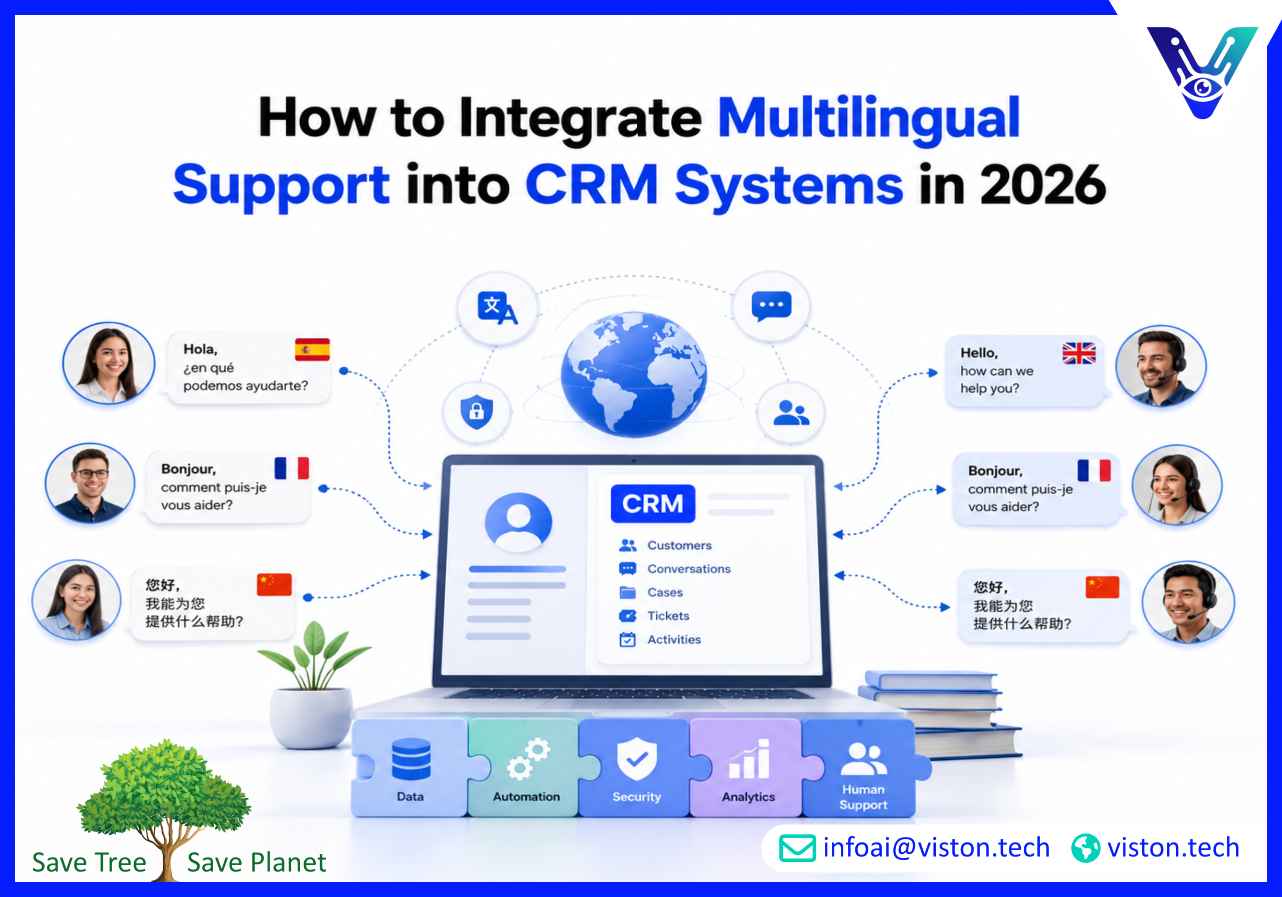
How to Integrate Multilingual Support into CRM Systems in 2026
Knowing how to integrate multilingual support into CRM systems helps businesses create consistent customer experiences across languages without separating customer data, support histories, sales activity, and service workflows. The right integration turns language support into a managed CRM capability rather than a collection of disconnected translation tools.
What Multilingual CRM Integration Means for Businesses
A CRM system centralizes information about customers, prospects, conversations, sales activity, and service interactions. Multilingual CRM integration adds language awareness to that environment so teams can identify customer preferences, deliver localized communication, route enquiries correctly, and preserve conversation context across channels.The objective is not simply to translate text inside the CRM. An effective multilingual setup must connect language detection, customer records, localized content, automation rules, human support, reporting, and data governance.For example, when a customer submits a support request in Spanish, the CRM should be able to:
Identify or confirm the customer’s preferred language
Store that preference in the correct customer record
Classify the customer’s intent and service priority
Retrieve an approved Spanish response or knowledge article
Route the case to an appropriate agent or automated workflow
Preserve the original message alongside any translation
Record the resolution and update future communication preferences
This creates continuity. Marketing does not send an English campaign immediately after a French support conversation, sales representatives can see the language used during qualification, and service teams can review the full history without asking customers to repeat information.
Why basic translation is not enough
Translation solves only one part of the problem. Customer service also depends on intent, tone, product terminology, account context, permissions, service-level rules, and escalation decisions.A grammatically correct translation may still be operationally wrong if it uses an outdated refund policy, fails to recognize a high-value customer, or sends a technical issue to the wrong queue. CRM integration provides the business context required to make multilingual communication useful.Modern CRM and customer-service platforms increasingly support language-based detection, routing, dynamic content, real-time translation, and multilingual AI workflows. However, availability can vary by platform, channel, region, licence, and language, so businesses should validate each feature before designing their operating model.
Design the Data and Integration Architecture First
Businesses should define the multilingual data model before building chatbots, translation workflows, or automated routing. Without structured language data, the CRM cannot apply rules consistently or produce reliable reporting.
Create clear language fields
At minimum, CRM records should distinguish between several related concepts:
Preferred communication language: the language the customer wants the business to use
Detected conversation language: the language identified in the current interaction
Agent language requirement: the level of human language capability needed for the case
Locale: the regional variation affecting dates, currency, terminology, and formatting
Translation status: whether content is original, machine translated, human reviewed, or approved
These fields should use standardized values rather than unrestricted text. For example, a system should not treat “Portuguese,” “Português,” “PT,” and “Brazilian” as unrelated language entries.The preferred language should not be overwritten automatically every time a different language appears in a conversation. A customer may write one message in English while still preferring German for formal communication. Detection can suggest a language, but customers and authorized employees should be able to confirm or correct it.
Map the systems involved
Multilingual support usually extends beyond the CRM. The integration may need to connect:
Website chat and conversational AI
Email, messaging, social media, and voice channels
Helpdesk or case-management software
Knowledge bases and document repositories
Marketing automation platforms
Ecommerce, booking, billing, or subscription systems
Translation services and terminology databases
Analytics and quality-monitoring tools
Document which system owns each type of data. The CRM may be the source of truth for customer language preference, while the knowledge platform owns approved support content and an order platform owns delivery status.Integration can be implemented through native CRM connectors, APIs, webhooks, middleware, workflow automation platforms, or custom services. The appropriate method depends on transaction volume, latency requirements, security controls, platform limitations, and the complexity of the workflow.
Preserve the original and translated content
Storing only the translated version can remove important evidence and nuance. The CRM should retain the customer’s original message, the translated version used by the agent or automation, the detected language, and relevant translation metadata.This supports quality review, complaint handling, regulatory enquiries, model evaluation, and future improvements. It also makes it easier for a fluent employee to check whether a translation changed the meaning of a customer’s request.
How to Integrate Multilingual Support into CRM Systems
A phased implementation is usually safer than enabling every language, channel, and workflow at once. Businesses should begin with measurable customer demand and well-documented use cases.
Step 1: Prioritize languages and customer journeys
Review CRM records, customer locations, website languages, support tickets, sales enquiries, revenue by market, and abandoned interactions. Select languages according to real demand, commercial value, service risk, and available operational support.Map the customer journeys that need multilingual coverage. These may include lead qualification, onboarding, order tracking, account access, billing, technical support, complaints, renewals, and cancellations.
Step 2: Prepare approved source content
Translation quality depends on the quality of the original material. Review help articles, templates, product descriptions, policy documents, chatbot responses, and agent scripts before localizing them.Create a terminology glossary for product names, technical phrases, legal wording, service levels, and brand language. Decide which terms should remain untranslated and which regional variants are required.Approved content should have an owner, version number, review date, and publication status. When the source content changes, the integration should flag affected translations for review instead of continuing to serve outdated information.
Step 3: Configure language detection carefully
Language can be detected through browser settings, customer profiles, selected menu options, email content, chatbot input, messaging channels, or speech recognition. Detection should be treated as a confidence-based signal rather than an infallible decision.Short messages, mixed-language conversations, names, product codes, and technical phrases can produce incorrect classifications. Give customers a simple way to choose or change their language, and create fallback rules for uncertain detection.
Step 4: Build language-aware routing
Routing rules should consider language alongside intent, priority, customer segment, agent availability, and service-level commitments. A language match alone does not guarantee that an agent has the right product or technical expertise.Depending on the operating model, the CRM can route a conversation to:
A fluent agent with the required subject knowledge
An AI assistant handling an approved low-risk workflow
An agent using real-time translation
A specialist queue for complex or sensitive cases
A callback workflow when suitable language coverage is unavailable
Current customer-service platforms provide options for language-based workstreams, queues, business rules, and translated conversations, illustrating how language can be used as an operational routing attribute rather than a simple profile preference.
Step 5: Connect automation with CRM actions
A multilingual chatbot or AI assistant should not operate as an isolated translation interface. It should be able to perform approved CRM actions such as creating a lead, updating a contact, opening a case, checking an order, scheduling an appointment, recording consent, or escalating a conversation.Define strict permissions for each action. The system should validate required fields, prevent duplicate records, handle API failures, and confirm successful updates before telling the customer that a task is complete.
Step 6: Test complete workflows by language
Testing should cover more than translation accuracy. Use native or fluent reviewers to test natural phrasing, misspellings, code-switching, regional terminology, informal language, and ambiguous requests.Each language should be tested across the complete workflow, including detection, CRM lookup, response generation, record updates, routing, escalation, notifications, and reporting. A conversation that sounds natural but creates an incorrect CRM record is still a failed interaction.
Manage Quality, Security, and Performance After Launch
Multilingual CRM integration requires continuous ownership. Languages, products, policies, customer expectations, and platform capabilities change over time.
Protect customer data
Translation and AI services may process personal, financial, contractual, or support information. Before sending CRM content to an external service, confirm what data is transferred, where it is processed, how long it is retained, and whether it may be used for model training.Apply data minimization, encryption, role-based access, audit logging, retention rules, and regional data controls where required. Sensitive fields should be masked or excluded when they are unnecessary for translation.
Use human review according to risk
Routine questions such as opening hours, basic product information, and order-status requests may be suitable for automated translation. Complaints, legal notices, medical or financial information, contract changes, payment disputes, and safety-related matters usually need stronger human oversight.Create confidence thresholds and escalation rules. The system should be able to state that it cannot confirm an answer rather than generating a fluent but unreliable response.
Measure performance by language
Global averages can hide weak performance in individual markets. Build CRM dashboards that segment results by language, locale, channel, intent, and workflow.Useful metrics include:
Language-detection accuracy
First-response and resolution time by language
Self-service resolution rate
Fallback and escalation rate
CRM record-update accuracy
Translation correction rate
Customer satisfaction by language
Repeat-contact rate
Human handover quality
Workflow and API failure rate
Review unsuccessful conversations regularly. Missing terminology, outdated content, poor routing, incomplete CRM data, and failed integrations often become visible only after customers begin using the system naturally.
How Viston AI Supports Multilingual CRM Integration
Viston AI is relevant to multilingual CRM integration because its service portfolio combines Multilingual AI Chatbot Support, AI Chatbot Integration, natural language processing, language translation, workflow automation, and integration with business systems.This combination supports the practical requirements of a connected multilingual service model. A business may need to detect a customer’s language, retrieve approved knowledge, access CRM context, translate an interaction, update a record, trigger a workflow, and transfer the conversation to a human without losing its history.Viston AI positions its integration capabilities around connecting conversational AI and custom agents with CRM, ERP, helpdesk, knowledge, and operational platforms through APIs and workflow automation. Its published services also include multilingual support, enterprise AI chatbots, NLP, model monitoring, and automation design.For organizations planning a multilingual rollout, this service alignment can support discovery, data preparation, language and intent design, system integration, testing, deployment, analytics, and ongoing optimization. The value lies in treating multilingual support as an operational capability connected to customer records and business processes, rather than adding translation after the CRM workflow has already been designed.This approach is particularly relevant for businesses that need scalable language coverage while retaining control over data quality, permissions, escalation, reporting, and customer experience.
Frequently Asked Questions
What is the first step in integrating multilingual support with a CRM?
Start by identifying priority languages and mapping the customer journeys that need multilingual support. Then define CRM language fields, source systems, content ownership, routing rules, and the channels involved before selecting translation or AI tools.
Should a CRM automatically detect every customer’s language?
Automatic detection is useful, but it should not be the only method. Customers should be able to confirm or change their preferred language, especially when messages are short, multilingual, or written in a language different from their usual preference.
Can multilingual AI update CRM records automatically?
Yes, when it is connected through an approved API, native connector, or workflow platform. Permissions should be limited, required fields validated, duplicates prevented, and failed updates logged and escalated.
Do businesses need fluent agents for every supported language?
Not always. Localized self-service content, AI assistants, translation tools, and translated agent workspaces can handle many routine interactions. Fluent human review remains important for sensitive, complex, high-risk, or culturally nuanced conversations.
How should multilingual CRM integration be tested?
Test complete customer journeys in each language, including detection, knowledge retrieval, translation, CRM lookup, data updates, routing, escalation, and reporting. Use natural customer language and fluent reviewers rather than relying only on direct translations of English test scripts.
Can Viston AI help integrate multilingual support into an existing CRM?
Viston AI provides multilingual chatbot support, AI chatbot integration, NLP, translation, automation, and business-system integration capabilities that align with multilingual CRM projects. The exact implementation would depend on the CRM, channels, languages, data architecture, and required workflows.
Conclusion
Learning how to integrate multilingual support into CRM systems requires more than adding a translation service. Businesses need structured language data, localized knowledge, reliable routing, secure integrations, controlled automation, human escalation, and language-specific reporting. A phased approach helps teams validate quality before expanding into additional markets and channels. By connecting Multilingual Support directly with CRM records and operational workflows, companies can provide more consistent service while preserving customer context and data quality. Viston AI offers relevant multilingual, chatbot, NLP, automation, and system-integration capabilities for organizations building this connected support model.