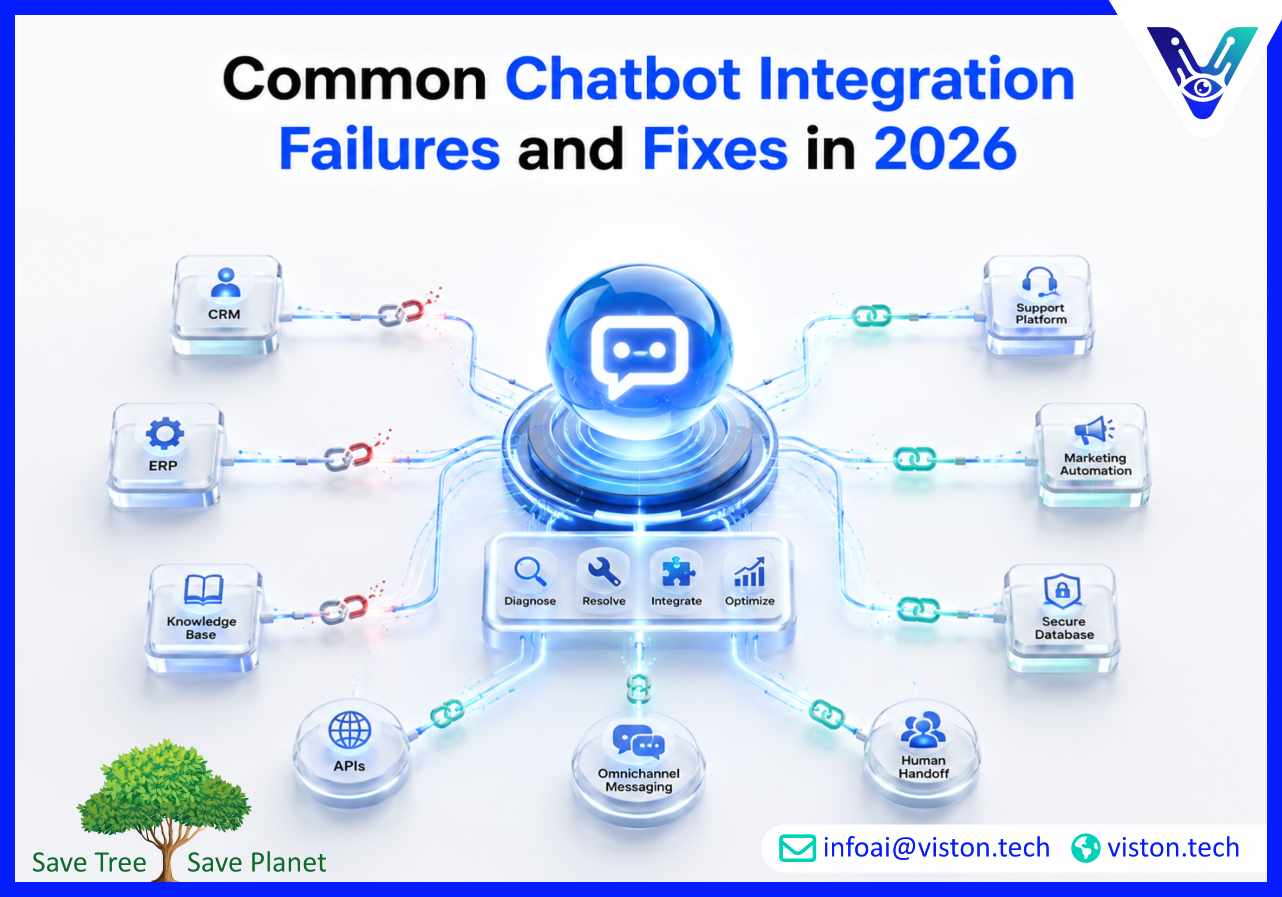
Common Chatbot Integration Failures and Fixes in 2026
Chatbot integration can improve customer experience, sales support, and operational efficiency, but poorly planned integrations often create more friction than value. Understanding common chatbot integration failures and fixes helps businesses avoid disconnected systems, weak automation, poor user journeys, and unreliable AI performance.
Why Chatbot Integration Failures Happen
Most chatbot integration failures are not caused by the chatbot alone. They usually happen because the chatbot is added to a business environment without enough planning around systems, workflows, data access, security, and user expectations.A chatbot may appear simple on the front end, but effective AI Chatbot Integration depends on several connected layers. These include conversation design, API connectivity, CRM or ERP access, authentication, knowledge base quality, escalation rules, analytics, and ongoing optimization.When any of these layers are weak, the chatbot may give incomplete answers, fail to retrieve customer data, create duplicate records, miss lead opportunities, or frustrate users who need human support.In 2026, businesses expect chatbots to do more than answer basic questions. They need integrated AI assistants that can understand intent, access approved information, trigger workflows, update systems, support omnichannel conversations, and operate securely. This makes integration quality more important than ever.
Common Chatbot Integration Failures and Fixes
1. Poor API Connectivity
One of the most common chatbot integration failures is unreliable API connectivity. The chatbot may fail to connect with CRM platforms, helpdesk tools, ecommerce systems, scheduling platforms, payment systems, or internal databases.This often happens because of expired credentials, weak endpoint validation, incompatible data formats, rate limits, version conflicts, or incomplete API documentation.Fix: Businesses should validate all API endpoints before deployment, use secure authentication methods, test data exchange scenarios, monitor API errors, and create fallback responses when a system is temporarily unavailable. Integration should be tested under real usage conditions, not only in a controlled demo environment.
2. Disconnected Customer Data
A chatbot that cannot access accurate customer data delivers generic experiences. For example, a customer may ask about an order, ticket, subscription, appointment, or account status, but the chatbot cannot retrieve the right information.This creates frustration and increases the likelihood of escalation to human agents.Fix: Connect the chatbot with the right data sources through secure integrations. These may include CRM records, support tickets, ecommerce order systems, account databases, and marketing automation platforms. Data mapping should be carefully planned so the chatbot knows which system to query for each user request.
3. Weak Conversation Flow Design
Even a technically connected chatbot can fail if the conversation flow is confusing. Users may get stuck in loops, receive irrelevant options, or be forced through long decision trees that do not match their actual intent.This is especially common when businesses design chatbot flows around internal departments instead of customer needs.Fix: Conversation flows should be based on real customer questions, support logs, sales inquiries, and service journeys. The chatbot should identify intent quickly, ask only necessary follow-up questions, and offer clear next steps. Every flow should include an exit path, escalation option, and recovery response when the chatbot is uncertain.
4. No Human Handoff Strategy
Chatbots fail when they try to handle every request without human support. Complex billing issues, complaints, technical errors, high-value sales inquiries, and sensitive customer cases often require human judgment.Without a clear handoff process, users may repeat the same information to multiple agents or abandon the conversation entirely.Fix: Create escalation rules based on intent, sentiment, confidence score, customer value, issue type, and conversation complexity. When a chatbot transfers a user to a human agent, it should pass the full conversation history, customer profile, and relevant system data so the agent can continue smoothly.
5. Poor Knowledge Base Quality
AI chatbots depend heavily on the quality of the information they access. If the knowledge base is outdated, duplicated, inconsistent, or poorly structured, the chatbot may provide inaccurate or incomplete answers.This can damage trust, especially when users depend on the chatbot for product details, pricing guidance, policy information, technical support, or onboarding instructions.Fix: Businesses should maintain a clean, approved, and regularly updated knowledge base. Content should be structured with clear categories, ownership, version control, and review schedules. The chatbot should be restricted to approved sources for business-critical answers.
Technical and Operational Issues That Reduce Chatbot Performance
Security and Privacy Gaps
Security failures are among the most serious chatbot integration risks. A chatbot may handle customer details, account information, financial data, health-related information, employee records, or internal business data.Problems arise when businesses fail to apply encryption, access controls, authentication, logging, privacy rules, and data retention policies.Fix: AI Chatbot Integration should include security planning from the start. Businesses should define what data the chatbot can access, who can use it, how identity is verified, how sensitive data is protected, and when human approval is required. Regular security testing, audit logs, and responsible AI governance are essential for enterprise environments.
Over-Automation Without Business Logic
Some businesses try to automate too much too soon. This leads to workflows that look efficient on paper but fail in real customer scenarios.For example, a chatbot may automatically create tickets for every question, qualify leads without enough context, or trigger follow-up emails before confirming user intent.Fix: Start with high-value, low-risk use cases. Automate repetitive workflows first, such as FAQs, appointment booking, order status, lead capture, and basic support routing. More complex automation should be added only after the chatbot has enough performance data and operational validation.
Lack of Omnichannel Consistency
Customers may interact with a business through a website, mobile app, WhatsApp, Slack, Microsoft Teams, social channels, or email. A chatbot that works well on one channel but fails on another creates inconsistent experiences.Fix: Businesses should design chatbot integration around a unified customer journey. Conversation history, customer identity, escalation rules, and workflow triggers should remain consistent across channels where possible. Channel-specific limitations should also be considered before deployment.
No Performance Monitoring
A chatbot is not finished after launch. Without monitoring, businesses cannot identify failed conversations, broken integrations, missed intents, low satisfaction scores, or recurring escalation issues.Fix: Track performance metrics such as completion rate, fallback rate, escalation rate, response time, lead conversion rate, user satisfaction, API error rate, and ticket deflection. These insights help teams improve conversation design, data quality, and integration reliability over time.
How Businesses Can Prevent Chatbot Integration Failures
The best way to avoid chatbot integration failures is to treat implementation as a structured business project, not a quick software installation.Before deployment, businesses should define the chatbot’s purpose, target users, systems involved, data requirements, success metrics, and support model. This prevents the chatbot from becoming an isolated tool with limited business value.A practical integration process should include:
Use case discovery and prioritization
System and data source audit
API and platform compatibility review
Conversation flow planning
Security and compliance assessment
Human handoff design
Testing across real user scenarios
Analytics and optimization planning
Businesses should also involve stakeholders from customer service, sales, marketing, IT, operations, compliance, and data teams. Chatbot success depends on both technical implementation and operational adoption.In 2026, the strongest chatbot integrations are built around scalability. That means the chatbot should be able to support more users, more channels, more workflows, and more business systems without requiring a full rebuild.
Choosing the Right Fix Based on the Failure Type
Not every chatbot failure needs the same solution. Businesses should diagnose the root cause before changing technology or rebuilding workflows.
If Users Complain About Bad Answers
The issue may be poor knowledge base quality, weak intent recognition, or lack of approved content. The fix is usually better content governance, improved training data, and clearer answer boundaries.
If the Chatbot Cannot Complete Tasks
The problem is often integration depth. The chatbot may need stronger API connectivity, better workflow automation, or access to the right operational systems.
If Customers Keep Asking for Human Support
This may indicate weak conversation design, low trust, poor personalization, or missing escalation logic. The fix is to simplify flows, improve user guidance, and create smoother handoff rules.
If Internal Teams Do Not Use the Chatbot
The issue may be poor alignment with business processes. The chatbot should support real operational needs, not just exist as a front-end interface.
If Leadership Cannot See ROI
The problem is often weak measurement. Businesses should connect chatbot performance to measurable outcomes such as reduced support workload, faster response times, higher lead conversion, lower operational costs, or improved customer satisfaction.
How Viston AI Helps Businesses Fix Chatbot Integration Challenges
Viston AI is relevant to businesses evaluating common chatbot integration failures and fixes because its AI Chatbot Integration services focus on connecting conversational AI with real business systems, workflows, and customer engagement processes.Effective chatbot integration requires more than deploying a chat interface. Businesses need reliable connectivity with CRM platforms, ERP systems, support tools, marketing automation systems, knowledge bases, communication channels, and internal databases. Viston AI’s broader AI capabilities also support practical implementation areas such as workflow automation, enterprise system integration, AI chatbot development, and scalable conversational experiences.For organizations facing chatbot failures, this kind of service-led approach helps identify whether the issue is technical, operational, data-related, or experience-related. A chatbot may need better API design, improved conversation flows, stronger human handoff, cleaner knowledge sources, or more secure access controls.Viston AI supports businesses by helping align chatbot integration with measurable business outcomes such as customer support efficiency, lead management, process automation, and connected digital experiences. This makes its offering especially useful for companies that want chatbot systems to work inside their existing technology environment rather than operate as disconnected automation tools.
Frequently Asked Questions
What is the most common chatbot integration failure?
The most common failure is poor system connectivity. When a chatbot cannot access CRM, helpdesk, ecommerce, or internal data systems reliably, it struggles to deliver useful and personalized responses.
Why do chatbot integrations fail after launch?
Many chatbot integrations fail after launch because they are not monitored or optimized. Conversation gaps, API errors, outdated content, and user behavior changes must be reviewed continuously.
How can businesses fix poor chatbot responses?
Businesses can fix poor responses by improving the knowledge base, refining intent recognition, using approved data sources, testing real conversation examples, and setting clear escalation rules.
Should every chatbot be connected to a CRM?
Not every chatbot needs CRM integration, but sales, support, onboarding, and account management chatbots usually benefit from CRM connectivity because it allows better personalization and workflow automation.
Can Viston AI help resolve chatbot integration failures?
Yes. Viston AI supports AI Chatbot Integration by helping businesses connect chatbots with systems, workflows, data sources, and automation processes that improve reliability and business value.
Conclusion
Common chatbot integration failures and fixes should be understood before businesses invest heavily in AI automation. Most problems come from weak planning, disconnected systems, poor data quality, unclear workflows, missing security controls, or limited performance monitoring. A successful AI Chatbot Integration strategy connects technology with real business processes, customer needs, and measurable outcomes. Companies that approach chatbot integration with structured planning, strong governance, reliable APIs, and ongoing optimization are more likely to build chatbot systems that improve efficiency, support growth, and create better digital experiences. Viston AI can help businesses move from fragmented chatbot deployment to connected, scalable integration.