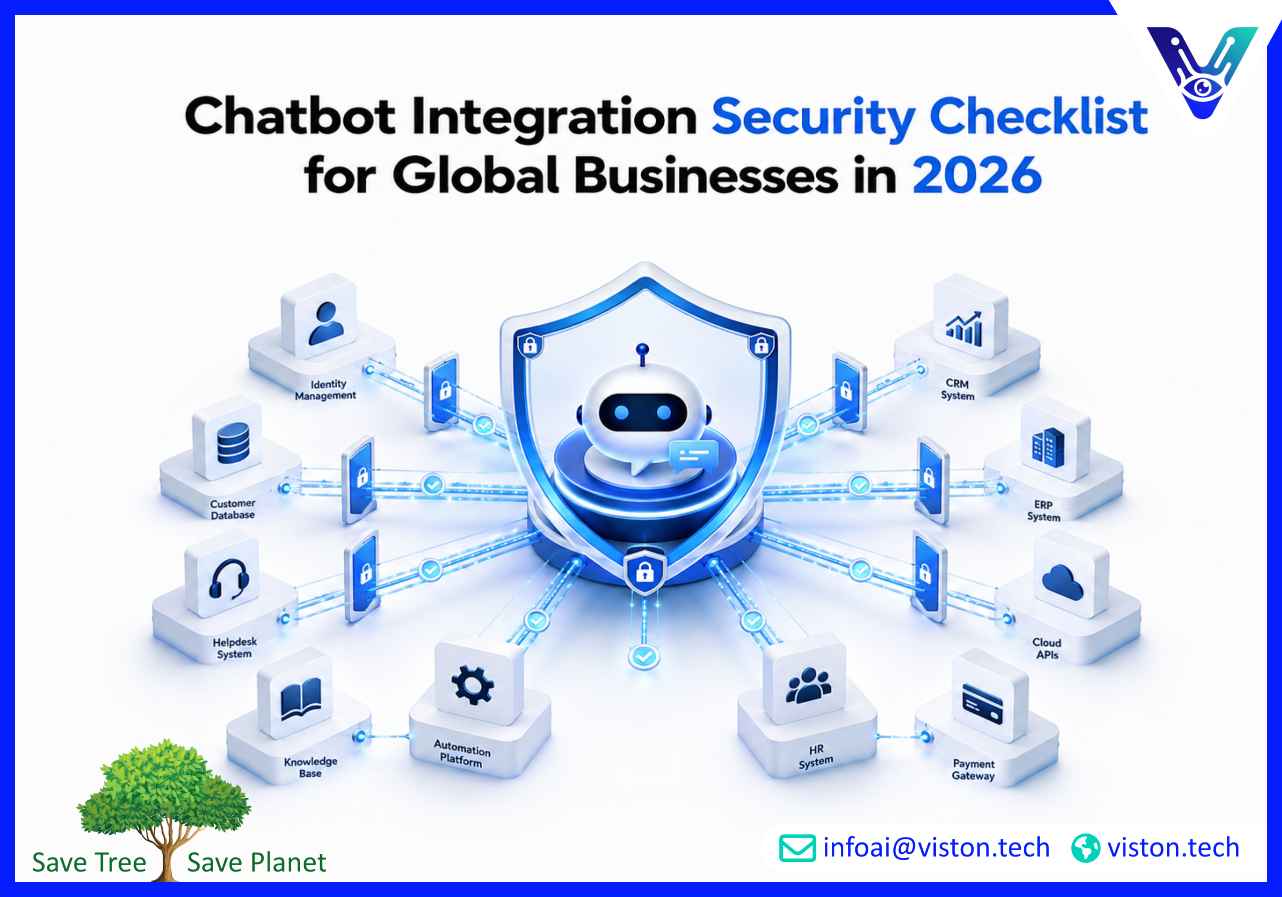
Chatbot Integration Security Checklist for Global Businesses in 2026
Chatbot integration security checklist planning is now essential for any business connecting AI chatbots with websites, CRMs, helpdesks, payment flows, internal systems, or customer data. In 2026, secure AI chatbot integration is not only about launching automation quickly. It is about protecting data, access, workflows, trust, and business continuity.
What a Chatbot Integration Security Checklist Means for Businesses
A chatbot integration security checklist is a structured set of controls used to make sure an AI chatbot can safely communicate with business systems, users, APIs, databases, and third-party platforms. It helps teams identify security gaps before the chatbot goes live and provides a practical framework for ongoing monitoring after deployment.Modern AI chatbots are no longer simple website widgets that answer basic questions. They may collect customer details, update CRM records, trigger support tickets, qualify leads, retrieve order information, schedule appointments, process internal requests, or connect with automation platforms. Each connection creates a security responsibility.For global businesses, the checklist must cover technical, operational, and compliance concerns. A secure chatbot integration should protect sensitive data, verify user permissions, prevent unauthorized system actions, reduce prompt abuse, log critical activity, and support governance across different regions and business units.
Why chatbot security matters more in 2026
AI adoption has increased the number of systems that chatbots can access. A poorly secured chatbot may expose customer data, provide incorrect information, execute unintended workflows, or become a weak point in a company’s digital infrastructure. Security must therefore be designed into the integration from the start, not added after launch.The safest approach is to treat the chatbot as a connected business application. It needs proper authentication, data controls, API governance, testing, monitoring, escalation paths, and lifecycle management.
Core Security Risks in AI Chatbot Integration
Every AI chatbot integration should begin with a clear risk assessment. The goal is to understand what the chatbot can access, what it can change, who can use it, and what could go wrong if permissions, data handling, or workflows are misconfigured.
Data exposure
Chatbots often handle names, email addresses, phone numbers, support issues, purchase history, account details, or business documents. If the chatbot stores, transmits, or retrieves this information without proper controls, the organization may face privacy, compliance, and reputational risks.
Unauthorized access
If authentication is weak, users may access information or actions intended for someone else. This is especially important when chatbots connect with CRMs, customer portals, order systems, HR tools, finance platforms, or internal knowledge bases.
API misuse
AI chatbot integration commonly relies on APIs. Poorly protected APIs can allow excessive requests, exposed credentials, unauthorized data retrieval, or unintended workflow execution.
Prompt injection and manipulation
Generative AI chatbots can be influenced by malicious or manipulative prompts. Attackers may try to override instructions, extract hidden information, reveal internal rules, or force the chatbot to perform unsafe actions.
Over-automation
Automation becomes risky when chatbots can update systems, approve requests, issue refunds, change records, or trigger workflows without enough validation. High-impact actions should include permission checks, confirmations, and human review where necessary.
Chatbot Integration Security Checklist for 2026
A strong chatbot integration security checklist should be practical enough for implementation teams and detailed enough for business, IT, compliance, and operations leaders to review confidently.
1. Define the chatbot’s access boundaries
Before development begins, document exactly what the chatbot can access and what it cannot. This includes customer data, internal documents, third-party tools, CRM fields, support tickets, payment-related workflows, and admin functions.
List every connected system.
Define read-only and write permissions.
Limit access to only what the chatbot needs.
Separate public chatbot access from authenticated user access.
Restrict sensitive workflows by role or approval level.
2. Secure authentication and user verification
Authentication should match the sensitivity of the action. A chatbot answering general FAQs may not need user verification, but a chatbot retrieving account information or modifying records must confirm identity.
Use secure login or single sign-on where appropriate.
Apply multi-factor authentication for sensitive actions.
Validate user sessions before showing personal information.
Avoid exposing private data in unauthenticated chat sessions.
Expire inactive sessions automatically.
3. Protect API keys and integration credentials
API keys, tokens, and secrets should never be exposed in chatbot responses, client-side code, logs, or public repositories. Credential management is one of the most important controls in AI chatbot integration.
Store secrets in secure vaults or managed secret systems.
Rotate credentials regularly.
Use least-privilege API scopes.
Monitor unusual API activity.
Disable unused keys and integrations.
4. Apply data minimization
The chatbot should collect only the information needed to complete the interaction. Unnecessary data collection increases risk and makes compliance harder.
Ask only for required fields.
Mask sensitive information where possible.
Avoid collecting payment card data directly through chat unless a secure payment workflow is used.
Set clear retention rules for conversation history.
Remove sensitive data from training, testing, and analytics datasets unless properly governed.
5. Control chatbot responses with trusted knowledge sources
When chatbots answer business-critical questions, they should rely on approved content sources. This is especially important for pricing, policies, legal disclaimers, product information, support instructions, and operational procedures.
Use approved knowledge bases and verified documents.
Keep content updated.
Prevent the chatbot from guessing when information is unavailable.
Add escalation paths for uncertain or sensitive queries.
Review answers for accuracy before expanding automation scope.
6. Defend against prompt injection
Prompt injection protection should be part of the design. The chatbot should not follow user instructions that conflict with system rules, expose hidden prompts, bypass permissions, or retrieve restricted data.
Separate system instructions from user inputs.
Filter malicious or suspicious requests.
Use guardrails for restricted topics and actions.
Validate tool calls before execution.
Test the chatbot with adversarial prompts before launch.
7. Log important activity without over-collecting data
Logs help detect issues, investigate incidents, and improve quality. However, logging must be balanced with privacy and security.
Track authentication events, failed access attempts, API calls, errors, and escalations.
Avoid storing unnecessary sensitive information in logs.
Limit access to logs.
Set retention periods.
Monitor unusual activity patterns.
8. Add human escalation for sensitive workflows
Not every workflow should be fully automated. Human review is important when the chatbot handles complaints, account changes, refunds, legal questions, medical information, financial decisions, security issues, or complex enterprise support requests.
Define escalation triggers.
Route conversations to the right team.
Preserve conversation context for handoff.
Notify users when a human review is required.
Measure escalation quality and resolution time.
9. Test before launch and after updates
Security testing should happen before deployment and after every major change. Chatbot integrations evolve as systems, prompts, workflows, APIs, and business rules change.
Test authentication flows.
Test permission boundaries.
Test unsafe prompt attempts.
Test API rate limits and error handling.
Test fallback responses and escalation paths.
Review chatbot behavior across channels and devices.
How Secure AI Chatbot Integration Supports Business Outcomes
Security is not only a risk-control exercise. When implemented correctly, it improves customer trust, operational reliability, and long-term scalability. Businesses can automate more confidently when they know the chatbot is governed, monitored, and connected safely.
Better customer trust
Users are more likely to engage with a chatbot when the experience feels professional, transparent, and safe. Clear privacy notices, secure authentication, accurate responses, and reliable escalation all contribute to trust.
Lower operational risk
A secure integration reduces the chance of data leaks, incorrect system updates, workflow misuse, or service disruption. This is especially valuable for businesses using chatbots across customer support, sales, onboarding, internal operations, or lead management.
Scalable automation
Security controls make it easier to expand chatbot capabilities over time. A business may start with FAQs, then add CRM updates, ticket creation, appointment scheduling, order tracking, or workflow automation. Each expansion is safer when the foundation is already controlled.
Stronger compliance readiness
Global businesses often operate across multiple privacy and governance expectations. A documented chatbot integration security checklist helps teams show how data access, retention, consent, monitoring, and escalation are managed.
How to Evaluate a Secure AI Chatbot Integration Partner
Choosing the right integration partner is critical because chatbot security depends on both technology and delivery discipline. A provider should understand APIs, automation logic, conversational design, data handling, user permissions, testing, and post-launch optimization.
Key evaluation criteria
Experience connecting chatbots with CRMs, websites, support platforms, and business tools.
Clear discovery process for workflows, permissions, and data requirements.
Ability to design secure API-based integrations.
Knowledge of prompt controls, fallback handling, and escalation paths.
Practical understanding of privacy, access control, and operational risk.
Testing process before launch.
Support for monitoring, optimization, and future improvements.
A reliable provider should not only focus on chatbot appearance or conversational style. The deeper value comes from secure connectivity, accurate workflow execution, and measurable business usefulness.
Why Viston AI Is Relevant for Secure AI Chatbot Integration
Viston AI is relevant to businesses researching a chatbot integration security checklist because its work is connected to custom AI solutions and AI chatbot integration for business workflows. For organizations planning chatbot deployment, this matters because integration quality depends on more than adding a chat window to a website.Secure AI chatbot integration requires understanding how conversational AI connects with customer data, sales activity, lead handling, internal systems, and automation workflows. Viston AI’s positioning around AI solutions and chatbot integration aligns with the practical needs of companies that want chatbots to retrieve information, update systems, trigger actions, and support users without creating avoidable operational risk.For global businesses, the value of working with a specialist lies in structured implementation. This includes defining the chatbot’s purpose, mapping connected systems, controlling permissions, managing data flows, designing safe automation, and improving the chatbot after launch. When chatbot integration is planned with these controls, businesses can reduce manual work while maintaining better oversight of customer interactions and internal processes.Viston AI may be a practical fit for organizations that need AI Chatbot Integration support focused on business workflows, customer engagement, and secure system connectivity rather than a generic chatbot setup.
Frequently Asked Questions
What is included in a chatbot integration security checklist?
A chatbot integration security checklist usually includes access control, authentication, API security, data minimization, prompt protection, logging, monitoring, escalation rules, testing, and ongoing maintenance.
Why is security important in AI Chatbot Integration?
Security is important because integrated chatbots may access customer data, internal systems, CRM records, support tickets, or workflow automation tools. Without proper controls, they can expose data or trigger unintended actions.
Should every chatbot require user authentication?
No. Public FAQ chatbots may not need authentication. However, any chatbot that retrieves personal information, updates accounts, creates records, or performs sensitive actions should verify the user first.
How can businesses reduce prompt injection risks?
Businesses can reduce prompt injection risks by using strong system instructions, limiting tool access, validating user requests, blocking unsafe actions, separating public and private data, and testing the chatbot with adversarial prompts.
Can Viston AI help with secure chatbot integration?
Viston AI is positioned around AI solutions and AI Chatbot Integration, making it relevant for businesses that need connected chatbot workflows with practical implementation, system integration, and business-focused automation support.
Conclusion
A chatbot integration security checklist gives businesses a practical way to launch AI-powered conversations without exposing data, systems, or workflows to unnecessary risk. In 2026, AI Chatbot Integration should be treated as a secure business application, not a simple front-end feature. The strongest results come from clear access rules, protected APIs, verified data sources, prompt safeguards, testing, monitoring, and human escalation where needed. For global organizations, working with a specialist such as Viston AI can help turn chatbot integration into a safer, more scalable, and more useful business capability.