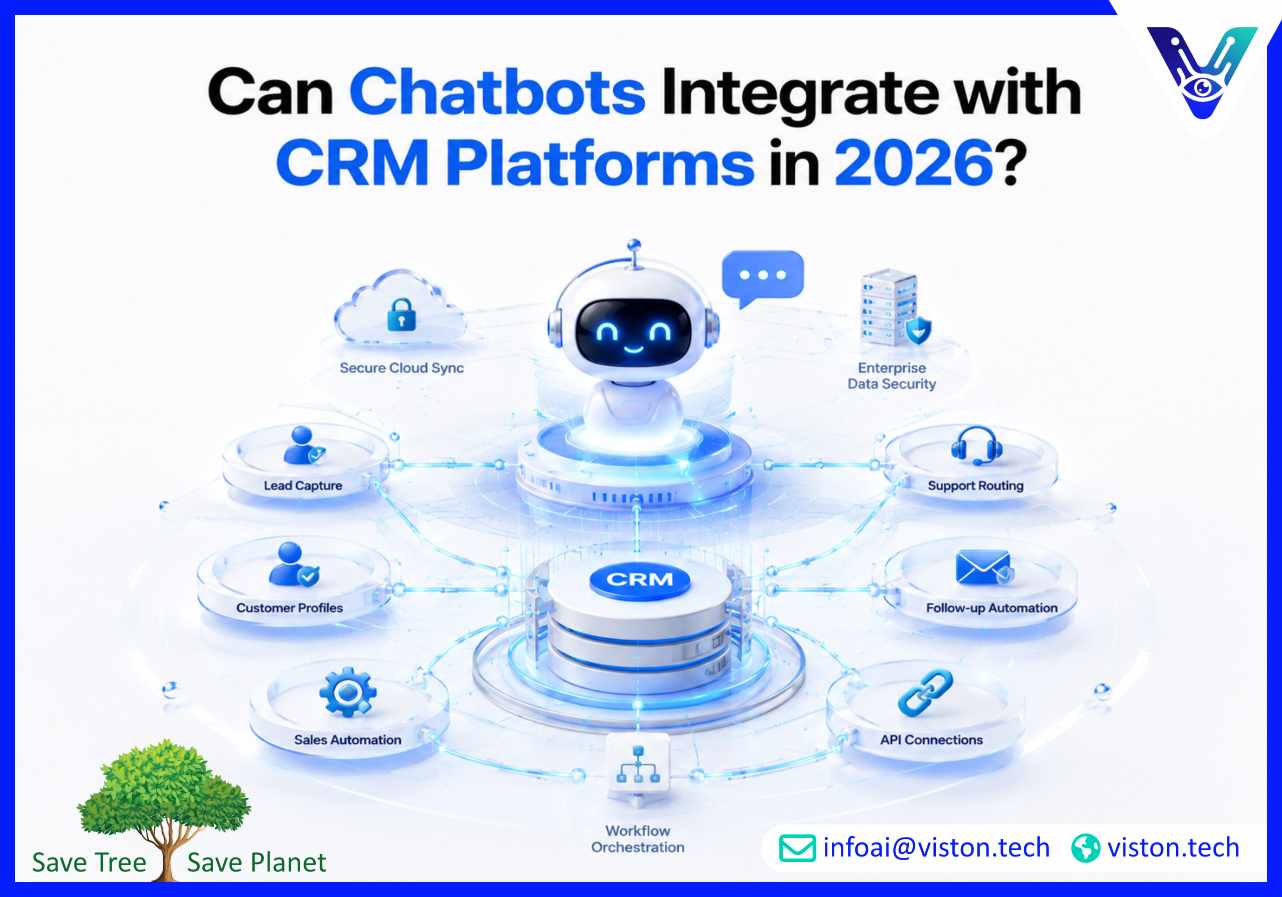
Can Chatbots Integrate with CRM Platforms in 2026?
Yes, chatbots can integrate with CRM platforms, and for many businesses, this is now one of the most valuable uses of AI chatbot integration. When connected correctly, a chatbot can capture leads, update customer records, support sales teams, automate follow-ups, and improve customer service without adding manual admin work.
What CRM Chatbot Integration Means for Businesses
CRM chatbot integration connects a conversational AI system with a customer relationship management platform such as Salesforce, HubSpot, Zoho CRM, Microsoft Dynamics 365, Pipedrive, Freshsales, or a custom CRM environment.Instead of operating as a standalone chat widget, the chatbot becomes part of the customer data workflow. It can collect information from website visitors, identify existing customers, qualify prospects, answer account-related questions, create support tickets, assign leads, and trigger follow-up actions inside the CRM.For businesses, this matters because customer conversations often contain valuable data. Without integration, that data stays trapped in chat transcripts or requires manual entry. With CRM integration, chatbot interactions can become structured, searchable, and actionable.
Common CRM actions a chatbot can perform
Create new leads or contacts from chatbot conversations
Update existing customer records with new details
Assign leads to sales representatives based on rules
Trigger email sequences or follow-up tasks
Create support tickets from customer issues
Check customer status, purchase history, or appointment details
Segment contacts based on intent, location, budget, or service need
Sync conversation summaries with CRM activity timelines
The value depends on how well the integration is designed. A basic setup may only push contact details into a CRM. A more advanced AI chatbot integration can support multi-step workflows, sales qualification, customer onboarding, service routing, reporting, and automation across multiple business systems.
Why CRM Integration Matters More in 2026
In 2026, businesses expect chatbots to do more than answer simple questions. Buyers want fast responses, personalized service, accurate follow-up, and consistent communication across channels. Sales and support teams also need cleaner data, fewer repetitive tasks, and better visibility into customer intent.This is where CRM-connected chatbots become especially useful. They help bridge the gap between customer conversations and internal business processes.
Customers expect faster and more contextual responses
A chatbot connected to a CRM can respond with more context than a generic bot. For example, it may recognize whether a visitor is a new lead, an existing customer, an open opportunity, or a support case. This allows the business to provide more relevant responses while keeping human teams informed.
Sales teams need better lead qualification
Many sales teams lose time chasing incomplete or low-quality leads. A CRM-integrated chatbot can ask qualifying questions, capture budget ranges, identify service needs, record timelines, and route high-intent prospects to the right person. This improves lead quality and reduces manual screening.
Support teams need fewer disconnected tools
When customer service conversations are not linked to CRM records, teams often waste time searching through inboxes, chat logs, spreadsheets, and helpdesk tools. Integration helps centralize customer context so support teams can respond more efficiently.
Business leaders need measurable outcomes
A chatbot that is connected to CRM data can support better reporting. Businesses can track which chatbot conversations become leads, which leads convert, which questions appear most often, and where customers drop off. This turns chatbot performance into measurable business intelligence.
How AI Chatbot Integration with CRM Platforms Works
CRM chatbot integration usually works through APIs, native connectors, webhooks, automation platforms, middleware, or custom development. The right method depends on the CRM platform, chatbot type, data complexity, security requirements, and business workflow.
Native CRM connectors
Some chatbot platforms offer built-in integrations with popular CRMs. These are useful for straightforward workflows such as creating leads, adding contacts, or syncing conversation details. Native connectors are often faster to deploy, but they may be limited if the business needs custom logic or complex data mapping.
API-based integration
API integration allows a chatbot to communicate directly with a CRM. This is useful when businesses need more control over what data is sent, retrieved, updated, or validated. API-based AI chatbot integration is often preferred for enterprise workflows, custom CRMs, and advanced automation.
Webhook automation
Webhooks allow chatbot events to trigger CRM actions. For example, when a visitor completes a lead qualification flow, the chatbot can send that data to the CRM immediately. Webhooks are commonly used for real-time notifications, lead creation, task updates, and workflow triggers.
Middleware and automation tools
Tools such as Zapier, Make, Workato, or custom middleware can connect chatbot platforms with CRM systems without building everything from scratch. This approach is useful for small and mid-sized businesses that need practical automation without a heavy development project.
Custom workflow integration
Some businesses need chatbot workflows that reflect specific sales processes, service rules, compliance requirements, or customer journeys. In these cases, custom integration may be necessary. This can include advanced routing, identity verification, CRM field mapping, role-based access, reporting dashboards, and multi-system synchronization.
Key Benefits, Risks, and Best Practices
CRM chatbot integration can create strong business value, but only when it is planned carefully. Poor integration can create duplicate records, inaccurate data, broken workflows, privacy risks, and frustrated teams. The goal is not just to connect systems, but to make the connection useful, reliable, and secure.
Business benefits of chatbot CRM integration
Better lead capture: Chatbots can collect contact details, intent, service needs, and qualification data at the moment of engagement.
Faster response times: Automated routing and CRM updates help sales or support teams act quickly.
Cleaner customer records: Structured chatbot forms and validation rules can reduce incomplete data.
Improved personalization: CRM data can help the chatbot tailor responses based on customer type, history, or stage.
Reduced manual work: Teams spend less time copying chat details into CRM fields.
Stronger reporting: Businesses can connect chatbot activity with revenue, pipeline, service volume, and customer outcomes.
Common risks to avoid
The most common mistake is treating CRM integration as a simple technical connection rather than a business workflow. A chatbot should not push every conversation into the CRM without logic. This can clutter records, create duplicates, and reduce data quality.Security is also important. Chatbots may collect personal information, contact details, purchase intent, support issues, and sensitive business data. Integration should include access control, data minimization, encryption where appropriate, consent handling, and clear retention policies.Another risk is poor handoff design. If a chatbot qualifies a lead but does not assign it properly, notify the right team, or record the conversation summary clearly, the CRM integration may not improve performance.
Best practices for a reliable setup
Define which chatbot conversations should create CRM records
Map chatbot fields carefully to CRM fields
Use validation rules for emails, phone numbers, and required fields
Prevent duplicate leads and contacts
Create clear routing logic for sales, support, and account teams
Log conversation summaries in a useful format
Test workflows before launch
Monitor errors, failed syncs, and incomplete records
Review chatbot performance regularly and optimize based on real CRM data
A strong AI chatbot integration should support business operations, not create extra cleanup work. The best results come from aligning chatbot design, CRM structure, automation rules, team workflows, and reporting needs from the start.
How Viston AI Supports CRM-Focused AI Chatbot Integration
Viston AI is relevant to CRM chatbot integration because its service focus includes AI automation, workflow bots, and intelligent automation for business processes. This aligns closely with the practical requirements of connecting chatbots to CRM platforms, where the goal is not only conversation handling but also workflow automation, data movement, task creation, and operational efficiency.For businesses exploring AI chatbot integration, Viston AI can support the planning and implementation of chatbot workflows that connect customer interactions with internal systems. This may include lead capture flows, CRM data updates, automated task creation, customer support routing, and operational handoffs between sales, service, and administrative teams.Its positioning around AI-powered workflow automation is especially relevant for organizations that want chatbots to reduce repetitive manual work rather than simply answer website questions. In CRM environments, this means helping businesses turn conversations into structured customer records, follow-up actions, and measurable outcomes.For companies operating in global markets or serving multiple customer segments, a business-focused integration approach is important. CRM-connected chatbots need to be reliable, scalable, and practical for real teams. Viston AI’s focus on automation and workflow bots makes it a suitable specialist for businesses that want AI chatbot integration to support customer management, sales operations, and service efficiency.
Frequently Asked Questions
Can chatbots integrate with Salesforce, HubSpot, or Zoho CRM?
Yes. Chatbots can integrate with major CRM platforms such as Salesforce, HubSpot, Zoho CRM, Microsoft Dynamics 365, Pipedrive, and other systems through APIs, native connectors, webhooks, middleware, or custom integration.
What data can a chatbot send to a CRM?
A chatbot can send contact details, lead source, service interest, budget, location, conversation summary, support issue, qualification score, appointment request, and follow-up preferences. The exact data depends on the chatbot flow and CRM field structure.
Can a CRM chatbot identify existing customers?
Yes, if the integration is designed to check CRM records using identifiers such as email address, phone number, customer ID, or account login. This allows the chatbot to provide more contextual responses or route the customer appropriately.
Is CRM chatbot integration secure?
It can be secure when implemented correctly. Businesses should use proper authentication, role-based access, secure APIs, consent handling, data minimization, and clear policies for storing conversation data and customer information.
Does CRM integration require custom development?
Not always. Simple integrations may be possible through native connectors or automation tools. Custom development is usually needed when the business requires complex workflows, advanced data mapping, strict compliance controls, or integration with multiple systems.
Can Viston AI help with CRM chatbot integration?
Viston AI’s focus on AI automation and workflow bots makes it relevant for businesses that want chatbot conversations connected to CRM actions, lead workflows, support routing, and operational automation.
Conclusion
Chatbots can integrate with CRM platforms, and in 2026 this capability is central to effective AI chatbot integration. A CRM-connected chatbot can capture better leads, improve customer response times, reduce manual data entry, support sales and service workflows, and make customer interactions more measurable. The most successful integrations are planned around real business processes, clean data, secure systems, and practical team adoption. For organizations that want chatbot automation connected to customer relationship management, Viston AI offers a relevant service focus through AI automation and workflow bot capabilities.