
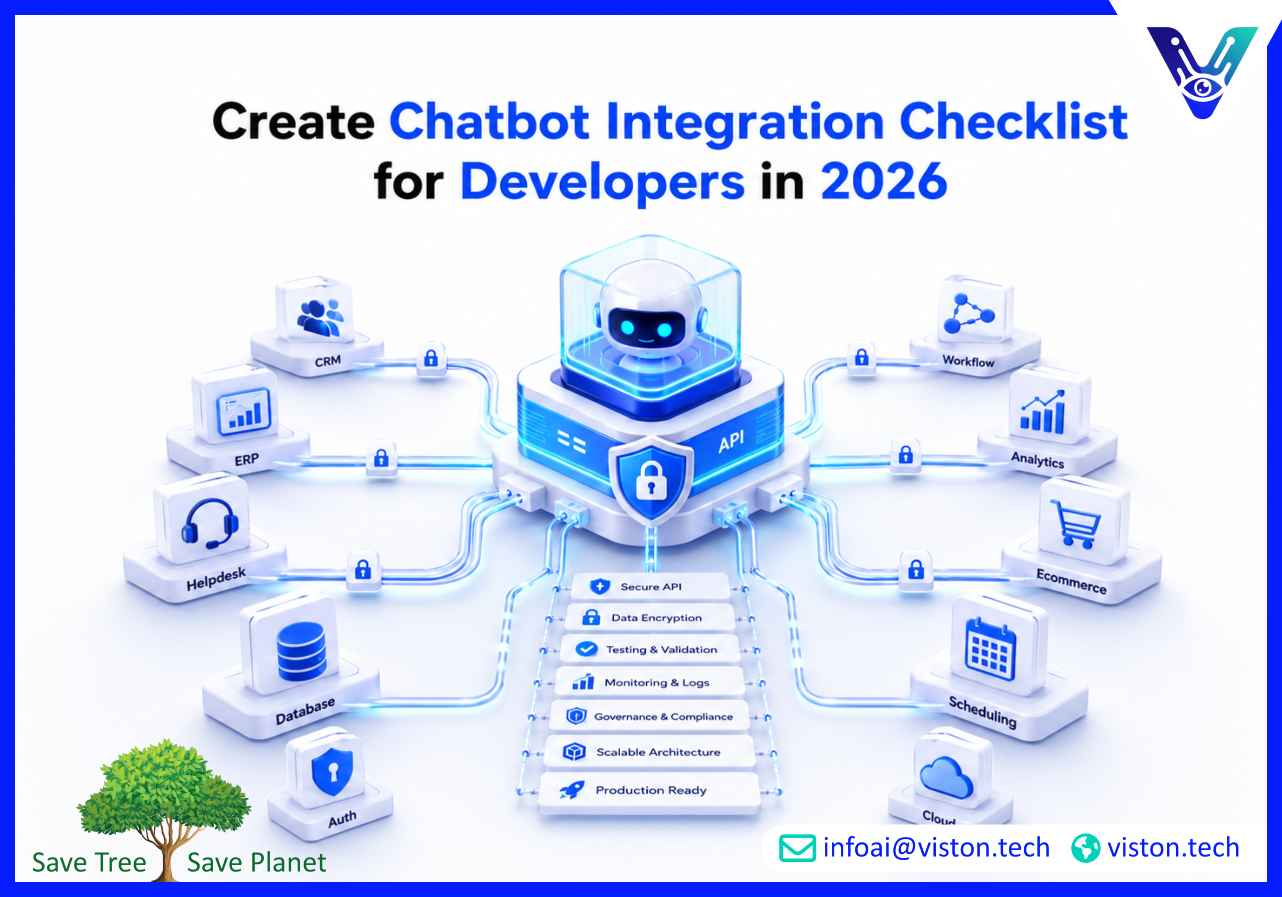
Developers need more than a chatbot widget to build reliable business automation. A practical chatbot integration checklist helps teams connect APIs, data sources, authentication, workflows, analytics, and escalation paths correctly, so AI chatbot integration works securely across real business systems.
A chatbot integration checklist for developers is a technical planning guide used before, during, and after chatbot deployment. It helps engineering teams confirm that the chatbot can communicate with backend systems, retrieve accurate data, trigger workflows, handle errors, and protect sensitive information.
In 2026, chatbot projects are increasingly connected to CRM platforms, helpdesk systems, ecommerce engines, ERP tools, marketing automation platforms, knowledge bases, payment systems, scheduling tools, and internal databases. This makes integration quality just as important as the chatbot’s conversational ability.
For developers, the checklist should cover four core areas: system connectivity, conversation logic, security controls, and operational reliability. If one area is weak, the chatbot may answer incorrectly, expose data, fail during peak traffic, or create broken customer experiences.
Before writing code, developers should confirm what the chatbot must do and which systems it needs to access. Many chatbot failures happen because teams start building before mapping business logic, data ownership, user roles, and integration dependencies.
Start by documenting the chatbot’s primary use cases. These may include lead capture, customer support, order tracking, appointment booking, onboarding, internal IT support, HR self-service, product recommendations, or ticket creation.
For each use case, define the expected user input, required data source, system action, success response, fallback response, and human handoff rule. This helps developers avoid unclear logic and reduces rework during testing.
List every platform the chatbot must connect with, such as CRM, ERP, support desk, ecommerce platform, database, authentication provider, analytics tool, or communication channel. For each system, confirm API availability, rate limits, authentication method, webhook support, documentation quality, and sandbox access.
The architecture should match the complexity of the project. A simple website chatbot may only need a frontend widget and a basic knowledge base connection. A business-critical chatbot may need middleware, event queues, API gateways, vector databases, retrieval-augmented generation, monitoring dashboards, and role-based access controls.
Developers should decide whether the chatbot will use direct API calls, middleware orchestration, serverless functions, workflow automation tools, or custom backend services. The goal is to create an architecture that is stable, scalable, and easy to maintain.
Not every chatbot needs access to every system. Developers should work with business and security teams to define what data the chatbot can read, write, update, or delete. Access should follow the principle of least privilege.
Once requirements are clear, developers can build the chatbot integration layer. This stage focuses on making the chatbot useful, accurate, and connected to business workflows.
Every API connection should be tested in a sandbox environment before production. Developers should verify endpoint availability, request structure, response format, pagination, timeout behavior, error codes, authentication expiry, and retry logic.
For real-time use cases, response speed matters. If a chatbot needs to retrieve order details, appointment availability, account status, or lead records, slow APIs can damage user experience. Developers should set clear timeout thresholds and create user-friendly fallback messages.
Chatbots should not rely on loosely formatted responses when business actions are involved. Developers should use structured payloads, schema validation, clean field mapping, and predictable response formats. This is especially important when creating CRM records, support tickets, quotes, bookings, or workflow triggers.
Authentication should match the sensitivity of the use case. A public FAQ chatbot may not require login, but a chatbot that retrieves account, order, billing, or employee information must verify the user before displaying data.
Common authentication methods include OAuth, single sign-on, secure tokens, session validation, API keys, and identity provider integration. Developers should avoid storing secrets in frontend code and should rotate credentials according to security policy.
No chatbot should be expected to resolve every request. Developers should define what happens when the chatbot cannot understand the user, retrieve data, complete a workflow, or meet confidence thresholds.
Escalation may include creating a ticket, transferring to live chat, sending an email notification, scheduling a callback, or routing the conversation to a department queue. These handoffs should include conversation history and relevant metadata so human teams do not need to ask users to repeat information.
AI chatbot integration becomes valuable when the chatbot can complete real actions. However, workflow automation requires careful control. Developers should add validation steps before important actions such as payment initiation, record updates, account changes, cancellations, or data submission.
Use confirmation prompts, audit logs, permission checks, and rollback planning where needed. This reduces the risk of incorrect updates or unauthorized actions.
Before launch, developers should test the chatbot across technical, functional, security, and user experience scenarios. A chatbot that works in a demo may fail in production if edge cases, load conditions, and integration failures are not tested properly.
Performance testing should cover response latency, concurrent users, API throughput, webhook processing, model response time, and third-party service delays. Developers should also test rate limit handling, queue behavior, retry logic, and graceful degradation.
Before going live, confirm environment variables, monitoring tools, alerting rules, rollback procedures, backup workflows, analytics events, and documentation. Developers should also prepare release notes and support instructions for internal teams.
After deployment, monitor API failures, unanswered queries, escalation rates, user drop-offs, latency, token usage, cost patterns, conversion events, and workflow completion rates. Continuous optimization is essential because chatbot behavior changes as users ask new questions and business systems evolve.
A strong chatbot integration checklist should not only focus on launch. It should also support maintainability. Developers need to build systems that can be updated, monitored, extended, and audited without disrupting customer-facing operations.
Separate the chatbot interface, business logic, API connectors, authentication layer, knowledge retrieval, and analytics wherever possible. Modular design makes it easier to replace tools, add channels, update workflows, or scale specific components.
Documentation should include endpoint details, authentication rules, data mapping, error handling, dependency ownership, deployment steps, and support contacts. This is critical when multiple developers, vendors, or internal teams manage the chatbot over time.
Maintain separate development, staging, and production environments. Chatbot changes should never be tested directly on live customer data unless controlled by an approved testing process.
Developers should be able to understand what happened during each chatbot interaction without exposing private user content. Good observability includes trace IDs, API status logs, latency metrics, fallback triggers, webhook status, and integration failure alerts.
As AI systems become more embedded in business workflows, governance matters. Teams should define who approves chatbot changes, who reviews high-risk workflows, how prompts and knowledge sources are updated, and how incidents are handled.
Viston AI is relevant for businesses that need AI chatbot integration connected to real workflows rather than isolated chat interfaces. Its service offering includes AI chatbot development, chatbot integration with business systems, AI automation, workflow bots, and broader AI transformation support for enterprise use cases.
For developer teams, this matters because successful chatbot delivery depends on more than conversation design. It requires API planning, CRM and ERP connectivity, secure data exchange, workflow automation, testing, monitoring, and scalable deployment. Viston AI’s positioning around enterprise AI services, intelligent chatbots, generative AI, predictive analytics, and system integration aligns with the technical requirements developers face when building production-grade chatbot solutions.
Organizations in global markets can use this type of specialist support when they need to connect conversational AI with customer service, lead generation, internal operations, ecommerce, support desks, and automation workflows. Instead of treating chatbot integration as a one-time implementation, Viston AI’s approach is better suited to businesses that need practical planning, reliable execution, and ongoing optimization across connected systems.
Developers should include use cases, API endpoints, authentication rules, data access permissions, conversation flows, workflow triggers, fallback paths, security controls, testing steps, monitoring metrics, and deployment procedures.
Common APIs include CRM APIs, ERP APIs, helpdesk APIs, ecommerce APIs, payment APIs, authentication APIs, analytics APIs, calendar APIs, messaging platform APIs, and internal database or middleware APIs.
Developers can improve security by using OAuth or secure token-based authentication, encrypting data, limiting permissions, validating inputs, protecting API secrets, monitoring access logs, and avoiding unnecessary storage of sensitive information.
Common reasons include unclear requirements, weak API error handling, poor data mapping, missing fallback flows, exposed credentials, slow backend systems, insufficient testing, and lack of post-launch monitoring.
Yes. Viston AI provides AI chatbot integration and business system integration support for organizations that need connected conversational AI across workflows, customer engagement, automation, and enterprise systems.
A chatbot integration checklist for developers helps teams move from basic chatbot deployment to reliable AI chatbot integration. By planning architecture, APIs, authentication, workflow logic, testing, monitoring, and governance early, developers can reduce implementation risk and improve business outcomes. In 2026, the most effective chatbots are not standalone tools; they are connected digital assistants that work securely across business systems. For organizations that need specialist support, Viston AI offers relevant expertise in AI chatbot integration, automation, and enterprise system connectivity.
