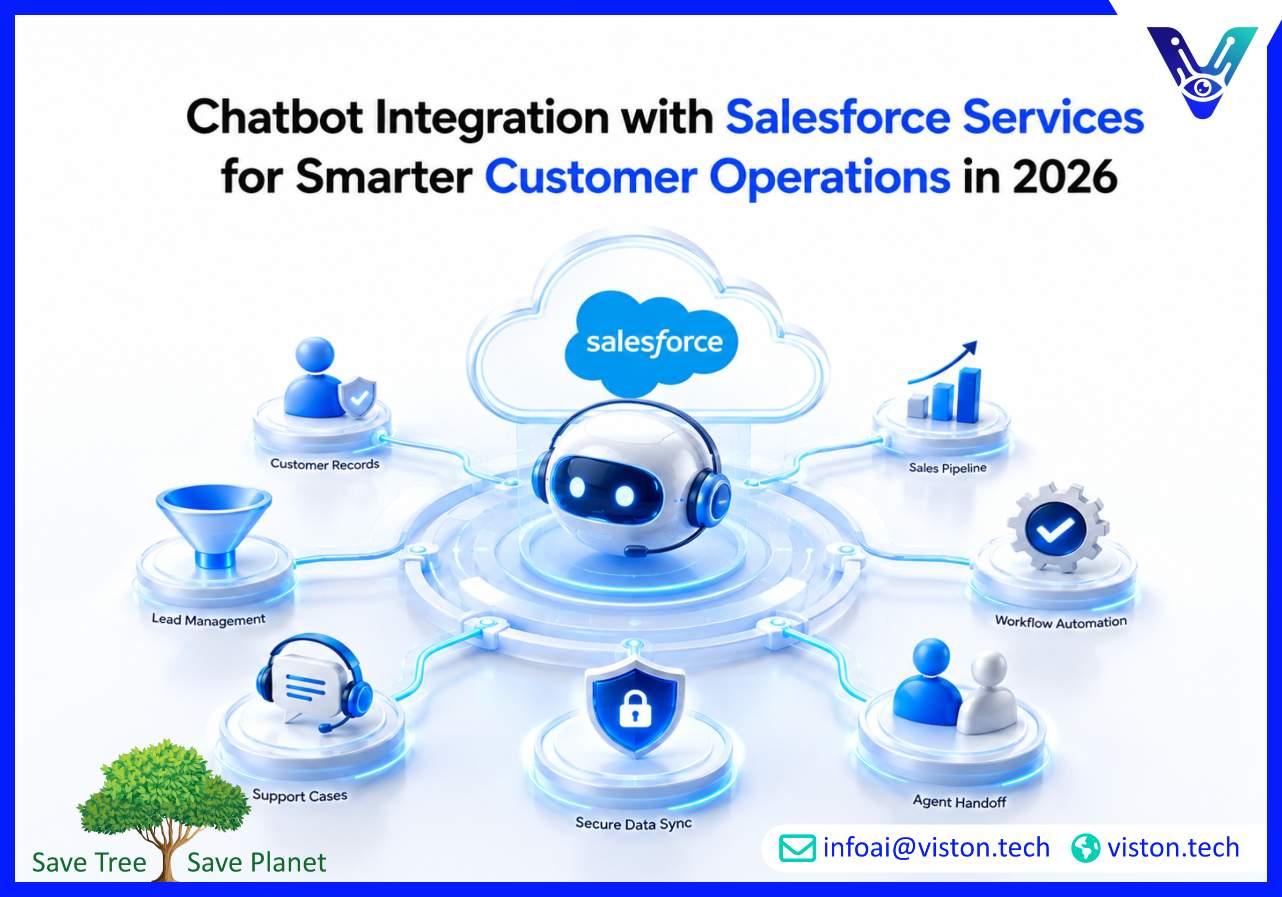
Chatbot Integration with Salesforce Services for Smarter Customer Operations in 2026
Chatbot integration with Salesforce services helps businesses connect customer conversations with CRM data, support workflows, sales processes, and service automation. In 2026, this matters because buyers expect fast, personalized, and consistent responses across channels without losing human oversight or data accuracy.
What Chatbot Integration with Salesforce Services Means for Businesses
Chatbot integration with Salesforce services is the process of connecting an AI chatbot to Salesforce CRM, Service Cloud, Sales Cloud, Marketing Cloud, Experience Cloud, or related Salesforce workflows. The goal is not simply to place a chatbot on a website. The goal is to let the chatbot understand customer intent, retrieve useful CRM information, create or update records, trigger workflows, and hand over conversations to human teams when needed.A properly integrated chatbot can support customers, qualify leads, answer account-specific questions, create cases, route tickets, update contact details, schedule follow-ups, and provide agents with conversation history. This makes Salesforce more useful as a live customer intelligence platform rather than only a database for sales and support teams.For many businesses, the biggest value comes from reducing disconnected interactions. Without integration, chatbot conversations often remain separate from CRM records. Agents may need to ask customers to repeat information, sales teams may miss qualified leads, and managers may lack visibility into recurring issues. Salesforce chatbot integration closes that gap by connecting front-end conversations with back-end business processes.
Why Salesforce Chatbot Integration Matters in 2026
Customer expectations have changed. People want quick answers, but they also expect accurate, relevant, and secure interactions. A chatbot that gives generic responses may reduce some workload, but it will not create strong customer experiences unless it is connected to reliable business data.In 2026, businesses are looking for AI chatbot integration that can support real workflows. This includes CRM lookup, ticket automation, lead capture, sales qualification, knowledge base retrieval, agent handoff, conversation logging, workflow triggers, analytics, and compliance-aware data handling.
Reducing manual work across sales and support
Sales and support teams often spend time on repetitive tasks such as collecting customer details, checking order status, updating cases, answering common questions, or assigning requests to the right team. A Salesforce-integrated chatbot can automate many of these steps while keeping records updated inside the CRM.
Improving response quality with CRM context
When a chatbot can access approved Salesforce data, it can provide more relevant responses. For example, it may recognize whether a user is an existing customer, a prospect, a partner, or a high-priority account. This helps businesses personalize responses without forcing users through long forms or repeated verification steps.
Supporting better handoffs to human agents
AI chatbots should not replace human judgment in complex situations. A strong integration allows the chatbot to collect context, classify intent, summarize the conversation, and transfer the customer to the right sales or support representative. This improves continuity and reduces frustration.
Core Capabilities of Effective Salesforce Chatbot Integration
A successful integration depends on more than connecting an API. Businesses need a structured approach that considers data quality, user journeys, permissions, automation logic, escalation rules, reporting, and long-term optimization.
CRM data access and record updates
The chatbot should be able to retrieve and update relevant Salesforce records based on approved permissions. This may include leads, contacts, accounts, opportunities, cases, tasks, appointments, or custom objects. Access should be carefully controlled so the chatbot only uses the information required for its role.
Lead qualification and sales routing
For sales teams, chatbot integration with Salesforce services can help qualify leads by asking relevant questions, capturing budget or requirement details, identifying buying intent, and assigning leads to the right sales pipeline. This improves speed-to-lead and reduces missed opportunities.
Case creation and support automation
For service teams, the chatbot can create cases, categorize issues, assign priority, attach conversation transcripts, and route requests to the correct queue. This helps support teams manage volume while improving visibility inside Salesforce Service Cloud.
Knowledge base and answer retrieval
A chatbot connected to approved knowledge content can answer common questions more accurately. This is especially useful for product support, onboarding, policy questions, billing guidance, troubleshooting, and internal helpdesk use cases.
Human escalation and conversation history
Good chatbot integration includes clear escalation rules. When confidence is low, the issue is sensitive, or the customer requests a person, the chatbot should transfer the conversation with context. The agent should receive the summary, transcript, customer details, and relevant CRM records.
Implementation Considerations Before Connecting a Chatbot to Salesforce
Businesses should treat Salesforce chatbot integration as a business workflow project, not only a technical installation. The quality of the outcome depends on how well the chatbot reflects real customer journeys, internal processes, and data governance requirements.
Define the chatbot’s role clearly
Before development begins, businesses should decide what the chatbot is responsible for. Common roles include customer support assistant, sales qualification bot, internal CRM assistant, appointment scheduler, onboarding guide, or account service assistant. A clear scope helps prevent unreliable automation and confusing user experiences.
Map user intents to Salesforce workflows
Each common customer intent should connect to a defined workflow. For example, “I need help with my order” may trigger identity verification, order lookup, case creation, and escalation if the issue is unresolved. Mapping these flows early helps teams avoid fragmented automation.
Review Salesforce data quality
A chatbot is only as useful as the data it can rely on. Duplicate records, incomplete fields, outdated account information, or inconsistent case categories can reduce accuracy. Data cleanup and field standardization are often important before advanced chatbot automation is launched.
Plan security and permission controls
Salesforce contains sensitive business and customer data. Chatbot integration must include authentication, role-based access, secure API handling, audit logging, and limits on what data can be retrieved or changed. For regulated industries, additional privacy and compliance controls may be required.
Measure performance continuously
Useful metrics include resolution rate, escalation rate, lead conversion, average response time, case deflection, user satisfaction, failed intents, and automation accuracy. These insights help teams improve chatbot flows, update knowledge content, and refine Salesforce workflows over time.
How Viston AI Supports Chatbot Integration with Salesforce Services
Viston AI is relevant to chatbot integration with Salesforce services because its work focuses on AI automation and workflow bots that combine rule-based automation with generative AI. For businesses using Salesforce, this type of capability is important because chatbot value depends on more than conversation design. It requires reliable automation, CRM workflow logic, task handling, and practical integration with business processes.In a Salesforce environment, Viston AI can help businesses think through how chatbot interactions should connect with customer records, lead management, support workflows, task automation, and internal operations. This is especially useful for organizations that want to reduce manual processing, improve response consistency, and create scalable customer-facing or internal AI assistants.Rather than treating chatbot deployment as a standalone tool, Viston AI’s automation-led approach can support practical use cases such as routing enquiries, capturing structured data, triggering follow-up tasks, assisting teams with repetitive CRM updates, and connecting conversational AI to operational workflows. For global businesses, this matters because Salesforce often sits at the center of sales, service, and customer data. A chatbot integration partner needs to understand both AI interaction design and the operational discipline required to make automation reliable, secure, and measurable.
Frequently Asked Questions
What is chatbot integration with Salesforce services?
It is the process of connecting an AI chatbot to Salesforce so conversations can interact with CRM data, create or update records, trigger workflows, qualify leads, create cases, and support human agent handoffs.
Can a chatbot update Salesforce records automatically?
Yes, when properly configured. A chatbot can update leads, contacts, cases, tasks, opportunities, or custom objects, but access should be controlled through secure permissions and workflow rules.
Is Salesforce chatbot integration useful for both sales and support teams?
Yes. Sales teams can use it for lead qualification, appointment booking, and follow-up creation. Support teams can use it for case creation, ticket routing, knowledge base answers, and escalation management.
What should businesses prepare before integrating a chatbot with Salesforce?
Businesses should define chatbot goals, map customer intents, review CRM data quality, set permission rules, prepare knowledge content, and decide when the chatbot should escalate to a human team.
Can Viston AI help with Salesforce chatbot integration planning?
Viston AI’s AI automation and workflow bot capabilities make it relevant for businesses exploring chatbot integration with Salesforce services, especially where CRM workflows, task automation, and scalable business processes are important.
Conclusion
Chatbot integration with Salesforce services helps businesses turn customer conversations into useful CRM actions. In 2026, the strongest implementations are not basic chat widgets. They are connected systems that support lead qualification, case automation, knowledge retrieval, human handoff, reporting, and secure workflow execution. For businesses using Salesforce as a central customer platform, AI Chatbot Integration can improve speed, consistency, and operational visibility. Viston AI is well positioned for this type of work where automation, workflow design, and practical business outcomes matter.