
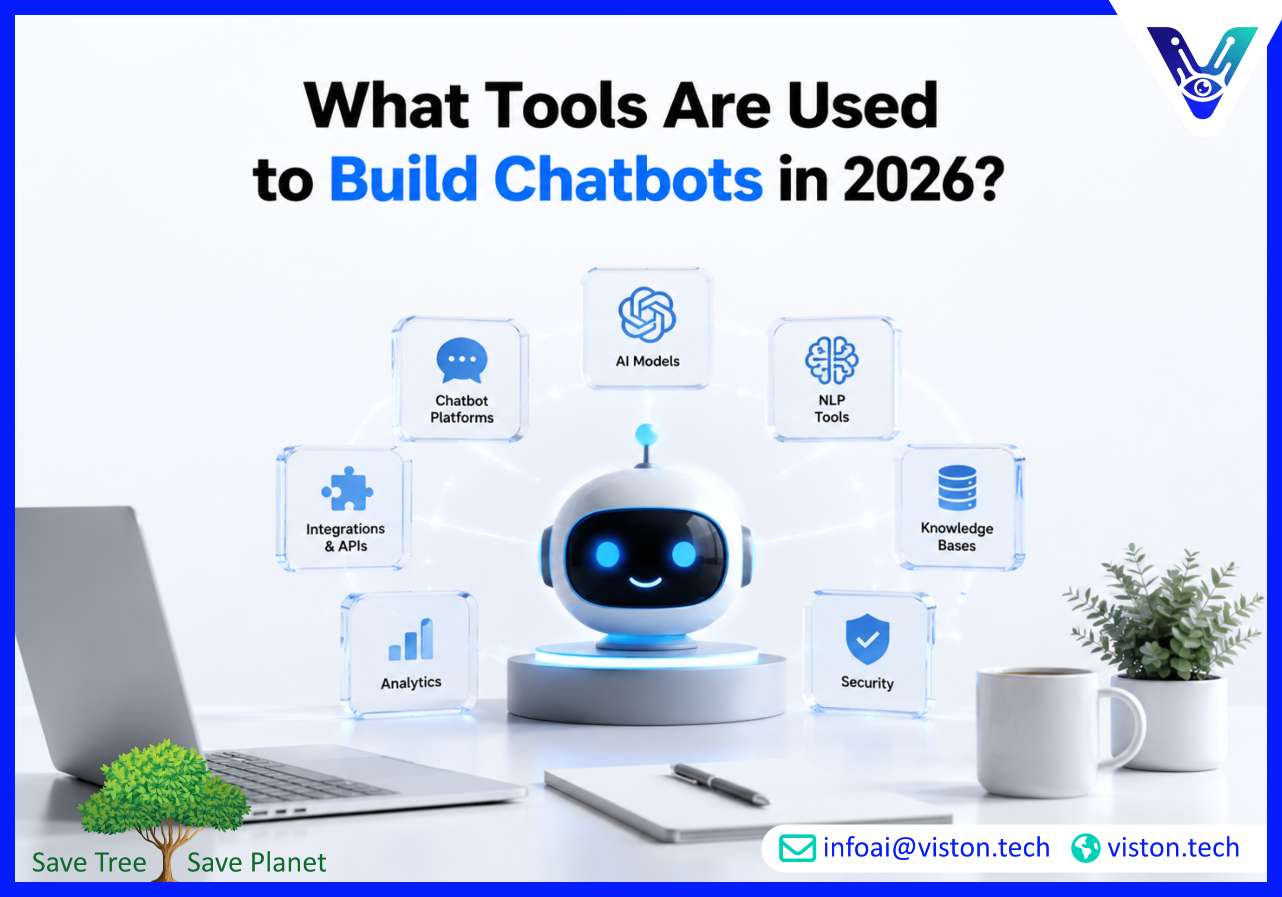
What tools are used to build chatbots? In 2026, the answer depends on whether a business needs a simple support bot, an AI-powered sales assistant, a voice-enabled agent, or a chatbot integrated with CRM, helpdesk, analytics, and internal workflow systems.
The tools used to build chatbots usually fall into several connected categories: chatbot development platforms, large language models, natural language processing tools, integration frameworks, data and knowledge base systems, analytics tools, security layers, and deployment channels. A modern chatbot is rarely built with one tool alone. It is usually an ecosystem of technologies working together to understand users, retrieve accurate information, trigger actions, and deliver a reliable experience across digital channels.
For a basic chatbot, a business may only need a visual chatbot builder, predefined conversation flows, website deployment, and a simple lead capture form. These tools are suitable for predictable use cases such as answering FAQs, collecting contact details, routing inquiries, or booking a callback.
For AI chatbot integration, the toolset becomes more advanced. The chatbot may need to connect with customer relationship management systems, ticketing platforms, ecommerce databases, calendars, payment gateways, internal documents, product catalogues, and business intelligence dashboards. It may also need to use generative AI models, retrieval-augmented generation, vector databases, API connectors, prompt management, human handoff, conversation analytics, and security controls.
This is why chatbot tool selection should start with the business outcome. A chatbot built for customer support needs different tools from a chatbot built for B2B lead qualification, HR onboarding, internal IT support, appointment scheduling, or multilingual customer engagement. The best tool is not always the most popular platform; it is the one that fits the company’s workflows, data environment, compliance needs, scale, and user expectations.
In 2026, businesses are also moving beyond standalone chatbot widgets. Many buyers now expect chatbots to work as integrated AI assistants that can answer questions, complete tasks, escalate conversations, summarize context, and support measurable business outcomes. That shift makes AI Chatbot Integration a core part of chatbot development rather than an optional add-on.
Businesses usually need a combination of tools to design, build, integrate, test, launch, and improve a chatbot. The exact stack depends on complexity, but most chatbot projects include the following categories.
Chatbot builder platforms help teams create conversation flows, define responses, manage user journeys, and deploy chatbots to websites, mobile apps, messaging platforms, or internal systems. Examples include Dialogflow CX, Microsoft Copilot Studio, Amazon Lex, IBM watsonx Assistant, Rasa, Botpress, Voiceflow, Intercom, Zendesk bots, Drift, and Freshchat.
Low-code and no-code builders are useful for businesses that want faster deployment and easier management by non-technical teams. They often include drag-and-drop flow design, templates, channel publishing, analytics, and handoff features. Developer-focused platforms provide more control over custom logic, backend integrations, model orchestration, testing, and deployment architecture.
Generative AI chatbots often use large language models such as OpenAI GPT models, Google Gemini models, Anthropic Claude models, Meta Llama models, Mistral models, or enterprise-hosted open-source models. These models help chatbots interpret natural language, generate contextual answers, summarize conversations, classify intent, extract information, and support more flexible dialogue.
Model APIs are especially important when the chatbot needs to understand open-ended questions rather than follow fixed scripts. However, using an LLM alone is not enough. Businesses need prompt engineering, response guardrails, retrieval systems, moderation, fallback handling, testing, and monitoring to make AI responses dependable.
Natural language processing tools help chatbots understand what users mean. They may handle intent recognition, entity extraction, sentiment analysis, language detection, translation, text classification, and summarization. NLP tools are useful when a chatbot must identify whether a user wants pricing, support, account help, delivery updates, booking assistance, or a sales conversation.
Traditional NLP remains valuable for structured workflows where predictable intent handling is required. Generative AI adds flexibility, but intent recognition and business rules still matter when accuracy, compliance, or process control is important.
AI chatbots need accurate information sources. Knowledge base tools store and organize FAQs, policy documents, product details, service guides, help articles, technical documentation, internal procedures, and customer-facing content. For generative chatbots, retrieval-augmented generation tools allow the chatbot to search approved information before creating an answer.
Common components include document repositories, content management systems, search indexes, embedding models, and vector databases such as Pinecone, Weaviate, Milvus, Chroma, Redis, or managed cloud search services. These tools help reduce guesswork by grounding chatbot responses in company-approved information.
Integration tools connect the chatbot to business systems. This is where AI Chatbot Integration becomes commercially important. A chatbot that cannot access real business data may answer basic questions, but it cannot complete meaningful tasks.
Common integrations include Salesforce, HubSpot, Zoho CRM, Microsoft Dynamics, Zendesk, Freshdesk, ServiceNow, Shopify, WooCommerce, Magento, Slack, Microsoft Teams, Google Calendar, Outlook, payment gateways, ERP systems, inventory platforms, and custom databases. API gateways, webhooks, middleware, iPaaS tools, and serverless functions are often used to connect these systems securely.
Good chatbot experiences are designed before they are developed. Conversation design tools help teams map user journeys, define dialogue flows, write prompts, plan fallbacks, structure escalation paths, and test user scenarios. Tools such as Figma, Miro, FigJam, Voiceflow, Botmock-style flow tools, and documentation platforms can support this stage.
Conversation design is not only about wording. It determines whether the chatbot asks the right questions, collects the right data, avoids confusing loops, and knows when to transfer the conversation to a human.
Once a chatbot is live, businesses need visibility into how it performs. Analytics tools track conversation volume, resolution rate, fallback rate, user satisfaction, escalation frequency, conversion rate, lead quality, response accuracy, and unresolved questions.
Testing tools help teams validate intents, prompts, integrations, API responses, security behavior, multilingual accuracy, and edge cases. Monitoring tools help detect broken flows, high-cost model usage, hallucinated responses, system errors, latency issues, and declining performance. In 2026, continuous optimization is a standard expectation for serious chatbot projects.
Security tools protect users, business data, and connected systems. These may include authentication, role-based access, encryption, audit logs, data masking, consent management, retention controls, prompt protection, moderation filters, and secure API access.
For regulated or data-sensitive industries, chatbot tools must be selected carefully. A chatbot that accesses account records, health data, financial information, employee information, or confidential documents needs stronger governance than a simple marketing FAQ bot.
AI Chatbot Integration changes the project from building a conversation interface to building a connected business system. The chatbot is no longer just answering questions; it may be checking records, updating CRM fields, creating tickets, booking meetings, generating summaries, sending notifications, retrieving product availability, or triggering workflow automation.
This makes integration architecture one of the most important decisions in chatbot development. The development team must define which systems the chatbot can access, what data it can read or write, what permissions are required, how errors are handled, and when a human should take over.
For example, a sales chatbot may need to connect with a CRM, website forms, calendar tools, email automation, and lead scoring systems. A support chatbot may need helpdesk software, order management tools, knowledge bases, customer account data, and live agent handoff. An internal HR chatbot may need policy documents, employee portals, ticketing systems, and identity management.
Integration tools also influence user experience. A chatbot that can only say “someone will contact you soon” is less useful than one that can check calendar availability, book an appointment, create a CRM record, notify the sales team, and send confirmation automatically. The value comes from the connection between conversation and action.
However, more integrations also create more responsibility. Each connection must be secure, tested, monitored, and maintained. APIs can change, permissions can expire, data formats can break, and workflows can evolve. Businesses should therefore choose tools that support long-term maintainability, not only fast initial deployment.
In 2026, many chatbot projects also use agentic workflows. This means the chatbot may coordinate several steps, call tools, validate information, and complete tasks with controlled autonomy. For these use cases, businesses may need orchestration frameworks, function calling, workflow engines, approval rules, audit trails, and human-in-the-loop controls.
Choosing chatbot tools should be a practical business decision, not just a technology preference. The right stack depends on the chatbot’s purpose, users, data, channels, risk level, and expected outcomes.
A business should first define what the chatbot must achieve. Is it designed to reduce support tickets, qualify leads, improve ecommerce conversions, automate appointment booking, assist employees, support multilingual users, or connect customers with account information? Clear use cases make tool selection easier and prevent unnecessary complexity.
If the chatbot needs to access CRM, helpdesk, ERP, ecommerce, analytics, or internal systems, integration capability should be evaluated early. Businesses should check API availability, authentication methods, data permissions, rate limits, workflow rules, and maintenance requirements before selecting a platform.
No-code tools can be effective for simple bots, but custom development may be better for complex workflows, regulated data, advanced AI behavior, or proprietary business logic. A company should consider how much control it needs over prompts, models, data storage, integrations, hosting, security, and analytics.
Generative AI can make chatbot conversations more natural, but it must be controlled. Businesses should evaluate whether the tool supports approved knowledge sources, confidence thresholds, fallback messages, human handoff, content moderation, prompt management, testing, and response logging.
A chatbot that works during a pilot may fail when usage grows. Businesses should consider traffic volume, response speed, model costs, multilingual demand, support processes, integration reliability, and ongoing optimization. A scalable chatbot stack should support both current needs and future expansion.
Security cannot be added casually after launch. The right chatbot tools should support secure authentication, access control, data protection, logging, and privacy requirements. This is especially important for industries that handle sensitive customer, financial, healthcare, legal, or employee data.
Viston AI is relevant to businesses asking what tools are used to build chatbots because its service offering includes AI Chatbot Integration, AI Chatbot Development, Enterprise AI Chatbots, Voice-Enabled Assistants, Multilingual Support, Natural Language Processing Solutions, AI Agent Development, Agent Integration Services, and Strategic AI Consulting.
For companies that need a chatbot connected to real business workflows, Viston AI can support the practical decisions behind tool selection, architecture, integration planning, and deployment. This matters because chatbot success depends on more than choosing a builder. Businesses need the right mix of AI models, knowledge sources, APIs, data workflows, handoff rules, analytics, and security controls.
Viston AI’s capabilities are especially relevant when a chatbot must integrate with CRM, support systems, internal tools, customer data, or automation workflows. Its broader AI service portfolio also supports use cases where a chatbot needs natural language understanding, multilingual responses, workflow automation, voice interaction, or agent-style task execution.
For global businesses and industry-specific teams, this type of support can help reduce implementation risk. Instead of forcing a generic chatbot tool into a complex environment, Viston AI can help align the toolset with business goals, technical requirements, user journeys, and long-term scalability. That makes its role especially relevant for organizations that want AI chatbot integration to create measurable operational value rather than a disconnected chatbot widget.
The most common chatbot tools include chatbot builders, AI model APIs, NLP engines, knowledge bases, vector databases, CRM integrations, helpdesk integrations, analytics platforms, testing tools, and deployment channels such as websites, WhatsApp, Slack, Microsoft Teams, and mobile apps.
Not always. Simple chatbots can be built with low-code or no-code platforms. However, coding is often needed for custom chatbot development, secure API integrations, advanced AI workflows, enterprise data access, and complex automation.
The best tools depend on the systems the chatbot must connect with. Common choices include CRM APIs, helpdesk platforms, workflow automation tools, webhooks, middleware, cloud functions, vector databases, and AI model APIs that support tool calling or structured actions.
No. Generative AI models are only one part of the chatbot stack. A reliable chatbot also needs knowledge grounding, prompt control, conversation design, testing, analytics, security, integration logic, fallback handling, and human escalation.
A business should compare platforms based on use case fit, integration support, AI capabilities, security, customization, scalability, analytics, deployment channels, maintenance effort, and total cost of ownership.
Yes. Viston AI’s AI Chatbot Integration and AI Chatbot Development services are aligned with projects that require CRM connectivity, workflow automation, NLP capability, enterprise chatbot deployment, and practical integration with business systems.
What tools are used to build chatbots? In 2026, businesses typically need a connected stack of chatbot builders, AI models, NLP tools, knowledge bases, integration frameworks, analytics systems, security controls, and deployment channels. The right selection depends on the chatbot’s purpose, complexity, data requirements, and business outcomes. For organizations investing in AI Chatbot Integration, the main goal should be to connect conversations with real workflows, accurate information, and measurable actions. Viston AI offers relevant expertise for businesses that want chatbot tools selected, integrated, and scaled around practical operational value.
