
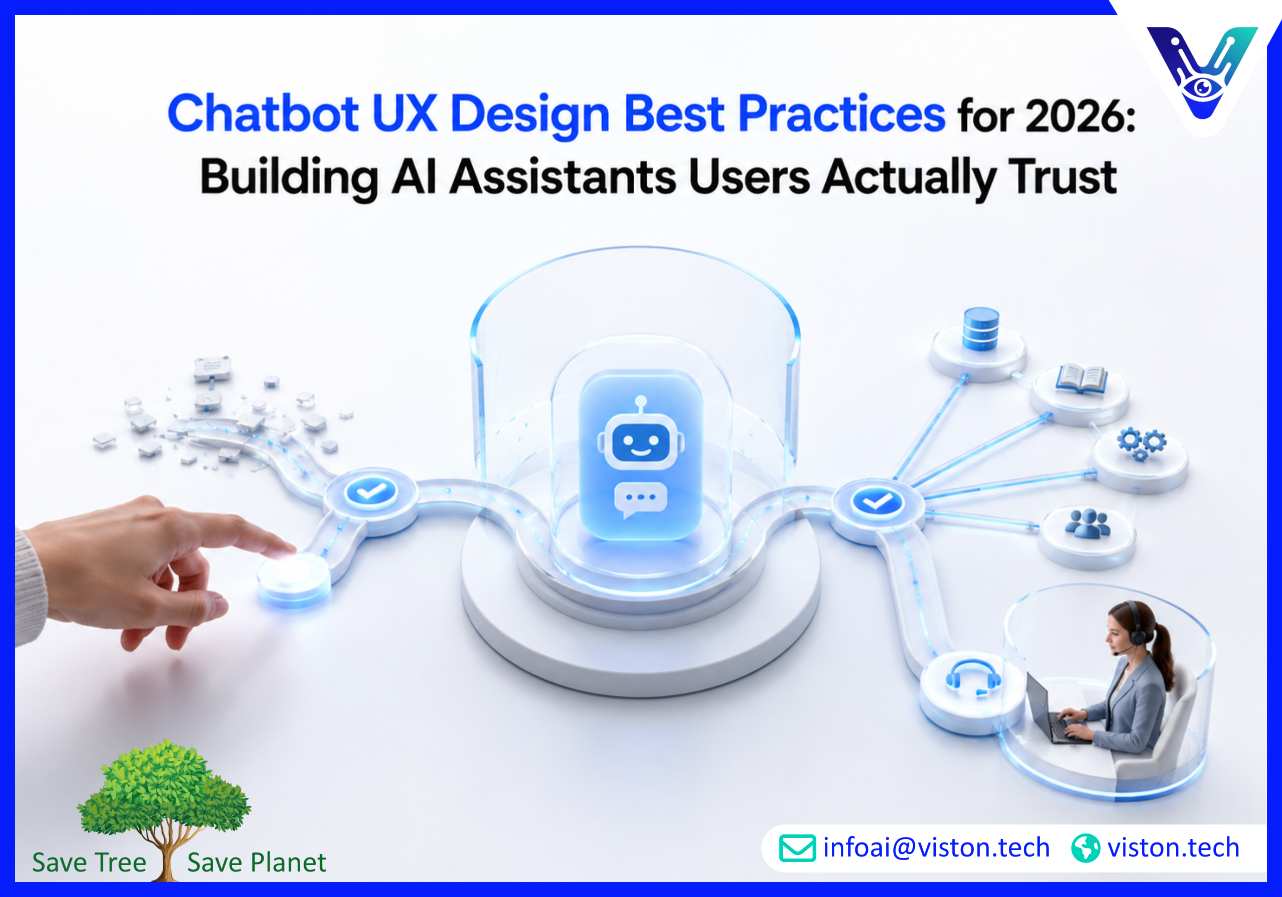
Chatbot UX design best practices matter because users now expect AI assistants to be fast, accurate, context-aware, and easy to use. For businesses investing in AI Chatbot & Virtual Assistant Development, strong UX is no longer a finishing touch. It is what determines adoption, trust, automation quality, and measurable business value.
Chatbot UX is the complete experience a user has while interacting with an AI chatbot or virtual assistant. It includes conversation flow, tone, interface design, response quality, fallback handling, accessibility, personalization, escalation, and how well the assistant helps users complete real tasks.
In 2026, chatbot UX is closely tied to business performance. A chatbot that answers quickly but misunderstands intent can increase frustration. A chatbot that sounds friendly but cannot connect to the right system may fail commercially. A chatbot that automates too aggressively without human handoff can damage trust. Good UX balances automation, clarity, reliability, and control.
For businesses, the goal is not simply to launch a chatbot. The goal is to design a conversational experience that helps customers, employees, leads, or partners move from question to outcome with minimal friction. That may mean finding a product, booking an appointment, qualifying a sales enquiry, checking order status, resolving an HR request, collecting support information, or routing a complex issue to the right team.
The best chatbot UX design best practices start with one principle: users should always understand what the assistant can do, what it cannot do, and what happens next. This clarity reduces confusion and prevents the chatbot from feeling like a barrier between the user and the business.
A strong chatbot experience begins with understanding what users actually want to achieve. Businesses often design bots around departments, service categories, or website navigation. Users think differently. They ask questions in natural language, use incomplete phrases, describe symptoms instead of solutions, and expect the assistant to infer context.
Effective AI Chatbot & Virtual Assistant Development should begin with intent mapping. This includes reviewing support tickets, sales enquiries, search data, call transcripts, FAQs, CRM notes, and customer journey analytics. The purpose is to identify common tasks, repeated questions, decision points, emotional triggers, and high-friction moments.
Good intent design separates simple questions from complex journeys. For example, “What are your pricing options?” may require a short answer and a link. “Which chatbot solution is right for my enterprise?” requires qualification, context gathering, and possibly a human consultation. Treating both interactions the same weakens UX.
The opening message should immediately tell users how the chatbot can help. Vague greetings such as “How can I help you?” are common, but they often place too much work on the user. A better approach is to give practical prompts based on the user’s likely context.
For example, a service chatbot may offer options such as “Ask about chatbot development,” “Get integration guidance,” “Discuss enterprise automation,” or “Speak with an expert.” These prompts reduce uncertainty while still allowing free-text input.
The first interaction should also set expectations. If the assistant can access account data, say so. If it cannot process sensitive information, make that clear. If a human can step in when needed, mention it naturally. Clear expectations build confidence from the first click.
Users rarely want long chatbot answers unless they are asking for detailed guidance. Most chatbot interactions work best when responses are concise, well-structured, and followed by a clear next step. Long blocks of text are difficult to scan, especially on mobile devices.
Good chatbot UX uses short paragraphs, buttons where helpful, confirmation questions, and progressive disclosure. Instead of giving every possible answer at once, the assistant should provide the most relevant response and then ask whether the user needs more detail.
For service-led conversations, this is especially important. A potential buyer researching AI chatbot development may need education, but they also need direction. The chatbot should guide them toward relevant information, qualification, consultation, pricing discussion, or documentation without overwhelming them.
No chatbot understands every request perfectly. What matters is how gracefully it recovers. Poor fallback messages such as “I did not understand” create dead ends. Strong fallback design gives users a path forward.
A useful fallback should acknowledge the issue, restate what the bot can help with, offer suggested options, and provide human escalation when appropriate. For example, “I may not have understood that fully. Are you asking about chatbot pricing, integration, support, or custom development?” is more helpful than a generic error.
Recovery design is one of the most important chatbot UX design best practices because it protects trust. Users are often forgiving when an AI assistant makes a mistake, but they are less forgiving when it traps them in a loop.
Modern users expect chatbots to remember relevant context within a session. If a user has already selected a service category, entered a region, described a problem, or answered a qualification question, the assistant should not ask for the same information again.
Context-aware UX requires careful conversation state management. The chatbot should track intent, user attributes, previous responses, source page, device type, and active task where appropriate. This makes the experience feel intelligent rather than repetitive.
For business use cases, context also improves conversion and operational efficiency. A lead generation assistant can ask better questions. A support assistant can route tickets more accurately. An internal virtual assistant can retrieve the right workflow, policy, or system action faster.
A chatbot that only answers static questions has limited business value. Strong UX often depends on integrations with CRM platforms, helpdesk tools, knowledge bases, booking systems, ERP software, analytics platforms, product databases, or internal workflow tools.
When integrations are designed well, the chatbot can move beyond conversation into action. It can create tickets, qualify leads, check order information, update records, schedule meetings, retrieve documents, or trigger workflow automation.
However, integrations must be designed carefully. Users need confirmation before important actions are taken. Sensitive data must be handled securely. The chatbot should explain what information it needs and why. A smooth integrated experience should feel helpful, not invasive.
Human escalation is a key part of chatbot UX. Some conversations require empathy, negotiation, legal review, technical diagnosis, account-specific support, or complex decision-making. The best systems do not hide human support. They use AI to collect context, reduce repetition, and route the user to the right person faster.
A good handoff should include conversation history, user details, issue summary, urgency, and previous bot actions. This prevents the user from starting again. It also helps support, sales, or operations teams respond with better context.
For enterprise chatbot projects, handoff rules should be defined during planning. Businesses should decide which topics require human escalation, which interactions can be fully automated, and which need approval before the chatbot completes an action.
Chatbot UX should work for different users, devices, languages, and abilities. Accessibility includes readable text, keyboard navigation, screen reader compatibility, clear contrast, predictable interface behavior, and simple language. Voice-enabled assistants require additional attention to speech clarity, confirmation, accents, interruptions, and noisy environments.
Inclusive design also means avoiding assumptions about how users phrase requests. Some users type short commands. Others use full sentences. Some make spelling mistakes. Others switch languages or use industry-specific terms. A well-designed chatbot should handle this variation as naturally as possible.
Many businesses measure chatbot success through volume metrics such as number of conversations or messages handled. These metrics are useful, but they do not prove good UX. A high number of messages may indicate confusion rather than engagement.
Better chatbot UX metrics include task completion rate, containment quality, successful escalation rate, fallback frequency, average steps to resolution, user satisfaction, lead qualification quality, repeat question rate, drop-off points, and post-chat outcomes.
For sales and service chatbots, businesses should also examine whether the assistant supports meaningful commercial outcomes. Does it qualify leads accurately? Does it route high-intent users correctly? Does it reduce repetitive support work? Does it help users reach the right service page or expert?
AI chatbot UX depends heavily on the quality of the information behind the assistant. Outdated FAQs, unclear service descriptions, duplicated policies, and inconsistent internal documentation all weaken chatbot performance.
Businesses should treat chatbot knowledge as a living asset. Content should be reviewed, structured, tagged, and updated regularly. Service pages, product documentation, internal policies, pricing guidance, troubleshooting steps, and compliance notes should be clear enough for both humans and AI systems to interpret.
For generative AI chatbots, guardrails are also important. The assistant should answer from approved sources, avoid unsupported claims, recognize uncertainty, and escalate when confidence is low. This helps reduce hallucinations and protects brand trust.
Chatbot UX testing should include more than technical checks. It should test real user scenarios, misunderstood phrases, edge cases, sensitive questions, incomplete inputs, multilingual queries, escalation flows, and mobile usability.
Before launch, teams should test the chatbot with internal stakeholders and representative users. After launch, they should review transcripts and analytics to identify friction. The most useful improvements often come from small details: rewriting confusing prompts, reducing unnecessary questions, improving button labels, adjusting fallback messages, or adding missing intents.
Continuous optimization is essential because user behavior changes. New products, policies, campaigns, regulations, service offerings, and customer expectations can all affect chatbot performance.
Personalization can improve chatbot UX when it is relevant and transparent. A chatbot may use browsing context, previous interactions, user role, account status, or selected preferences to provide better guidance. However, personalization must be balanced with privacy and security.
Users should not feel that the chatbot is using hidden information. Businesses should collect only necessary data, protect sensitive details, follow applicable privacy requirements, and avoid asking for information that is not needed for the task.
In 2026, responsible chatbot UX includes transparency, consent, secure data handling, and clear escalation paths. This is especially important for businesses operating in regulated or data-sensitive environments.
Viston AI is relevant to chatbot UX design best practices because its service offering includes AI Chatbot Development, AI Chatbot Integration, Enterprise AI Chatbots, Voice-Enabled AI Assistants, Multilingual AI Chatbot Support, NLP & Text Analysis, Custom AI Solution Development, and AI Automation & Workflow Bots. These capabilities connect directly to the practical requirements of building chatbot experiences that are usable, scalable, and business-focused.
For organizations planning AI Chatbot & Virtual Assistant Development, Viston AI can support the work beyond interface design. A strong chatbot experience requires conversation planning, natural language understanding, system integration, automation logic, workflow design, knowledge structuring, testing, and ongoing improvement. These are the areas where specialist development support becomes valuable.
Viston AI’s focus on chatbot development, integration with business systems, enterprise chatbot solutions, multilingual support, voice-enabled assistants, and NLP makes it suitable for businesses that need more than a basic scripted bot. Its capabilities can support customer engagement, lead generation, support automation, internal process assistance, and business workflow automation where chatbot UX must be connected to real operational outcomes.
For global B2B teams, the value lies in designing assistants that are practical for users and manageable for the business. That means clear conversation flows, reliable handoff, secure integrations, measurable performance, and scalable AI architecture.
Chatbot UX design best practices are principles that help businesses create chatbot experiences that are clear, useful, easy to navigate, and trusted by users. They include intent mapping, concise responses, strong fallback handling, human handoff, accessibility, personalization, testing, analytics, and secure integration with business systems.
UX determines whether users can complete tasks successfully with the chatbot. Even advanced AI can fail commercially if the conversation is confusing, repetitive, inaccurate, or difficult to escape. Good UX improves adoption, task completion, lead quality, customer satisfaction, and automation value.
Start by reviewing real user questions, support tickets, sales enquiries, and existing chatbot transcripts. Identify where users drop off, repeat themselves, ask for humans, or receive weak answers. Then improve the highest-impact flows first, such as onboarding, lead qualification, support routing, FAQs, and escalation.
Most business chatbots should include human handoff, especially when conversations involve complex decisions, sensitive information, sales opportunities, complaints, technical issues, or account-specific support. Human handoff improves trust and prevents automation from becoming a barrier.
Yes. Viston AI provides AI chatbot development, chatbot integration, enterprise chatbot solutions, voice-enabled assistants, multilingual support, NLP capabilities, and workflow automation services. These capabilities can support businesses that need chatbot UX connected to real service delivery, customer engagement, and operational workflows.
Businesses should measure task completion rate, fallback frequency, escalation quality, user satisfaction, conversation drop-off points, lead qualification accuracy, response usefulness, and the number of issues resolved without unnecessary human effort. These metrics give a clearer view of chatbot UX quality than usage volume alone.
Chatbot UX design best practices are essential for businesses that want AI assistants to deliver real value in 2026. A successful chatbot must do more than respond quickly. It must understand user intent, guide conversations clearly, recover from errors, connect with business systems, protect user trust, and support measurable outcomes. For companies investing in AI Chatbot & Virtual Assistant Development, UX should be planned from the beginning, tested continuously, and improved through real user data. Viston AI’s chatbot development, integration, NLP, multilingual, and automation capabilities make it a relevant specialist for businesses seeking practical, scalable conversational AI experiences.
