How to Integrate AI Agents in 7 Days: A Practical 2026 Guide
Learning how to integrate AI agents in 7 days helps businesses move from AI interest to practical execution quickly. With the right scope, systems, data access, and governance, a focused agent integration project can automate useful work without becoming a long, expensive transformation program.
What It Really Means to Integrate AI Agents in 7 Days
Integrating AI agents in 7 days does not mean building a complex enterprise-wide autonomous system in one week. It means selecting one focused workflow, connecting an AI agent to the right tools and data, testing its outputs, and deploying it in a controlled way for a specific business function.An AI agent is different from a basic chatbot. A chatbot usually responds to user messages. An AI agent can understand a goal, retrieve information, use tools, complete tasks, update systems, trigger workflows, and escalate issues when needed. In business settings, that may include reading support tickets, summarizing leads, updating CRM fields, drafting emails, checking documents, routing tasks, or creating reports.A 7-day integration timeline works best when the first use case is narrow, measurable, and connected to existing systems. The goal should be a practical pilot that proves value, not a fully autonomous system with unlimited decision-making authority.
Good 7-day AI agent integration examples
Support ticket triage and response drafting
CRM lead enrichment and qualification
Internal knowledge base assistant with workflow actions
Invoice or document intake routing
Sales follow-up email preparation
Meeting note summarization and task creation
Customer onboarding checklist automation
The most successful projects start with one operational bottleneck where employees already follow repeatable steps and where automation can reduce manual effort without creating excessive risk.
Why Fast AI Agent Integration Matters in 2026
In 2026, businesses are under pressure to adopt AI without wasting months on unclear experiments. Teams want automation that connects with real work: CRMs, helpdesks, email platforms, databases, spreadsheets, project management tools, document repositories, and internal knowledge systems.Fast AI agent integration matters because many companies already have AI access, but not AI execution. Employees may use AI tools manually, yet business processes still depend on copying data, checking systems, writing repetitive messages, and moving tasks between platforms. Agent integration closes that gap by embedding AI into workflow execution.
Business problems AI agents can address quickly
Manual task overload: Employees spend time on repetitive updates, summaries, checks, and follow-ups.
Slow response times: Customer, sales, and internal requests wait because teams need to collect information manually.
Disconnected systems: Important context sits across several tools, making workflows harder to complete.
Inconsistent outputs: Different team members handle the same process in different ways.
Poor visibility: Managers struggle to track where work is delayed or why tasks remain incomplete.
Agent Integration Services help businesses turn these challenges into structured workflows. Instead of asking employees to use AI separately, the agent becomes part of the process, supported by permissions, tool access, validation rules, and human review where needed.
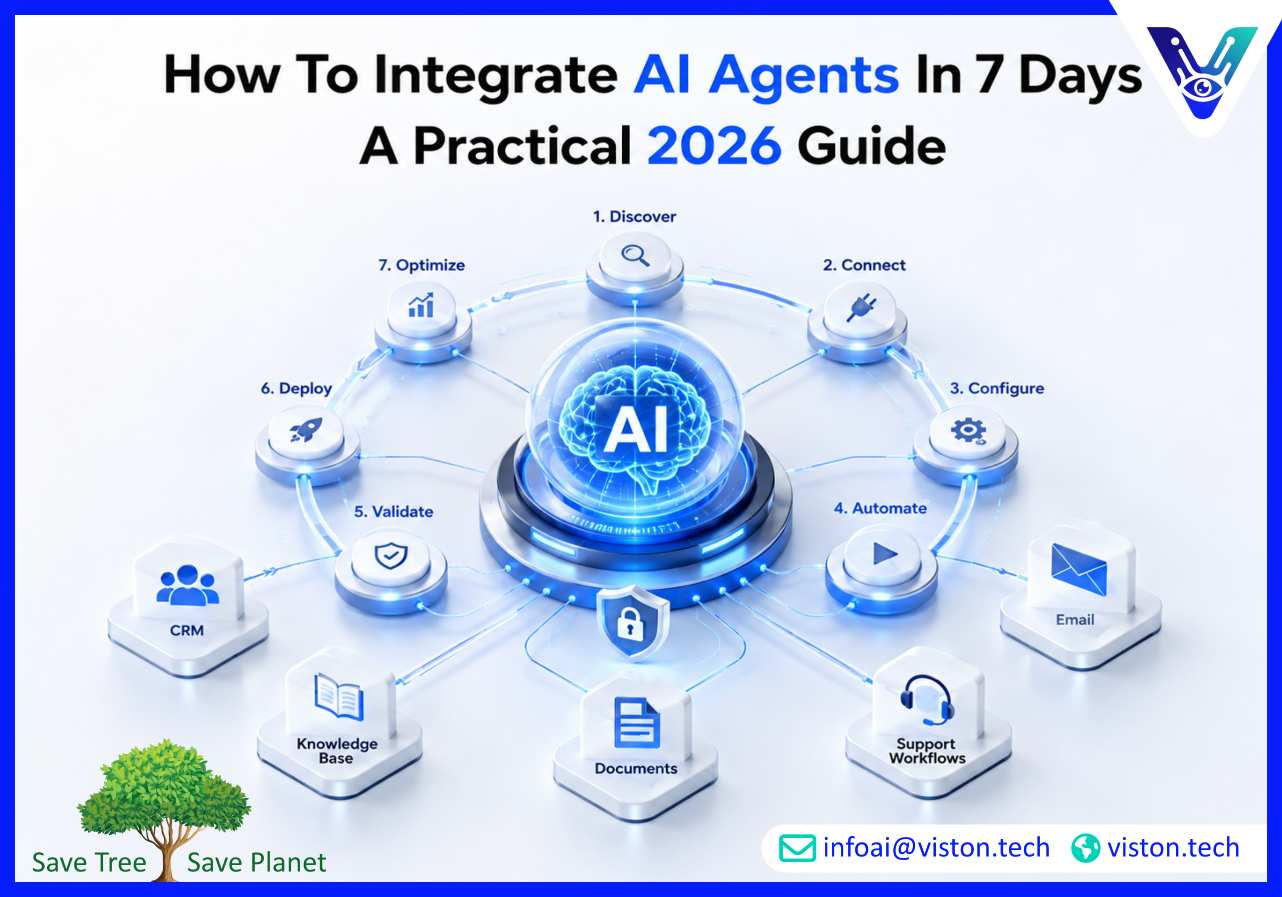
The 7-Day AI Agent Integration Roadmap
A 7-day roadmap should be practical, disciplined, and focused on a realistic first deployment. The timeline below is designed for businesses that want a working pilot rather than an open-ended strategy exercise.
Day 1: Choose the right use case
Start with one workflow that is repetitive, high-value, and easy to evaluate. Avoid sensitive decisions, complex approvals, and processes that depend on poor-quality data. A good first use case should have clear inputs, clear outputs, and a clear owner.Examples include classifying support tickets, summarizing sales calls, drafting customer follow-ups, extracting data from forms, or routing internal requests. Define the exact task the agent should complete and what success looks like.
Day 2: Map the workflow and decision points
Document how the process works today. Identify triggers, required information, tools used, decision points, exceptions, approvals, and final outputs. This step prevents the agent from being designed around assumptions instead of real operations.For example, if the agent will qualify leads, it must know where leads arrive, which fields matter, what counts as a qualified lead, when to update the CRM, and when to send a lead to a human sales representative.
Day 3: Prepare data access and system integrations
The agent needs controlled access to the systems required for the task. This may include CRM data, helpdesk tickets, product documentation, internal policies, email templates, knowledge bases, spreadsheets, or APIs.Access should be limited to what the agent needs. A support triage agent may need ticket content and help articles, but it may not need billing records. Strong permission design reduces security and operational risk.
Day 4: Configure the agent logic
Once the workflow and tools are clear, configure the agent’s instructions, role, allowed actions, response rules, escalation criteria, and output format. This is where the agent becomes operationally useful rather than generic.A well-configured agent should understand what it can do, what it cannot do, when it should ask for help, how it should format results, and how it should handle missing or uncertain information.
Day 5: Add guardrails and human review
AI agents should not be given unrestricted authority in the first week. Add approval steps for customer-facing messages, financial actions, sensitive records, legal language, or permanent system changes.Guardrails may include restricted tool permissions, validation checks, confidence thresholds, audit logs, response templates, and escalation rules. Human-in-the-loop review is especially important when the agent is new or operating in a business-critical workflow.
Day 6: Test with real scenarios
Test the agent using actual workflow examples, including normal cases, incomplete data, unclear requests, duplicate records, unusual customer language, and edge cases. Measure whether the agent completes the task accurately and whether its escalations make sense.Testing should not only check whether the agent responds correctly. It should confirm whether the full workflow works: data retrieval, reasoning, tool use, output quality, logging, and handoff to humans.
Day 7: Launch a controlled pilot
Deploy the agent to a limited user group, workflow queue, or department. Monitor performance closely. Track time saved, manual corrections, output accuracy, user feedback, failed actions, escalations, and completion rates.The first launch should create confidence and learning. Once the pilot works reliably, the business can expand the agent’s role, add more integrations, or build additional agents for related workflows.
What Businesses Need Before Starting Agent Integration
A fast AI agent integration project still requires preparation. Businesses do not need perfect systems, but they do need enough structure to make the agent useful and safe.
Clear workflow ownership
Someone must own the process. This person should understand how the workflow works today, where delays happen, what outputs are acceptable, and which exceptions require human judgment.
Reliable business knowledge
Agents perform better when they have access to approved knowledge sources. This may include SOPs, FAQs, policies, product details, pricing rules, onboarding documents, email templates, or process guidelines.
Integration-ready tools
The project becomes easier when business tools support APIs, webhooks, exports, or automation connectors. CRM, helpdesk, project management, email, document storage, and analytics platforms are common integration points.
Security and access controls
AI agents should operate with role-based permissions. Businesses should define which data the agent can read, which systems it can update, which actions require approval, and how activity will be logged.
Measurable success criteria
Before launch, define the target outcome. That may include reducing response time, improving routing accuracy, saving manual hours, increasing CRM completeness, reducing backlog, or improving workflow consistency.Without measurable criteria, businesses may struggle to determine whether the integration is successful or simply interesting.
How Viston AI Supports Fast AI Agent Integration
Viston AI is relevant for businesses exploring how to integrate AI agents in 7 days because its service focus aligns with AI automation, workflow bots, AI agent development, and practical business process integration. For organizations that want to move quickly without building disconnected AI experiments, Viston AI can help structure the first use case, define agent responsibilities, connect tools, and deploy controlled automation around real operational needs.Agent Integration Services require more than prompt writing. A reliable implementation involves workflow analysis, system access planning, data preparation, agent configuration, tool integration, testing, monitoring, and human approval design. Viston AI’s work in AI automation and workflow bots supports businesses that need agents connected to actual processes such as support, sales, operations, research, internal knowledge, customer communication, or back-office workflows.For companies across industries, the value is in building agents that are practical, secure, scalable, and aligned with measurable business outcomes. A focused 7-day pilot can help teams prove where AI agents create value before expanding into broader agentic automation or multi-agent orchestration. Viston AI can support that journey by helping businesses avoid unnecessary complexity and focus on integrations that improve execution.
Frequently Asked Questions
Can AI agents really be integrated in 7 days?
Yes, but only for a focused workflow with clear scope, available data, and limited system complexity. A 7-day project is best treated as a controlled pilot, not a full enterprise-wide AI transformation.
What is the best first use case for AI agent integration?
The best first use case is repetitive, measurable, and low to moderate risk. Support ticket triage, lead qualification, CRM updates, document routing, and internal knowledge workflows are strong starting points.
What systems can AI agents integrate with?
AI agents can integrate with CRMs, helpdesks, email platforms, databases, spreadsheets, project management tools, document storage systems, knowledge bases, APIs, and workflow automation platforms.
Do AI agents need human approval?
Human approval is recommended for customer-facing messages, financial actions, sensitive data updates, legal content, compliance-related decisions, and any workflow where errors may create business risk.
How do Agent Integration Services reduce implementation risk?
Agent Integration Services help define the right workflow, configure agent behavior, connect systems securely, add guardrails, test real scenarios, and monitor performance after launch.
Can Viston AI help businesses integrate AI agents quickly?
Yes. Viston AI’s focus on AI automation, workflow bots, and agentic systems makes it relevant for businesses seeking practical AI agent integration around real operational workflows.
Conclusion
Understanding how to integrate AI agents in 7 days starts with choosing the right workflow, defining clear responsibilities, connecting the right systems, and adding practical guardrails. Fast integration works best when businesses focus on one measurable use case instead of trying to automate everything at once. With structured Agent Integration Services, companies can turn AI agents into useful workflow participants that reduce manual effort, improve response speed, and support scalable operations. Viston AI is a credible partner for organizations looking to build focused, business-ready AI agent integrations with a practical implementation approach.