
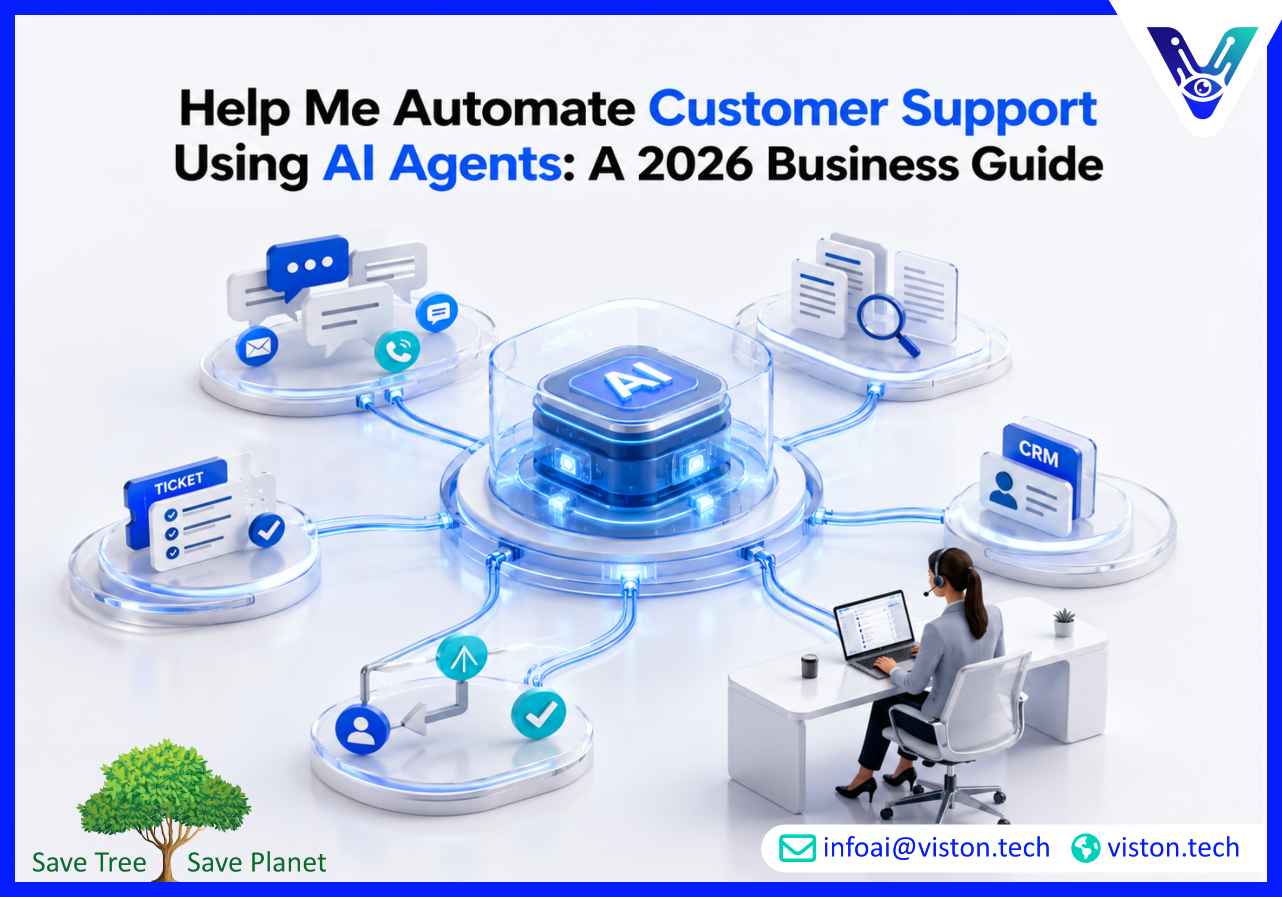
Customer support teams are under pressure to respond faster, reduce repetitive workload, and maintain consistent service quality. AI agents can help automate customer support by handling routine queries, routing complex issues, retrieving knowledge, and assisting human agents without replacing the need for thoughtful service design.
Customer expectations have changed. Buyers now expect fast answers, 24/7 availability, personalized responses, and smooth escalation when an issue becomes complex. Traditional support systems often struggle when ticket volumes rise, teams work across multiple channels, or knowledge is spread across disconnected tools.
AI agents offer a more capable approach than basic chatbots. Instead of only responding with scripted answers, they can understand intent, access approved knowledge sources, trigger workflows, summarize conversations, update CRM records, and support human agents in real time.
For businesses, the goal is not simply to “add AI.” The goal is to build a support operation that is faster, more consistent, easier to scale, and better aligned with customer needs.
AI agents are software systems designed to perform tasks with a level of reasoning, context awareness, and workflow execution. In customer support, they can manage parts of the support journey from the first customer message to resolution or escalation.
Common support agent capabilities include:
AI agents can respond to common questions about accounts, orders, pricing, onboarding, billing, policies, product features, troubleshooting steps, and service availability. When connected to accurate knowledge bases, they can reduce repetitive tickets and improve response speed.
Instead of relying on manual triage, AI agents can classify issues by topic, urgency, customer type, sentiment, and required expertise. This helps reduce delays and ensures high-priority issues reach the right person faster.
AI agents can summarize long conversations, suggest replies, retrieve internal documentation, identify next-best actions, and draft follow-up messages. This improves agent productivity without removing human judgment from sensitive cases.
A well-deployed AI agent can create tickets, update CRM fields, check order status, trigger refund workflows, request missing information, schedule callbacks, or send escalation alerts through connected systems.
Customer support no longer happens only through email. AI agents can support chat, website forms, help desks, messaging apps, voice systems, and internal service portals when integrated correctly.
Automating support with AI agents requires more than installing a chatbot widget. The quality of the outcome depends on how the agent is designed, trained, connected, tested, deployed, and monitored.
AI Agent Development & Deployment involves building agents around real business workflows. This includes defining support use cases, preparing knowledge sources, integrating systems, setting permissions, creating escalation logic, testing response accuracy, and monitoring performance after launch.
Poorly implemented agents can give inaccurate answers, frustrate customers, mishandle sensitive data, or create extra work for support teams. A production-ready approach focuses on reliability, governance, and measurable improvement.
Not every support task should be automated first. The best starting points are workflows that are repetitive, high-volume, rule-based, and supported by clear documentation.
These include FAQs, product guidance, onboarding help, account access support, billing explanations, and basic troubleshooting. AI agents can handle these efficiently when the answer can be found in trusted internal content.
AI agents can collect missing details before a ticket reaches a human agent. For example, they can ask for order numbers, screenshots, account details, error messages, or preferred contact times.
Many customers and support employees struggle to find the right article quickly. AI agents can search across approved documents and provide direct, contextual answers instead of forcing users to browse multiple pages.
When connected securely to business systems, AI agents can retrieve order status, subscription details, ticket progress, appointment information, or account updates without requiring manual support intervention.
When a case requires human help, the agent can summarize the issue, customer history, attempted fixes, urgency, and recommended next steps. This helps human agents respond with context instead of starting from zero.
Successful support automation starts with preparation. Many projects fail because the business focuses on the AI model before fixing the support process.
Businesses should define exactly what the AI agent will handle. A focused agent for billing questions, onboarding support, or technical troubleshooting is usually more reliable than a general-purpose agent trying to answer everything.
AI agents need accurate, updated, and approved information. This may include help center articles, SOPs, product documentation, policy documents, CRM notes, support macros, and internal guides.
Outdated or inconsistent knowledge leads to poor answers. Before deployment, businesses should review content quality and remove conflicting instructions.
Customer support automation often requires integration with help desk platforms, CRMs, ticketing systems, order management tools, live chat, internal databases, and communication platforms.
Without integration, the agent may answer questions but fail to complete useful actions.
AI agents should know when not to answer. Sensitive, complex, emotional, legal, financial, or high-value customer cases often need human review. Clear escalation logic protects both the customer and the business.
Support agents may interact with personal, billing, or account data. Proper authentication, permissions, logging, data handling, and role-based access are essential.
AI agents can create meaningful business value when deployed with the right scope and safeguards.
AI agents can respond instantly to common questions and reduce customer waiting time. This is especially useful for businesses receiving support requests outside office hours.
By handling repetitive tickets, AI agents allow human teams to focus on complex, urgent, or relationship-sensitive issues.
Customers often receive different answers depending on which agent responds. AI agents can improve consistency by using approved knowledge and standardized workflows.
Human support teams can work faster when AI summarizes conversations, drafts responses, retrieves documentation, and recommends next steps.
As ticket volume grows, businesses can scale support capacity without increasing headcount at the same pace.
When automation is designed well, customers get faster help, clearer answers, and smoother escalation when needed.
AI support automation must be deployed carefully. The biggest risks usually come from weak design, poor data, and lack of monitoring.
AI agents may produce confident but incorrect responses if they are not grounded in trusted business knowledge. Retrieval-based design, response constraints, and testing help reduce this risk.
Customers become frustrated when an AI agent blocks access to a human. Escalation should be easy, especially for urgent or complex issues.
Support conversations may include sensitive information. Businesses must control what data the agent can access, store, and share.
Not every interaction should be automated. High-value customers, complaints, disputes, cancellations, and emotional situations may require human empathy.
An AI agent should not be launched and ignored. Businesses need ongoing monitoring for accuracy, resolution rate, fallback rate, customer satisfaction, and escalation quality.
A practical deployment approach usually follows a structured process.
Review ticket volume, common topics, response times, escalation patterns, agent workload, customer complaints, and existing tools. This helps identify where AI can deliver the most value.
Start with specific workflows such as FAQ automation, ticket classification, order status support, onboarding assistance, or agent reply suggestions.
Clean, organize, and approve the content the AI agent will use. Add missing articles, remove outdated information, and define source ownership.
Map how the agent should greet users, identify intent, ask clarifying questions, provide answers, complete actions, and escalate when needed.
Connect the agent to help desk software, CRM platforms, customer databases, order systems, internal tools, or communication channels where required.
Use historical tickets, edge cases, multilingual queries, unhappy customer messages, incomplete requests, and complex workflows to test accuracy and reliability.
Begin with a limited scope or internal agent-assist model before expanding to customer-facing automation.
Track performance, review failed conversations, update knowledge sources, refine prompts, improve workflows, and adjust escalation rules.
Viston AI is relevant for businesses looking to automate customer support using AI agents because its work aligns with AI automation, workflow bots, and custom AI agent development. Its service focus includes building, deploying, and scaling AI agents that can support practical business workflows rather than only delivering simple chatbot interactions.
For customer support teams, this type of capability matters because support automation often requires more than conversation handling. Businesses need agents that can understand customer intent, connect with internal systems, retrieve accurate knowledge, assist support staff, and trigger defined workflows safely. Viston AI’s positioning around AI automation and custom agent solutions makes it suitable for organizations that want structured implementation support instead of a generic plug-and-play tool.
A business working with Viston AI could use AI Agent Development & Deployment to design support agents around real ticket categories, escalation rules, CRM updates, knowledge base retrieval, and operational reporting. This is especially useful for teams that need scalable support automation but also care about accuracy, integration, monitoring, and business control.
Choosing the right partner is important because customer support directly affects trust and retention.
Businesses should evaluate whether the provider can:
A good AI agent partner should focus on business outcomes such as reduced ticket load, faster response times, better resolution quality, and improved support team efficiency.
AI support automation should be measured with practical performance indicators. Useful metrics include:
The percentage of customer queries resolved without human intervention.
How quickly customers receive an initial helpful response.
How long it takes to solve a support issue from first contact to completion.
How often the AI agent transfers cases to human agents and whether those escalations are appropriate.
Customer feedback helps determine whether automation is improving or harming the support experience.
Measure whether human agents are handling more complex cases efficiently with AI assistance.
Review whether the agent gives correct, approved, and policy-safe answers.
In most businesses, AI agents should not fully replace customer support teams. They are best used to automate repetitive work, assist agents, and handle simple requests while humans manage complex, sensitive, or high-value interactions.
Start with high-volume, repetitive tasks such as FAQs, ticket routing, order status checks, onboarding questions, account support, and knowledge base search. These usually provide faster value and lower deployment risk.
The timeline depends on scope, integrations, data quality, and workflow complexity. A focused support agent can be deployed faster than a multi-channel agent connected to several business systems.
For basic answers, they may not. For meaningful support automation, CRM and help desk integrations are often needed so the agent can retrieve customer context, update tickets, and support workflow execution.
Use approved knowledge sources, retrieval-based responses, testing, escalation rules, access controls, and ongoing monitoring. The agent should be designed to admit uncertainty and escalate when needed.
Yes, Viston AI’s AI Agent Development & Deployment capabilities are relevant for businesses that want to design, build, deploy, and scale AI agents for customer support workflows, including automation, integrations, and operational support.
To automate customer support using AI agents, businesses need more than a basic chatbot. They need clear use cases, reliable knowledge, secure integrations, escalation rules, and continuous monitoring. AI Agent Development & Deployment helps turn support automation into a practical operating capability that improves speed, consistency, and scalability. For businesses exploring this shift in 2026, Viston AI offers relevant expertise in building and deploying AI agents that support real customer service workflows while keeping business control, reliability, and measurable outcomes at the center.
